
1-Visitor
September 26, 2013
Solved

Modeling a Steam Coil

  • September 26, 2013
  • 2 replies
  • 1398 views

Hello,

I am fairly new to Parametric. I am trying to model a steam coil. I have tried using a helical sweep and creating a datum curve as my path for my sweet. After trying both they give me poor looking geometry when shaded. Is this just a graphics option that I can change or are these bad options to use for pipe modeling. The picture below the top is a helical sweep and the lower one is a datum curve and regular sweep.

Thanks for any help.
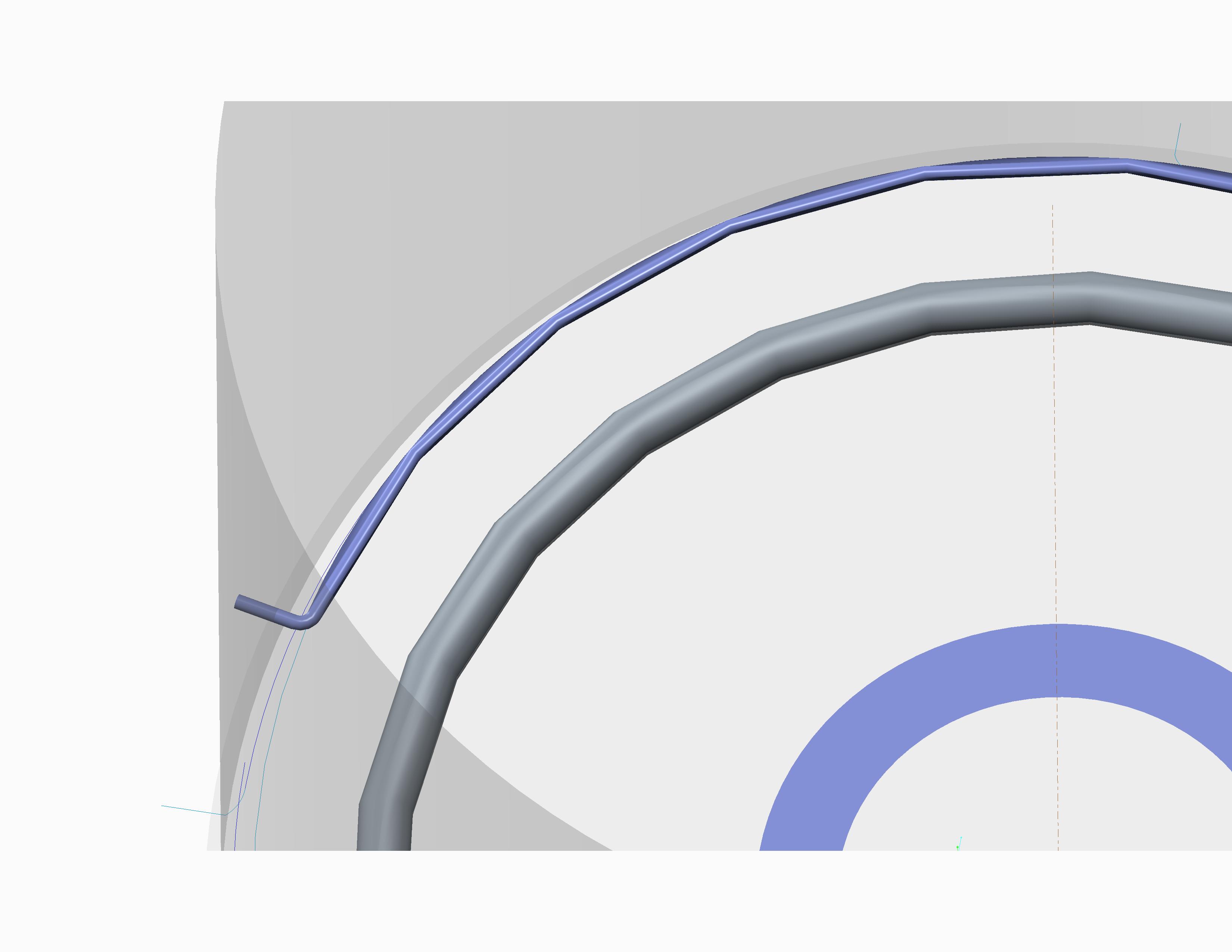
prt0002.jpg


This thread is inactive and closed by the PTC Community Management Team. If you would like to provide a reply and re-open this thread, please notify the moderator and reference the thread. You may also use "Start a topic" button to ask a new question. Please be sure to include what version of the PTC product you are using so another community member knowledgeable about your version may be able to assist.
Best answer by Patriot_1776

That's just a setting under: View, Display Settings, Model Display, Shade (then set it to 10). It's just a display issue. Although setting a higher relative accuracy or lower absolute accuracy will actualloy change the model. At least in creo pro 5 that's the menu structure.....

2 replies

Patriot_1776
22-Sapphire II
September 26, 2013

That's just a setting under: View, Display Settings, Model Display, Shade (then set it to 10). It's just a display issue. Although setting a higher relative accuracy or lower absolute accuracy will actualloy change the model. At least in creo pro 5 that's the menu structure.....

1-Visitor
September 26, 2013

Frank,

Thanks that worked. In creo parametric 2.0 the same setting can be found under file, options, model display. New image below.prt0003.jpg