1-Visitor
January 25, 2014
Solved

Modeling a wing help?

  • January 25, 2014
  • 5 replies
  • 8211 views

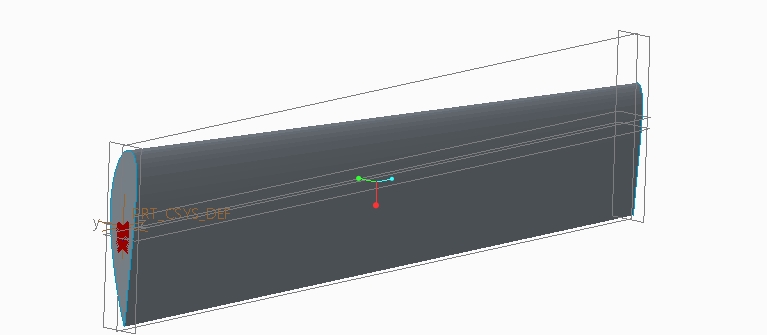
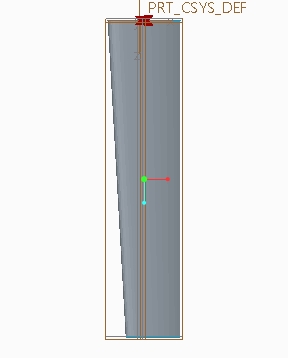
Hello, so I am trying to model a wing here but i am stuck with a problem.

I want the wing to curve at the end (like the picture at the bottom) but I just seems like I can't find any way to do it.

I've been trying everything (blend, swept, extrusion) but it doesn't work.

Does anyone know how to do this? Desperate need in help.

K-34.jpgK-36.jpg%EC%A0%9C%EB%AA%A9+%EC%97%86%EC%9D%8C.png


This thread is inactive and closed by the PTC Community Management Team. If you would like to provide a reply and re-open this thread, please notify the moderator and reference the thread. You may also use "Start a topic" button to ask a new question. Please be sure to include what version of the PTC product you are using so another community member knowledgeable about your version may be able to assist.
Best answer by TomD.inPDX

BTW: Welcome to the forum!

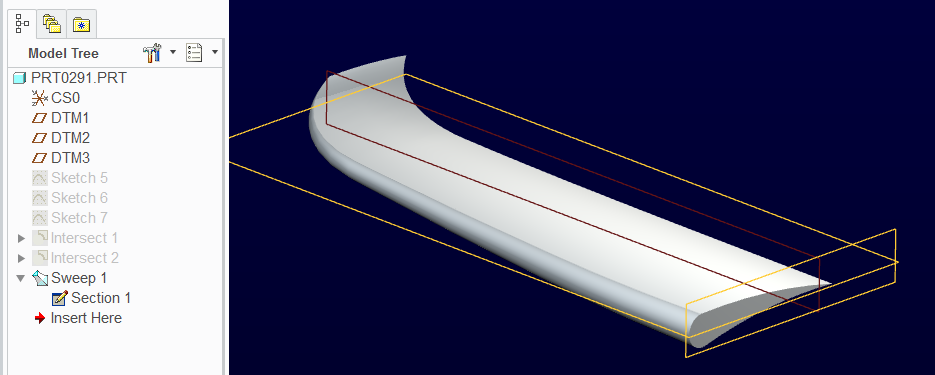
This is a variable section sweep using 2 intersects to add a twist.

wing.PNG

Creo 2.0 file attached.

5 replies

17-Peridot
January 26, 2014

Typically a sweep/blend would do this but you could try the Warp feature.

15-Moonstone
January 26, 2014

Hello, Kim,

I do not know if this information will help you, but you have to finish your form on a "point".

I have not found an example yet.

Cordially.

Denis.

17-Peridot
January 26, 2014

BTW: Welcome to the forum!

This is a variable section sweep using 2 intersects to add a twist.

wing.PNG

Creo 2.0 file attached.

1-Visitor
January 26, 2014

Thanks for the help! I look forward to the forum

1-Visitor
January 28, 2014

Any instructions for designing the wing? Thanks.

17-Peridot
January 28, 2014

How to design a wing in general or how the one I posted was made?

1-Visitor
January 28, 2014

How to develop a raked wing from the model I posted. I think the one you made.

12-Amethyst
February 1, 2014

Wow, great tutorial Antonius, I have something to study now