1-Visitor
March 30, 2014
Solved

Multiple versions of the same part

  • March 30, 2014
  • 1 reply
  • 2813 views

Hi

Creo keeps in my memory, multiple versions of the same part.

Example:

123.PRT.1

123.PRT.2

123.PRT.3

It is really annoying and takes up a lot of memory space.

How can you disable it?


This thread is inactive and closed by the PTC Community Management Team. If you would like to provide a reply and re-open this thread, please notify the moderator and reference the thread. You may also use "Start a topic" button to ask a new question. Please be sure to include what version of the PTC product you are using so another community member knowledgeable about your version may be able to assist.
Best answer by TomD.inPDX

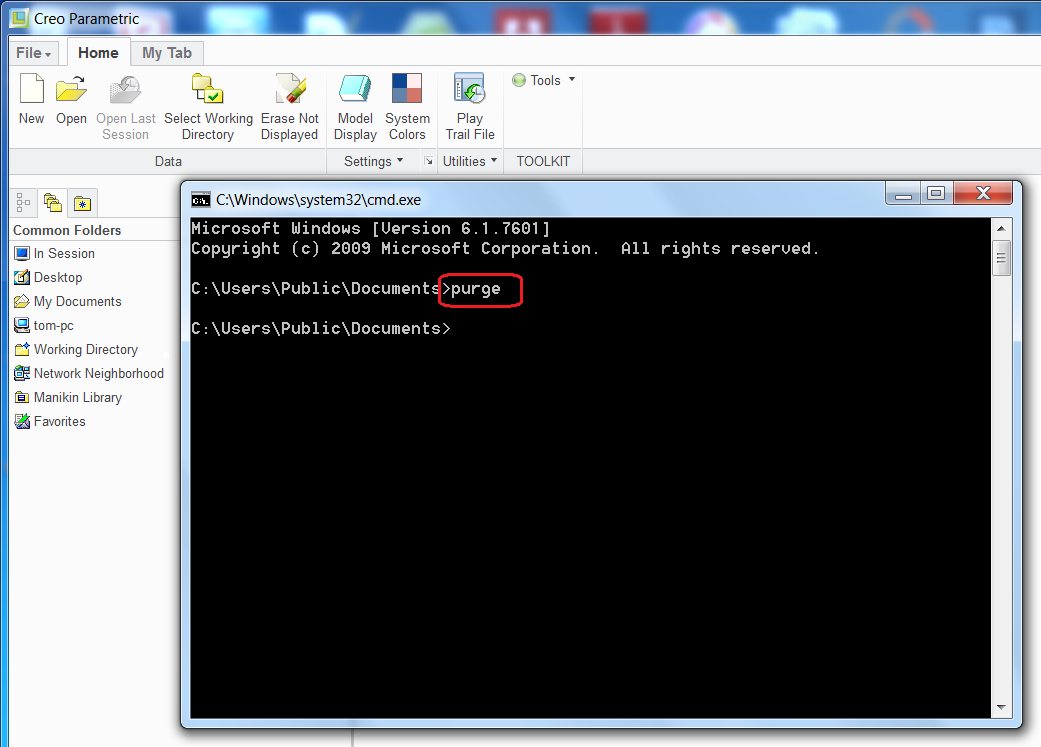
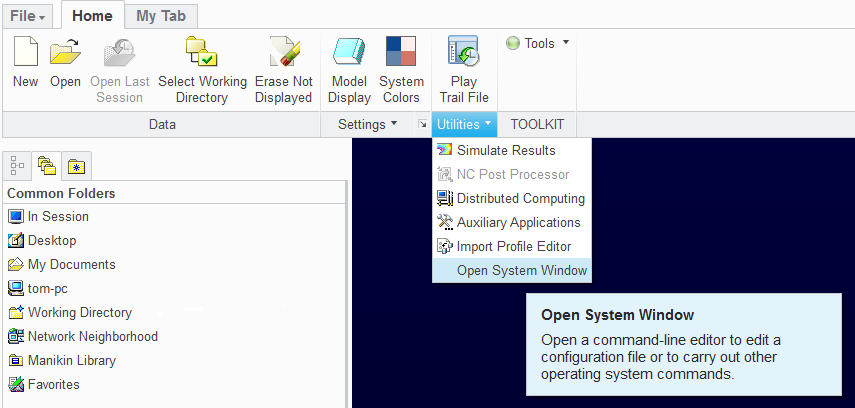
Sometimes the purge.bat file cannot find all the support .dll files and fails. You will see a message if it fails to purge the old version files.

open_system_window.pngpurge.png

If this fails, you may need to contact support or search other threads that discuss this issue.

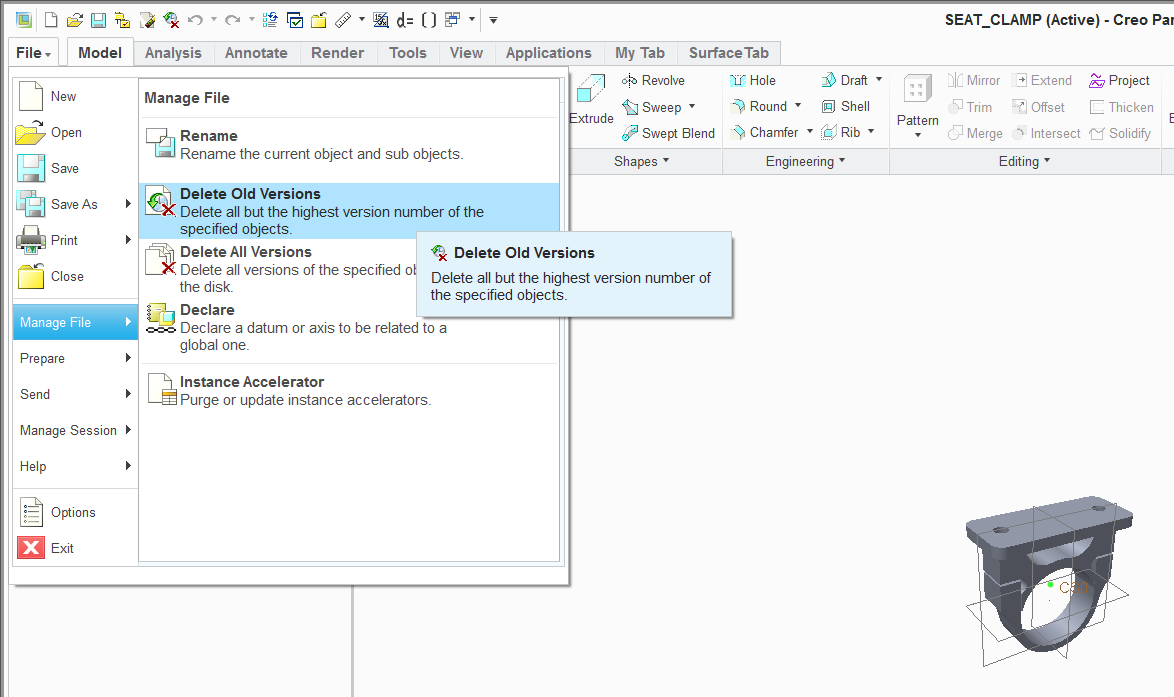
The other methods works without issues. You have the part or assembly open for which you want to remove old version files and use this function:

delete_old_Version.png

1 reply

17-Peridot
March 30, 2014

This is normal procedure for saved parts. There will be occasions when you will be very thankful that this is the case.

However, periodic maintenance will take care of this. There is a "purge.bat" file that helps clean up folders of the history copies of the file. It is run in the command window from Creo. Sometimes it required some help setting this up to function, but it has been part of Pro|E since the beginning.

You can also delete old versions of your open part directly from Creo. This lets you manage each part individually. And then there are some 3rd party utilities that have even more options.

Welcome to the forum, Moti.

1-Visitor
March 30, 2014

Thanks for the reply

"Sometimes it required some help setting this up to function, but it has been part of Pro|E since the beginning."

Can you explain more how I can check the settings?

"You can also delete old versions of your open part directly from Creo. This lets you manage each part individually. And then there are some 3rd party utilities that have even more options."

How can I do this?

Thanks

17-Peridot
March 30, 2014

Sometimes the purge.bat file cannot find all the support .dll files and fails. You will see a message if it fails to purge the old version files.

open_system_window.pngpurge.png

If this fails, you may need to contact support or search other threads that discuss this issue.

The other methods works without issues. You have the part or assembly open for which you want to remove old version files and use this function:

delete_old_Version.png