
1-Visitor
August 14, 2016
Solved

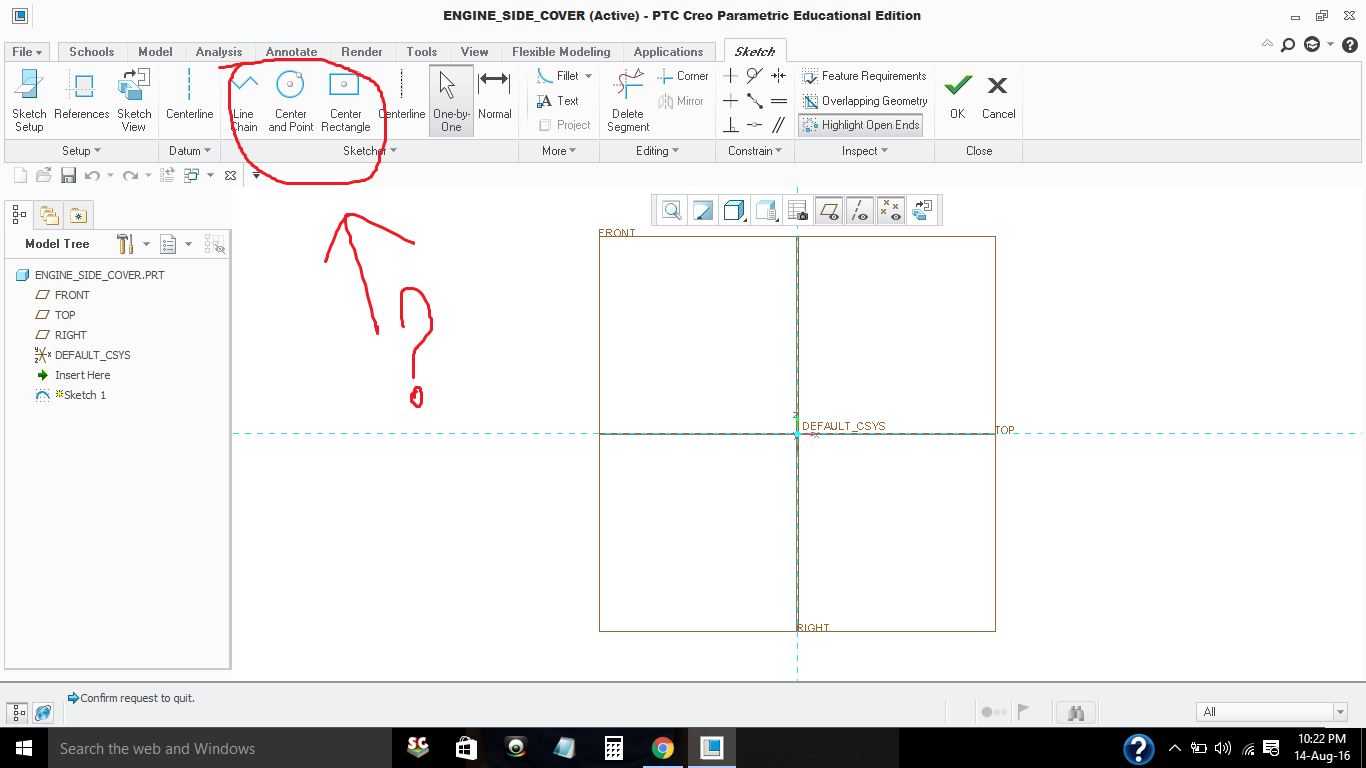
No Concentric or 3 Point or 3 Tangent circle option in Creo 3.0, How to Enable it ??
  • August 14, 2016
  • 2 replies
  • 1817 views

creo 3.0.png


This thread is inactive and closed by the PTC Community Management Team. If you would like to provide a reply and re-open this thread, please notify the moderator and reference the thread. You may also use "Start a topic" button to ask a new question. Please be sure to include what version of the PTC product you are using so another community member knowledgeable about your version may be able to assist.

Best answer by TomD.inPDX

Did you somehow change your menu bar?

My sketch menu looks like this:  the down arrows open the options for geometry.

2 replies

17-Peridot
August 15, 2016

Did you somehow change your menu bar?

My sketch menu looks like this:  the down arrows open the options for geometry.

apatel-31-VisitorAuthor
1-Visitor
August 15, 2016

Thank for reply !!!

Actually , That was "Educational Edition " i Have Installed, I think that's why i didn't get more features ,But now i installed Student Edition and it Works Great (Sorry for bad English and Thanks again!!)PTC.png