
15-Moonstone
January 24, 2013
Solved

not able to flat pattern in creo 2.0 sheetmetal

  • January 24, 2013
  • 1 reply
  • 4637 views

not able to flat pattern this sheetmetal part in creo 2.0..the unique this is that it does unbend..but does not flat pattern. i have also attached the part file below.
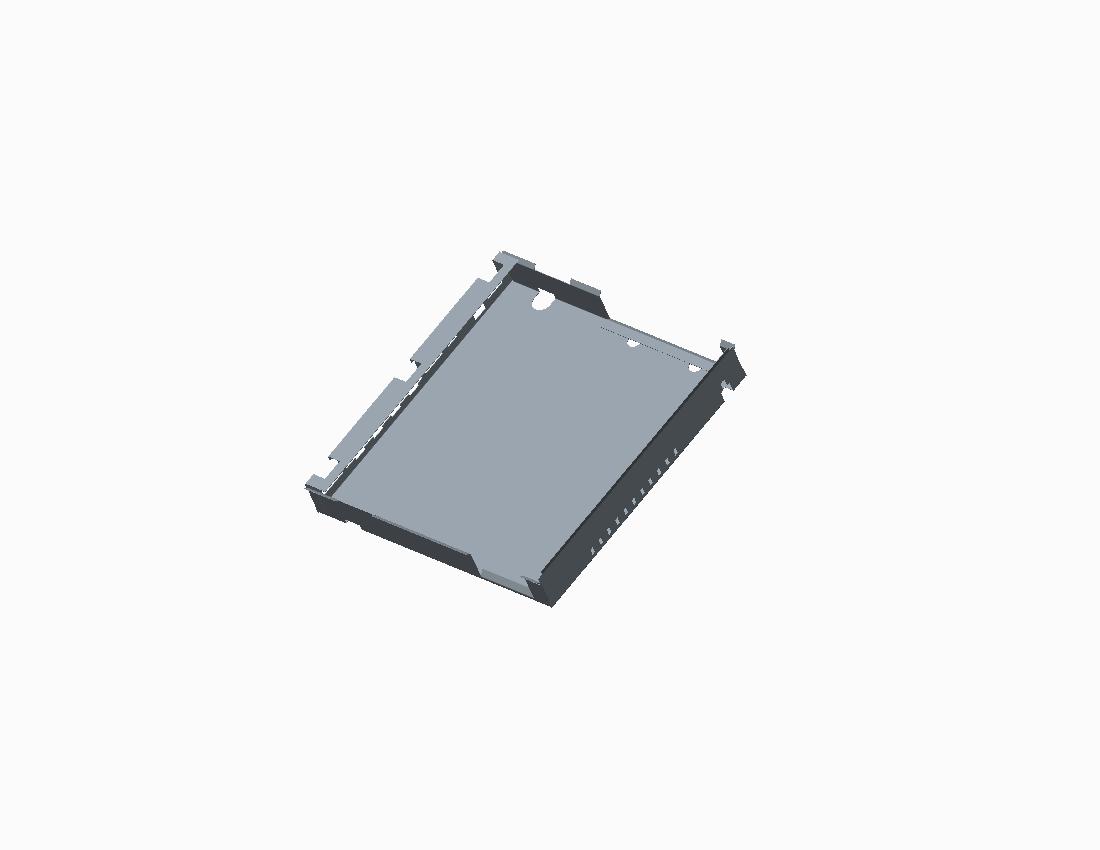
not_able_to_flat_pattern.jpg


This thread is inactive and closed by the PTC Community Management Team. If you would like to provide a reply and re-open this thread, please notify the moderator and reference the thread. You may also use "Start a topic" button to ask a new question. Please be sure to include what version of the PTC product you are using so another community member knowledgeable about your version may be able to assist.
Best answer by TomD.inPDX

Change the Relief on Flat 1 and 3 to Rectangular

1 reply

16-Pearl
January 24, 2013

Flattens fine on my Creo 2.0. Im on M030 if that helps. Tho i use macro for create flatten form. i don`t go to flat pattern preview. And you are right my flat pattern preview won`t flatten it. Just pull out create flat pattern button on ribbon and it should work. Seems like some kind of bug.

razvijanje.png

15-Moonstone
January 24, 2013

mine is M010......and in M010 in flat pattern ...removing "merge colocated side surfaces" in "options tab" does the trick...but it still does not flatten in the new flatten preview option.

16-Pearl
January 24, 2013

Can you maybe update your Creo to M030?

I can send you flat part if its any use.