19-Tanzanite
September 12, 2018
Question

Poor graphics in Creo 2 (when working with models of thin sheets)

  • September 12, 2018
  • 3 replies
  • 4400 views

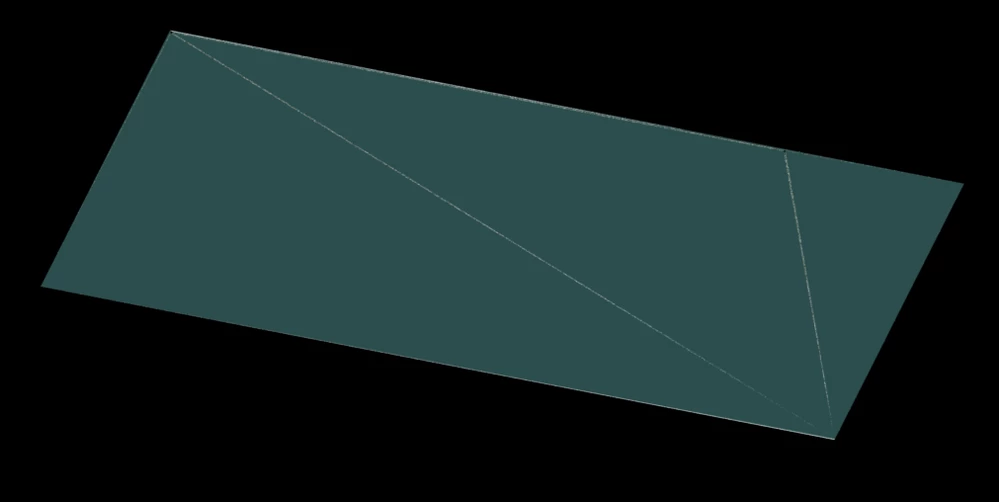
I am having problems taking screenshots of high-accuracy model of "thin sheets".  They are just not presented properly in Creo 2.0:
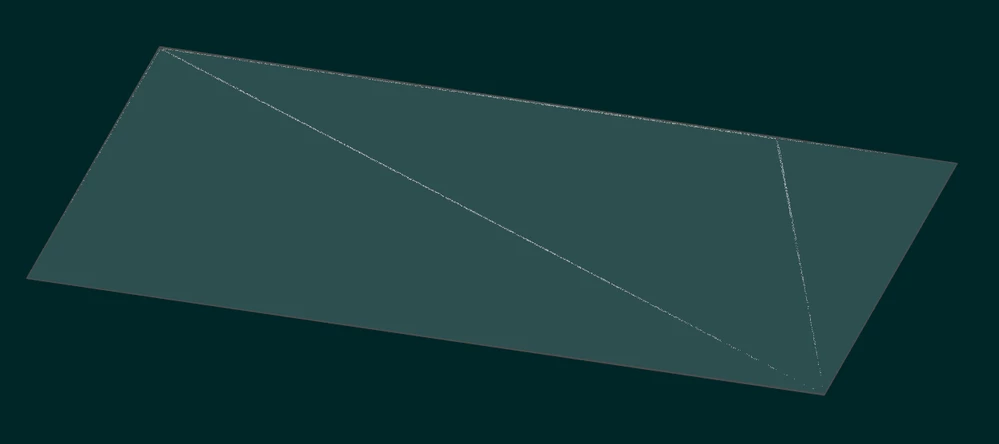
as viewed in the part modeling modeas viewed in the part modeling modeas renderedas rendered

The pictures pretty much say it all.  AFAIK, I have all graphics settings maxed out (shade quality 30, smoothed edges, shade small surfaces on, antialiasing at 16X, ...) - but still these visual artifacts persist.  I wonder if this is the best I can do with Creo 2.0, and did things get better in Creo 4.0 / 5.0 ?

This topic has been closed for replies.

3 replies

23-Emerald IV
September 12, 2018

Can you either share the model or provide the dimensions so I can recreate and test?

pausob19-TanzaniteAuthor
19-Tanzanite
September 13, 2018

yeah, try this one please and see if you see what I see:

test_part.png


I can see that if I get rid of the holes, these "facet" lines disappear, but I am wondering if such a hack is my only option.  I was hoping for an option I can toggle to force creo to "render all surfaces"


23-Emerald IV
September 13, 2018

Yes, I'm seeing the same thing.  Interestingly it only happens on the front side.  The back side doesn't do it.


The root cause seems to be the small gaps between the layers.  If A_, B_, and C_ are set to zero, the graphics anomalies disappear.


This would be interesting to send to PTC technical support.  Do you have maintenance?  If not, I'm more than willing to file a case and see what they say.

1-Visitor
September 13, 2018

Your absolute accuracy needs to be smaller than the smallest dimension. Yours is currently set at .0005. The smallest accuracy value I get for your model is about .000827. Setting your accuracy to .0009 you should be able to set your smallest distance to .0009 or .001 and the issue goes away.

23-Emerald IV
September 13, 2018

@Kevin,

His model currently has the absolute accuracy set to 0.0003.  Even if I lower the absolute accuracy to 0.00000001, the problem still occurs.  I don't think this is an accuracy issue...

23-Emerald IV
September 14, 2018

Here's what PTC had to say:


The lines that are displayed at further zoom levels from the circles is a result of z-fighting. The color from the behind surfaces is bleeding over the front surface. Unfortunately, the only way to prevent this is to use the same color for both surfaces.  Higher Anti-Aliasing values reduced the color bleeding but did not remove it completely.

A quick Google search leads to this Wikipedia page:  https://en.wikipedia.org/wiki/Z-fighting