

Solved
preselection highlight shading style differs for the same model
Hello.
We've recently switched from Creo4 to Creo9, and in Creo9 I'm facing a challenge I never had in 4:
In part and assembly design, when I hover over geometry, some of the surfaces appear to be highlighted in "broken" or xxx-patterned highlight, like below:
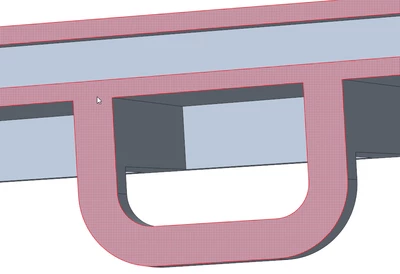
while other are fully shaded, as if masked with transparent layer :
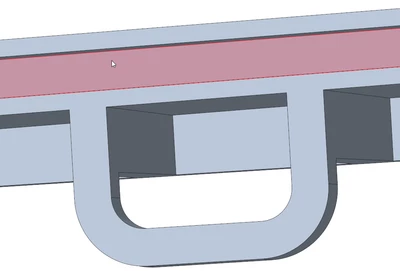
for both, selection "repaints" them just fine with selection color. Went trough all reasonable config options I could think of, all regarding highlight, transparency, selection, with no visible changes.
I'm looking for a method to achieve consistency in the highlight, preferably with all being the second option, without xxx pattern.
Thanks 🙂