1-Visitor
March 19, 2014
Solved

problem with BOM

  • March 19, 2014
  • 2 replies
  • 1423 views

how to show all the components in the BOM of an assembly which is assembled from several subassemblies?

for instance, assembly A is assembled from part B, C and subassembly D, and D consists of X,Y,Z. in the BOM, only B, C and ASM D are shown, but i want to show B, C, X, Y, Z in the same BOM, how to do that?

really urgent, thanks a lot!!!!!!


This thread is inactive and closed by the PTC Community Management Team. If you would like to provide a reply and re-open this thread, please notify the moderator and reference the thread. You may also use "Start a topic" button to ask a new question. Please be sure to include what version of the PTC product you are using so another community member knowledgeable about your version may be able to assist.
Best answer by banderson-2

You use the recursive command. Here's the click order,

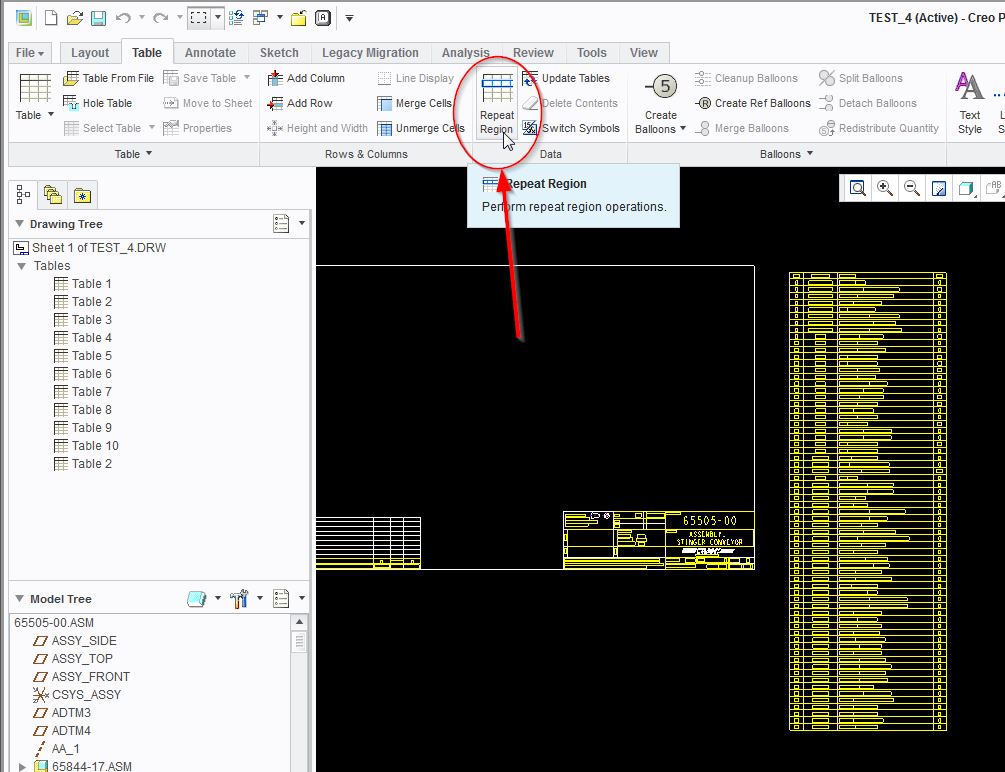
table tab, [repeat region]

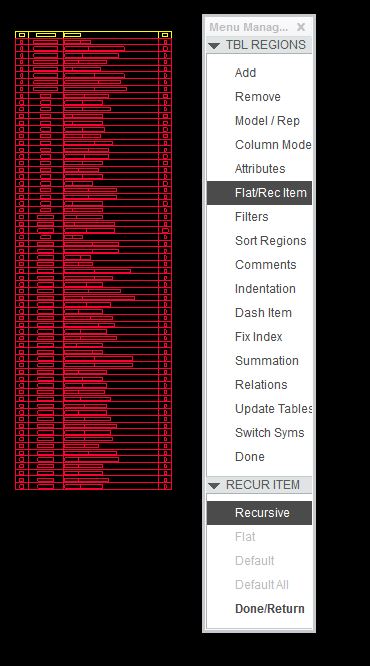
[flat/rec item]

choose the table by single clicking it

the recursive item will pop up, choose all items in the table by box selecting

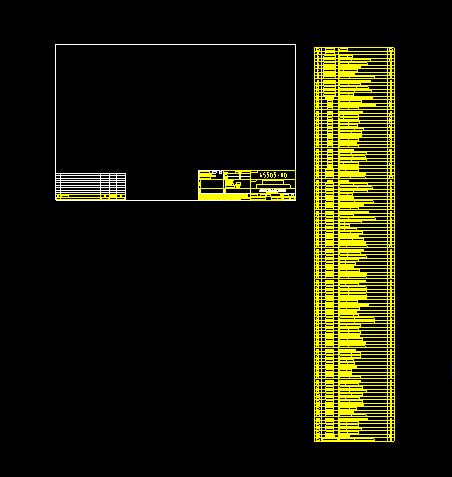
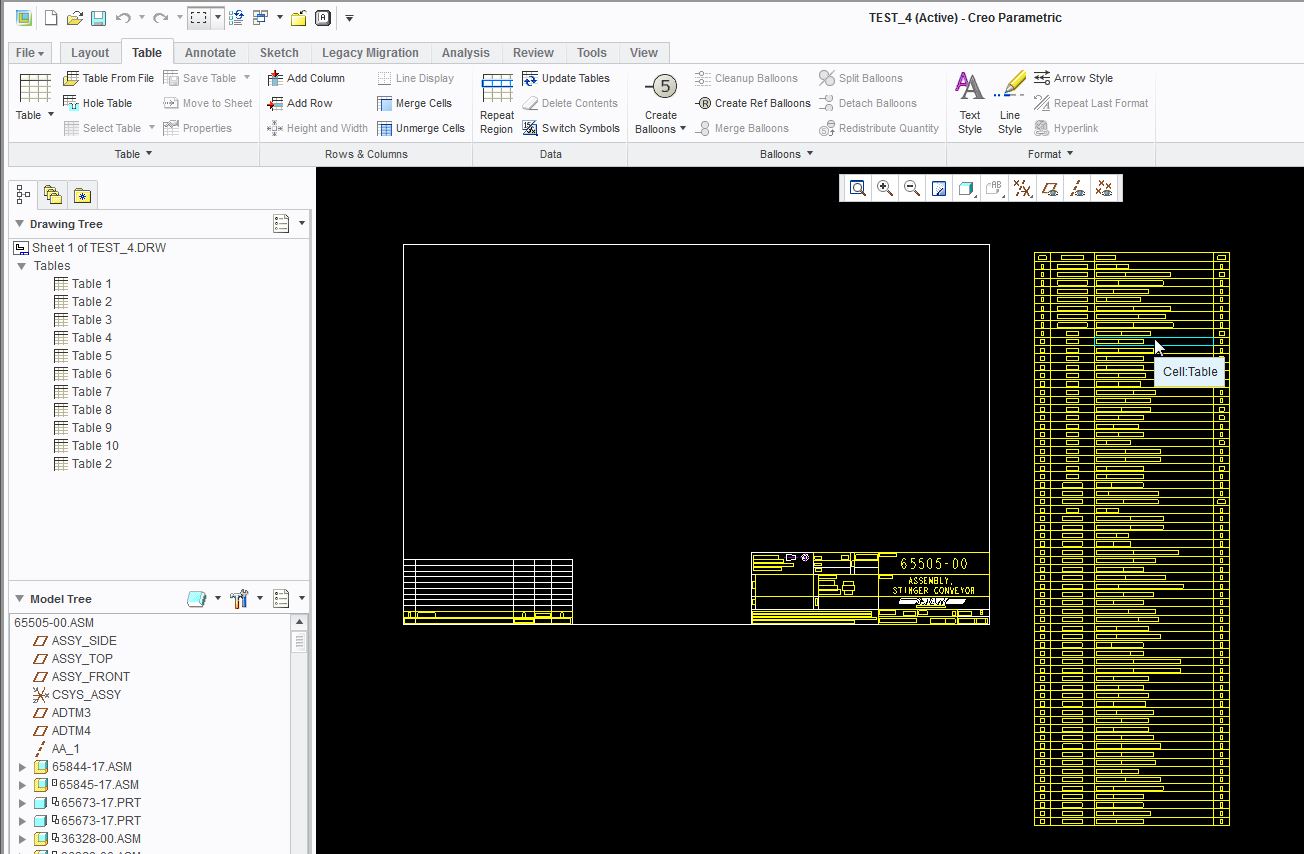
click done and your table should be expandedbom+original.jpg

bom+repeat+region.jpg

bom+recursive.jpg

bom+expanded.jpg

2 replies

1-Visitor
March 19, 2014

You use the recursive command. Here's the click order,

table tab, [repeat region]

[flat/rec item]

choose the table by single clicking it

the recursive item will pop up, choose all items in the table by box selecting

click done and your table should be expandedbom+original.jpg

bom+repeat+region.jpg

bom+recursive.jpg

bom+expanded.jpg

1-Visitor
March 20, 2014

thanks a lot!! sorry for late reply, there were sth wrong with my internet, but you did help me solved this problem, thanks again!