
1-Visitor
July 22, 2013
Solved

Problem with dimension value rounding

  • July 22, 2013
  • 2 replies
  • 1827 views

Hello


Is there a posibility to round all values automatically so that i dont have to do it manually a each dimension?

I use dual dimensioning (metric primary and inch secondary).
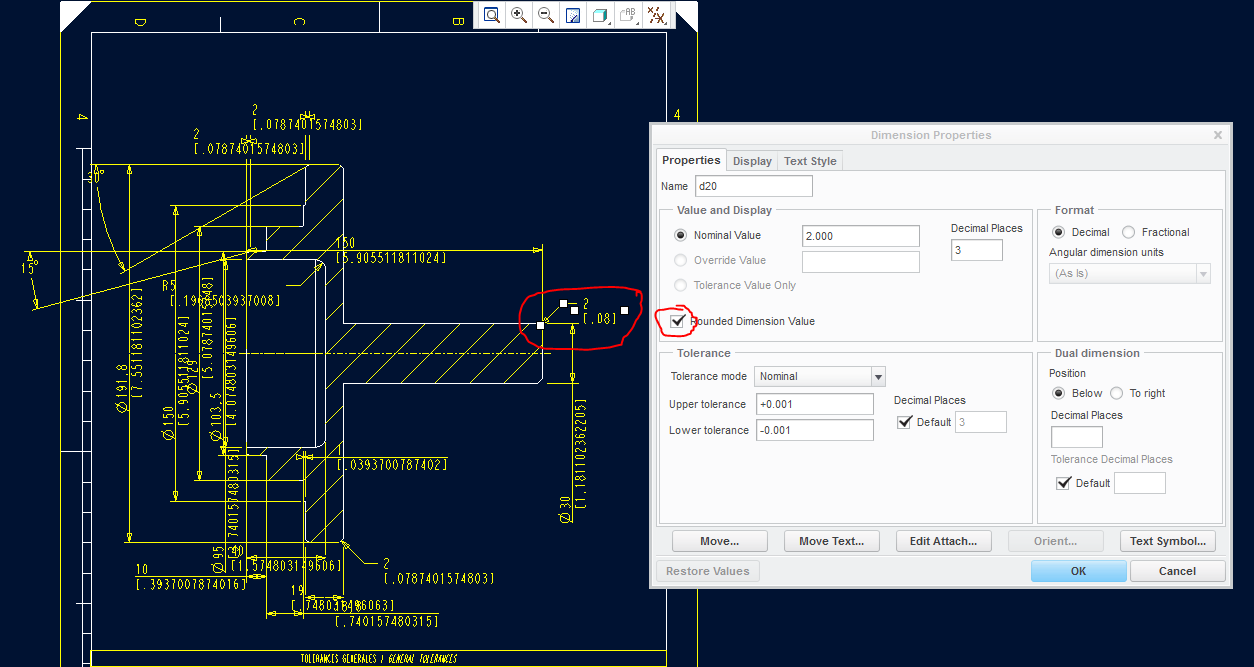
 

drawing.PNG

Thanx for help.


This thread is inactive and closed by the PTC Community Management Team. If you would like to provide a reply and re-open this thread, please notify the moderator and reference the thread. You may also use "Start a topic" button to ask a new question. Please be sure to include what version of the PTC product you are using so another community member knowledgeable about your version may be able to assist.
Best answer by ptc-5008082

You have to select Dimensions only so that you can alter their common properties.

Make sure you are on the Annotate tab, set the selection filter (bottom right hand corner) to Dimension.

Drag a box around all of the dimensions, right mouse button pop up menu and Properties, then you will be able to select the Rounded box for all selected dimensions (it will be that half black and half white on the diagonal icon if some are already set but when you slect that box it will go to a tick).

2 replies

1-Visitor
July 22, 2013

You have to select Dimensions only so that you can alter their common properties.

Make sure you are on the Annotate tab, set the selection filter (bottom right hand corner) to Dimension.

Drag a box around all of the dimensions, right mouse button pop up menu and Properties, then you will be able to select the Rounded box for all selected dimensions (it will be that half black and half white on the diagonal icon if some are already set but when you slect that box it will go to a tick).

1-Visitor
July 22, 2013

Hi Tomas,

there is a drawing config option that might be of use to you, dual_digits_diff

Regards

John

1-Visitor
July 22, 2013

Hi John,

I use this option, but it does not work without thicking "round dim.val."

B.R.

T.