
1-Visitor
May 7, 2011
Solved

Problem with thickness

  • May 7, 2011
  • 2 replies
  • 3755 views

I created a part with revolve feature with thicken sketch in WF 5.0. The thickness is 4 mm. When I want to change the thickness to 2mm, I receive message that this is out of range 10.09-1462.67. How can I correct the feature's thickness?
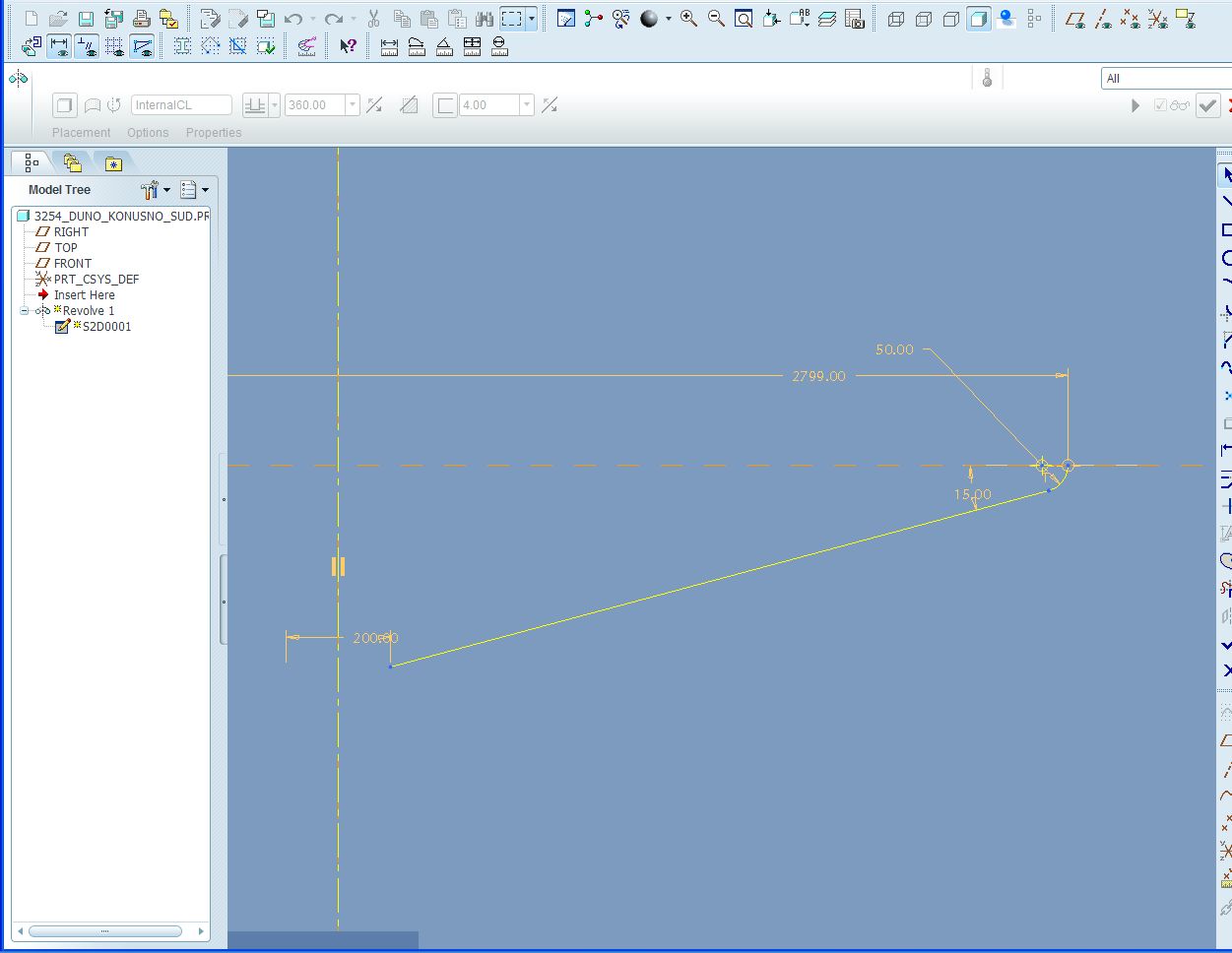
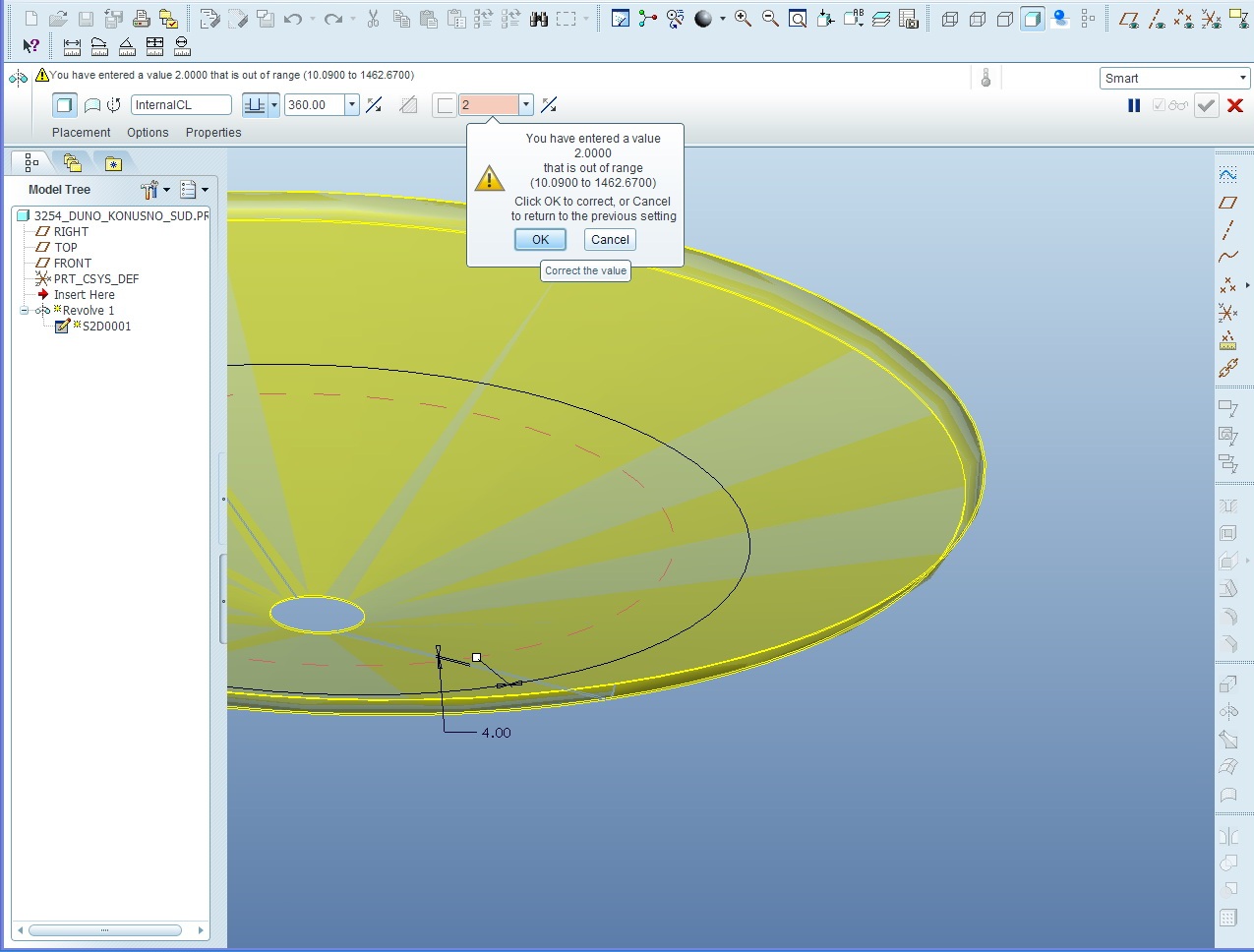
Section.jpg Problem_with_thickness.jpg


This thread is inactive and closed by the PTC Community Management Team. If you would like to provide a reply and re-open this thread, please notify the moderator and reference the thread. You may also use "Start a topic" button to ask a new question. Please be sure to include what version of the PTC product you are using so another community member knowledgeable about your version may be able to assist.
Best answer by PierreMALOCHET

Hello

the problem is the accuracy. (ratio between dimensions) go to file->propriety->accuracy change it 0,0012 to may be 0,0008

regenerate and see what happens

best regards

2 replies

1-Visitor
May 7, 2011

Hello

the problem is the accuracy. (ratio between dimensions) go to file->propriety->accuracy change it 0,0012 to may be 0,0008

regenerate and see what happens

best regards

1-Visitor
May 7, 2011

What Pierre is referring to is that you get into difficulty when there is a large relative disparity between the size of a feature and the overall size of the model. If changing the Relative value doesn't work, you can also try changing to Absolute accuracy.

1-Visitor
May 7, 2011

Just a little more detail, if you haven't done this before:

You change to Absolute through Edit/Setup/Accuracy, but in order to do this you need to set the config option enable_absolute_accuracy to YES. You can also set default_abs_accuracy to YES if you wish.

1-Visitor
May 7, 2011

Thanks David and Pierre,

I changed relative accuracy of part and reduce thickness without problem.