
1-Visitor
September 23, 2011
Solved

Profile with ramp

  • September 23, 2011
  • 5 replies
  • 3016 views

Did anyone achieve a profile sequence where the tool follows a ramp trajectory? I tried differrent ways but it always keeps a 90 degree step down.


This thread is inactive and closed by the PTC Community Management Team. If you would like to provide a reply and re-open this thread, please notify the moderator and reference the thread. You may also use "Start a topic" button to ask a new question. Please be sure to include what version of the PTC product you are using so another community member knowledgeable about your version may be able to assist.
Best answer by NickMihelich

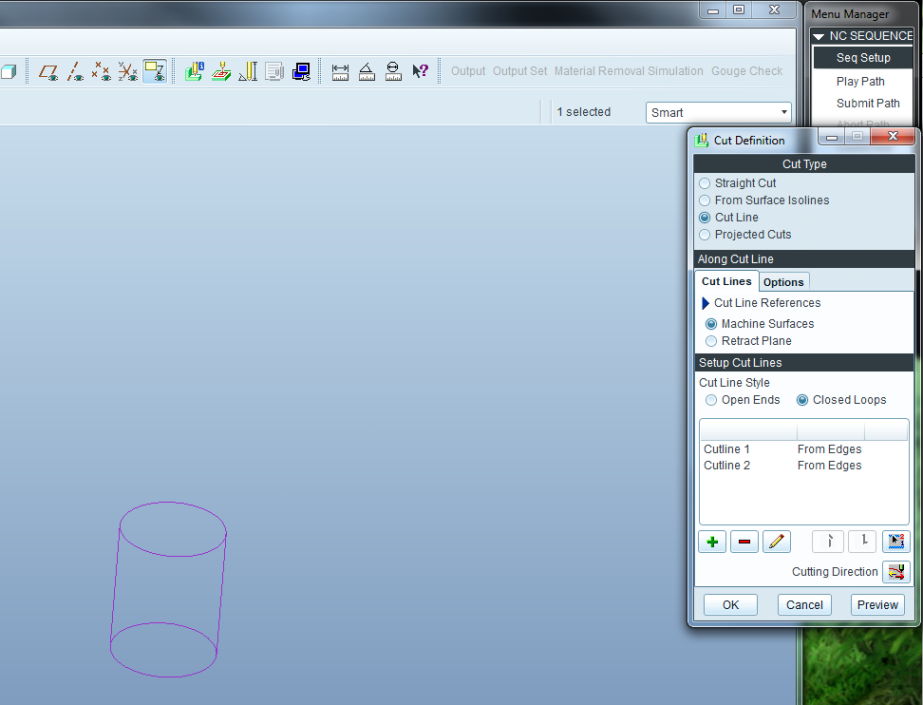
If you are milling holes I can help. create a surface mill sequence choose the surfaces of the hole or define your mill surface. Use cutline closed loops

after that is setup, go back into the parameters and choose scan type TYPE_HELICAL. Your step over will control the angle of the helix. Be aware that this will generate all point to point CL data. (no circle statments will be created)

New Picture.bmp

5 replies

12-Amethyst
September 26, 2011

I belive that functionality is under development.

1-Visitor
September 26, 2011

That's rich. Why would they sell the software then?I' m starting to loose my patience with PTC.If it would really work, I could use a spiral trajectory when machining holes. Instead of Volume Rough I could use Profile, if only the ramp option would work.

12-Amethyst
September 26, 2011

If you are milling holes I can help. create a surface mill sequence choose the surfaces of the hole or define your mill surface. Use cutline closed loops

after that is setup, go back into the parameters and choose scan type TYPE_HELICAL. Your step over will control the angle of the helix. Be aware that this will generate all point to point CL data. (no circle statments will be created)

New Picture.bmp