4-Participant
July 8, 2025
Question

References Not Updating

  • July 8, 2025
  • 3 replies
  • 1013 views

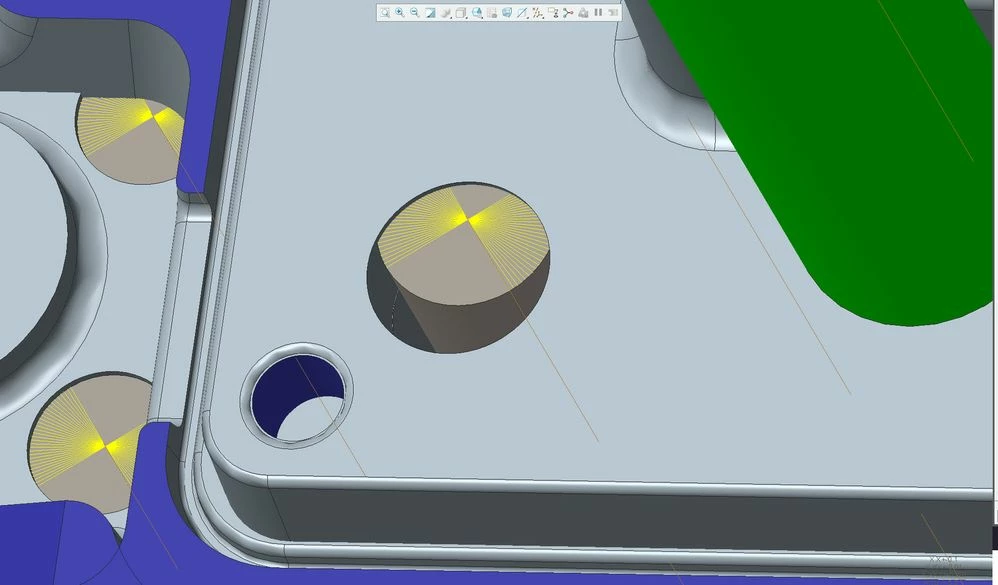
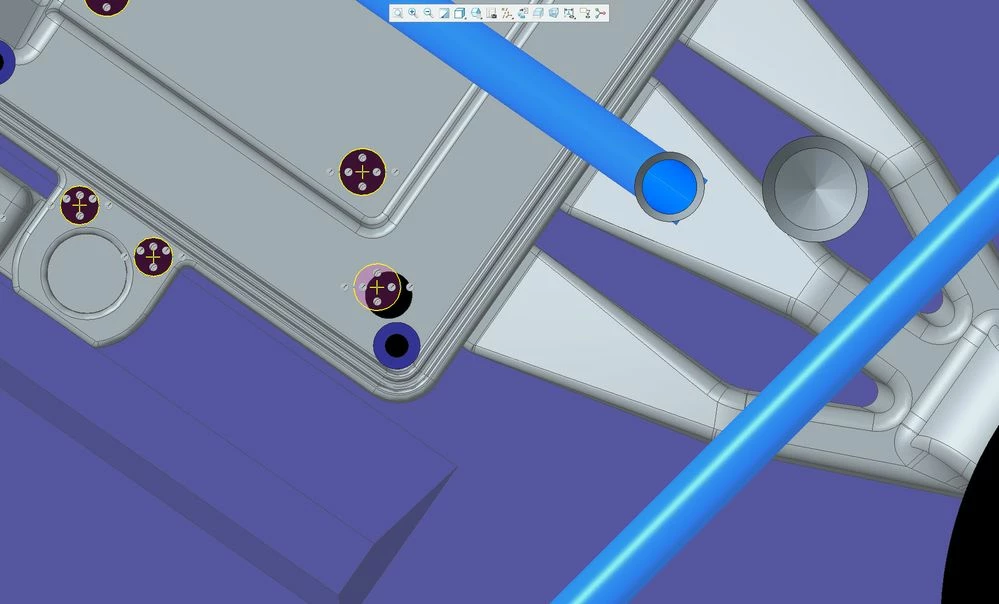
When I  update a feature that a copy geometry references I will change the model but the copy geometry or reference will not follow. In the latest instance I updated a hole.   There is a sketch that references  that hole and in the large assembly a part is assembled to that hole. The hole location moves accordingly but the sketch and part stay in the old position.  This happens randomly.  Sometimes opening a new session fixes the issues. Other times it does not.  Otherwise I have to go into the following feature.  Delete the reference, reselect the reference and then reconstrain.  Creo 8.0.11.0sketch.jpgpart.jpg
3 replies

Dale_Rosema
23-Emerald III
23-Emerald III
July 8, 2025

Sometimes I have had to regenerate 2X to get things to totally complete.

Also, if you regenerate in a part, you may still need to regenerate the assembly - not sure why.

I have also seen where I have updated a family table and then if I have any instances open I still have to regenerate the instance.

4-Participant
July 9, 2025

I have tried regenerating the part and the assembly multiple times.  Sometimes when I deleted the reference out of the reference list and reselect. It will revert back to the old location.  Kind of odd. 

15-Moonstone
July 10, 2025

Try to exclude the sketch from the copy sequense if possible.
Copy surfaces or datum axes for example.

12-Amethyst
July 22, 2025

Have you tried editing the sketch? Creo can need to be regenerated multiple times in assemblies, part as Dale notes. But also I've found sketches need to be manually updated or just looking at them makes snap into place.


I can imagine this being difficult to deal with. If you have to keep moving the hole here and there constantly try to think of a different solution. Like cut it at the assembly stage linked to another parts position.

4-Participant
July 24, 2025

Yes, I actually have to go into the sketch, delete the reference and re-constrain it.  Even then it reverts back to the "old" reference.  And yes its a pain.  I deal with complex assemblies. More than once I have been burned when its been caught when they are deep into the manufacturing phase. 

17-Peridot
July 23, 2025

If you are using Windchill then you may check your workspace if some of the subassemblies or parts referencing this part is locked.

4-Participant
July 24, 2025

Not a windchill user but we do use a different PLM system.   This particular assembly was a new design, so before it was even checked into the database.