
1-Visitor
March 3, 2015
Solved

Relate Features in Creo

  • March 3, 2015
  • 4 replies
  • 1717 views

Can someone refresh my memory. I need to relate a copied group back to the feature that created it and can't remember how. Can someone give me an example of how it's done with feature i.d.'s?


Thanks,


Matt


This thread is inactive and closed by the PTC Community Management Team. If you would like to provide a reply and re-open this thread, please notify the moderator and reference the thread. You may also use "Start a topic" button to ask a new question. Please be sure to include what version of the PTC product you are using so another community member knowledgeable about your version may be able to assist.
Best answer by msteis

Clint,

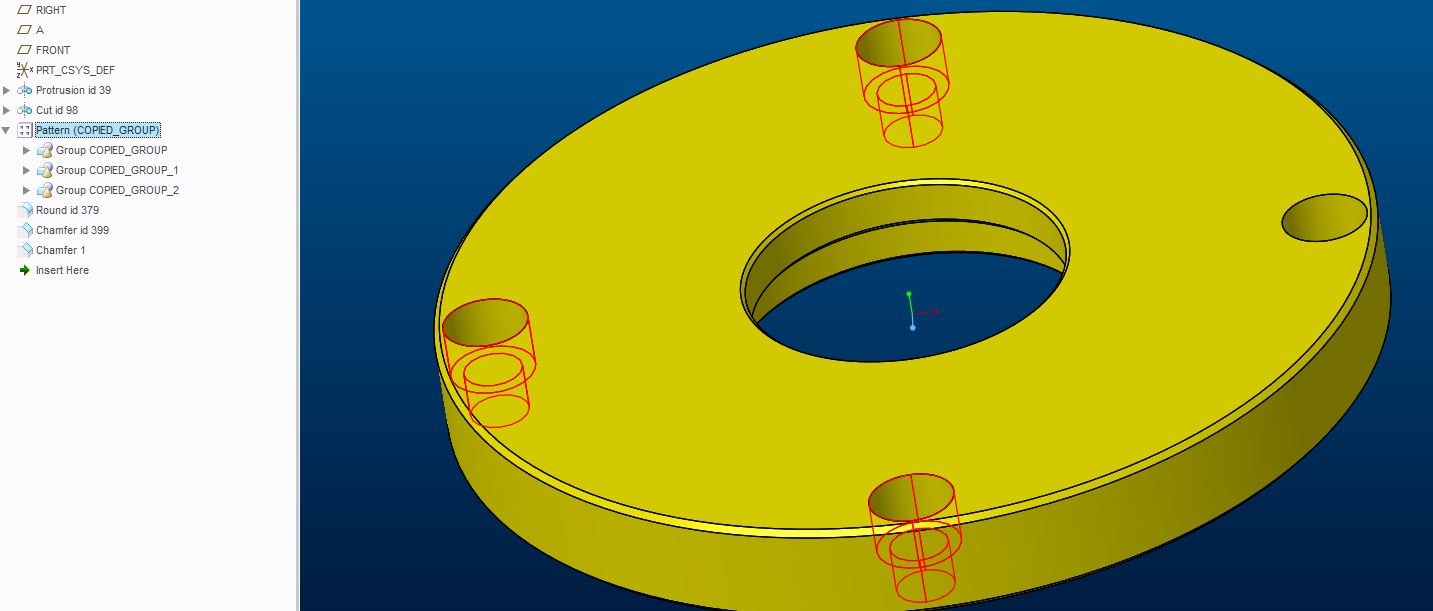
I was mistaken. I was trying to relate features together which can't be done. The copied group (highlighted), is a pattern of the feature directly above it. Normally I delete the pattern and re-pattern it the right way.

Thanks,

Matt

Capture.JPG

4 replies

1-Visitor
March 5, 2015

Matt,

What do you mean by "a copied group"? Is this a model tree Group containing multiple features?

msteis1-VisitorAuthorAnswer
1-Visitor
March 9, 2015

Clint,

I was mistaken. I was trying to relate features together which can't be done. The copied group (highlighted), is a pattern of the feature directly above it. Normally I delete the pattern and re-pattern it the right way.

Thanks,

Matt

Capture.JPG

17-Peridot
March 10, 2015

you can pick up feature ID automatically when you use relations and open the parameter dialog in the relation UI.

This allows you to insert the selected parameters in relations directly.

13-Aquamarine
March 16, 2015

This looks like a situation for a reference pattern, rather than a group and copy...