

Dale_Rosema
23-Emerald III
July 18, 2014
Solved

Removing curves and surface from drawings

  • July 18, 2014
  • 1 reply
  • 7667 views

I have cad data from a vendor of a styled part built from curves and surfaces and then solidified. While working on the bring the files into our system, the drawings are showing all of the construction curves and surfaces (the yellow and purple lines below). Previously, when the quantity was low, I would go into the model and hide the curves an surfaces, save the model and save the view status. There is probably a much easier way of doing this. Could someone enlighten me?

Thanks, Dale
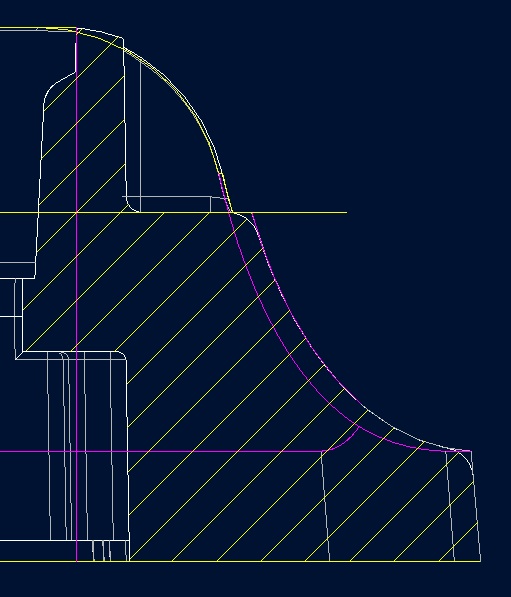
CURVES_SURFACE.jpg

Best answer by StephenW

In the layer tree of the drawing, do a right click save status, then save the drawing. Otherwise it is just a temporary change.

1 reply

1-Visitor
July 18, 2014

Have you used rules to drive layers?

Basically the same as the Search, which has the option of creating a Rules-driven layer.

17-Peridot
July 18, 2014

Would using a default template file with rule driven layers solve this?

Dale_Rosema
23-Emerald III
August 26, 2014

Turning off the curves and surface layers is working. I have not done much with this. Do you have any helpful suggestions for controlling this in the drawings? Is there a toggle in the drawing config that I can turn off?

Thanks, Dale