16-Pearl
July 24, 2024
Solved

Renaming a dimension in an assembly

  • July 24, 2024
  • 3 replies
  • 3324 views

Hello,

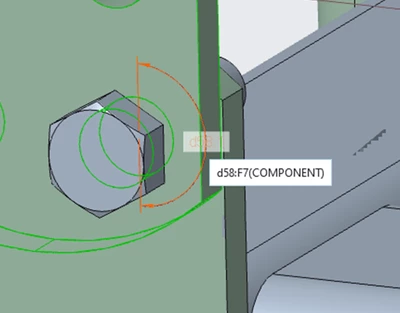
I used an angle to constrain a component in the assembly; the angle is assigned a random name (d58).
Is it possible to change the dimension's name to something meaningful?
The reason for this is to use a name that has meaning in BMX.

 

ProFeature_0-1721822946587.png

ProFeature_0-1721823387923.png


Thnaks


Best answer by Dale_Rosema

Do those icons have to do with Windchill?

I don't see them either:

Dale_Rosema_0-1721851451334.png


3 replies

tbraxton
22-Sapphire II
22-Sapphire II
July 24, 2024

If you want to change the names, activate the dimension display in standard mode, select dimension, and use the Edit > Properties command. Once you click this command, you can use the Dimension Text tab on the Dimension Properties dialog box to change the name.

16-Pearl
July 24, 2024

It works this way in part, in assembly it for some reason does not work.

23-Emerald III
July 24, 2024

Is your assembly locked? Notice most everything is greyed out.

StephenW_0-1721824033521.png


16-Pearl
July 24, 2024

I have no idea, how can I know?
I can change dimensions in assembly.
How do you make the assembly unlocked?

kdirth
21-Topaz I
21-Topaz I
July 24, 2024

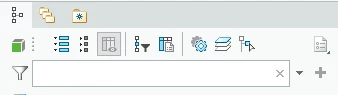
If you select the icon at the top right corner of the model tree, the status of all the models will be displayed (new, locked, checked out, etc,)

To unlock RMB on part/assembly and uncheck Lock File check box.


kdirth_0-1721825894081.png


There is always more to learn.
24-Ruby III
July 24, 2024

Hi,

I created test assembly in Creo 11.0.0.0 and I was able to rename dimension.

MartinHanak_1-1721833351309.png