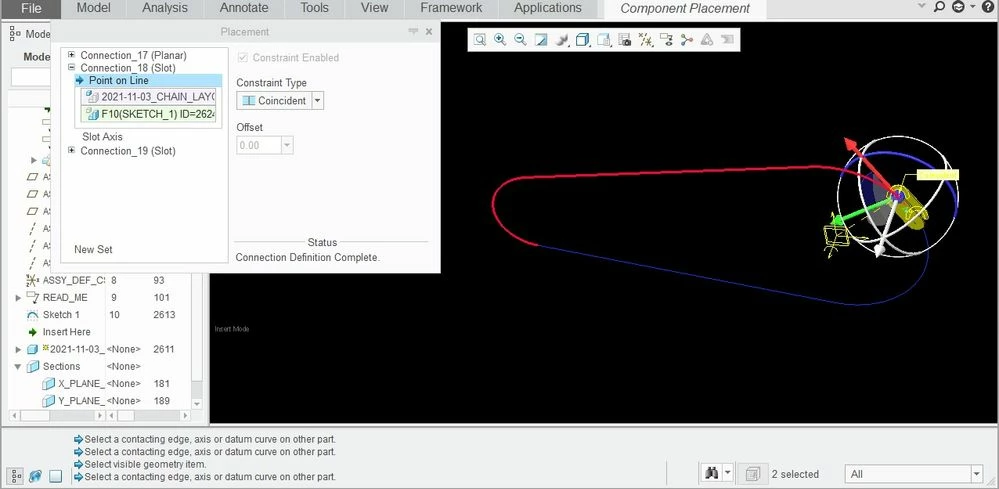
Serious BUG in Mechanism Slot Constraint in Creo 4
I was playing around with the chain issue, and ran into a major BUG with the slot constraint. I used a Skeleton model for a datum curve "racetrack" to roughly simulate the path of a chain (wouldn't actually work with all the links assembled, but I was trying to test the constraints needed). I made a sketch in the Skeleton simulating the path around 2 different sized sprockets, and made it a "spline". I used a planar constraint and 2 slot constraints for the first link, and a planar constraint, a cylinder constraint to the first link, and a slot constraint to the racetrack. Considering that for ALL other purposes, when I wanted to select this spline, it gave me the HALF spline (truncated at both ends in seemingly arbitrary locations), but also allowed me to pick the entire spline (i.e. to extrude a surface), but when I tried to pick it as the curve for the slot constrain, I ONLY got the truncated spline. I could NOT pick the entire curve. What FINALLY worked was that I copied the curve from the Skeleton model as a single curve spline, gave the feature a name, then picked the 3D Curves from the filter. Then I was able to drag the 2 links around the racetrack as I wanted. BUG. As mentioned, this simple racetrack will work with a belt but NOT a chain because while the chain length if pulled straight will give a static number, since each link is a fixed length, when you bend it around a sprocket it gives issues. The sprocket has the roller interface as a fixed pitch diameter based on an inscribed polygon with faces of the link length X number of teeth, the chain pins follow the inscribed circle, but the chain's length is determined by the cumulative length of it's number of links. So, you can't just say that a chain is, say, 100 links at 1" distance between pins giving you a length of 100" for your racetrack. It's a lot trickier than at first glance, but I digress, that's the topic of another thread... Here, I just wanted to present the BUG. Now, I'm on Creo 4, so this MAY be fixed in later versions....but I don't think so. And if not, as I suspect, PTC, are you listening?