10-Marble
March 7, 2025
Solved

Sheet metal join problem

  • March 7, 2025
  • 2 replies
  • 732 views

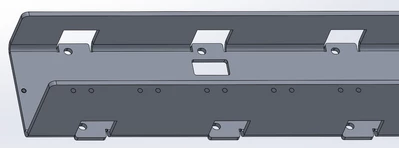
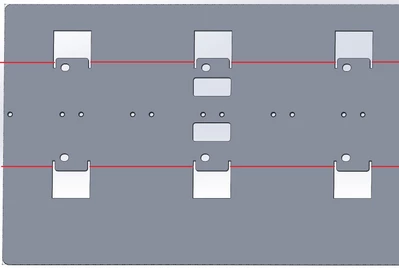
I have a problem with a part that looks like that while unbend:
AJ_12152667_2-1741360678686.png


And that as bend:

AJ_12152667_1-1741360655740.png


The problem starts with those small internal surfaces in the cutouts. They must remain flat.


I have tried to use JOIN but I have an issue with it. There is an error. I'll explain in another reply or edit this on later.


For the moment the question is, can I "split" bending line to not bend those small features? 
Best answer by pausob

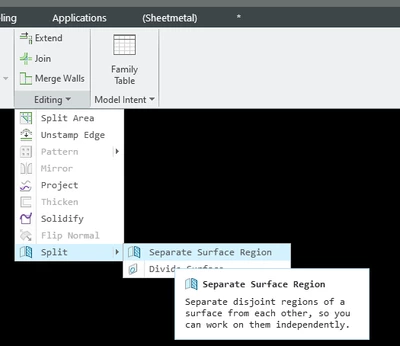
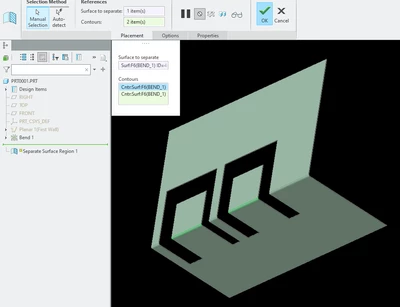
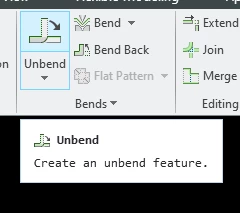
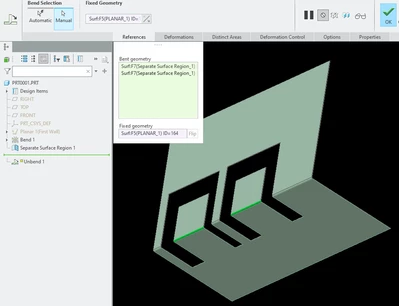
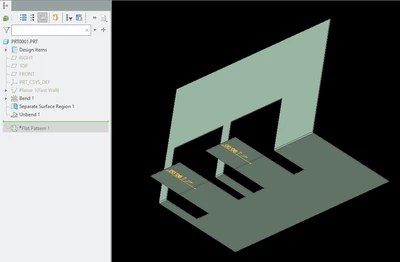
You can use the separate surface region function to split the bend and then you will be able to un-bend the tabs only:

1) start here:

pausob_3-1741372763248.png


2)  Split the bend surface where the tab(s) are:

pausob_2-1741372580541.png

--> 

pausob_4-1741372800776.png

3) Unbend the tabs only:

pausob_6-1741372856343.png

-->

pausob_5-1741372837130.png


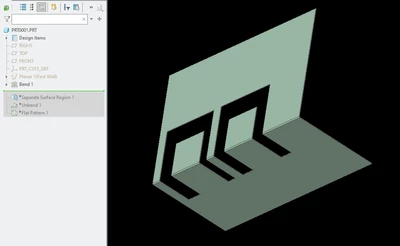
End result:

pausob_7-1741372919210.png


2 replies

tbraxton
22-Sapphire II
22-Sapphire II
March 7, 2025

One way to get this in sheetmetal mode.

tbraxton_0-1741366579812.png

tbraxton_2-1741366661684.png


pausob19-TanzaniteAnswer
19-Tanzanite
March 7, 2025

You can use the separate surface region function to split the bend and then you will be able to un-bend the tabs only:

1) start here:

pausob_3-1741372763248.png


2)  Split the bend surface where the tab(s) are:

pausob_2-1741372580541.png

--> 

pausob_4-1741372800776.png

3) Unbend the tabs only:

pausob_6-1741372856343.png

-->

pausob_5-1741372837130.png


End result:

pausob_7-1741372919210.png