
7-Bedrock
January 28, 2014
Solved

Sheetmetal, from flat to curved. How?

  • January 28, 2014
  • 1 reply
  • 9431 views

Hi,

I have a model of a nameplate which is flat. However, I need to attach it to a curved surface.

I would like to modify the model so that I keep the flat part as the generic model and the curved as the model used in the assembly.

Can someone please advise the easiest way to perform this operation.

I am working in Creo Elelements / Pro

Thanks

Niels M. M.


This thread is inactive and closed by the PTC Community Management Team. If you would like to provide a reply and re-open this thread, please notify the moderator and reference the thread. You may also use "Start a topic" button to ask a new question. Please be sure to include what version of the PTC product you are using so another community member knowledgeable about your version may be able to assist.
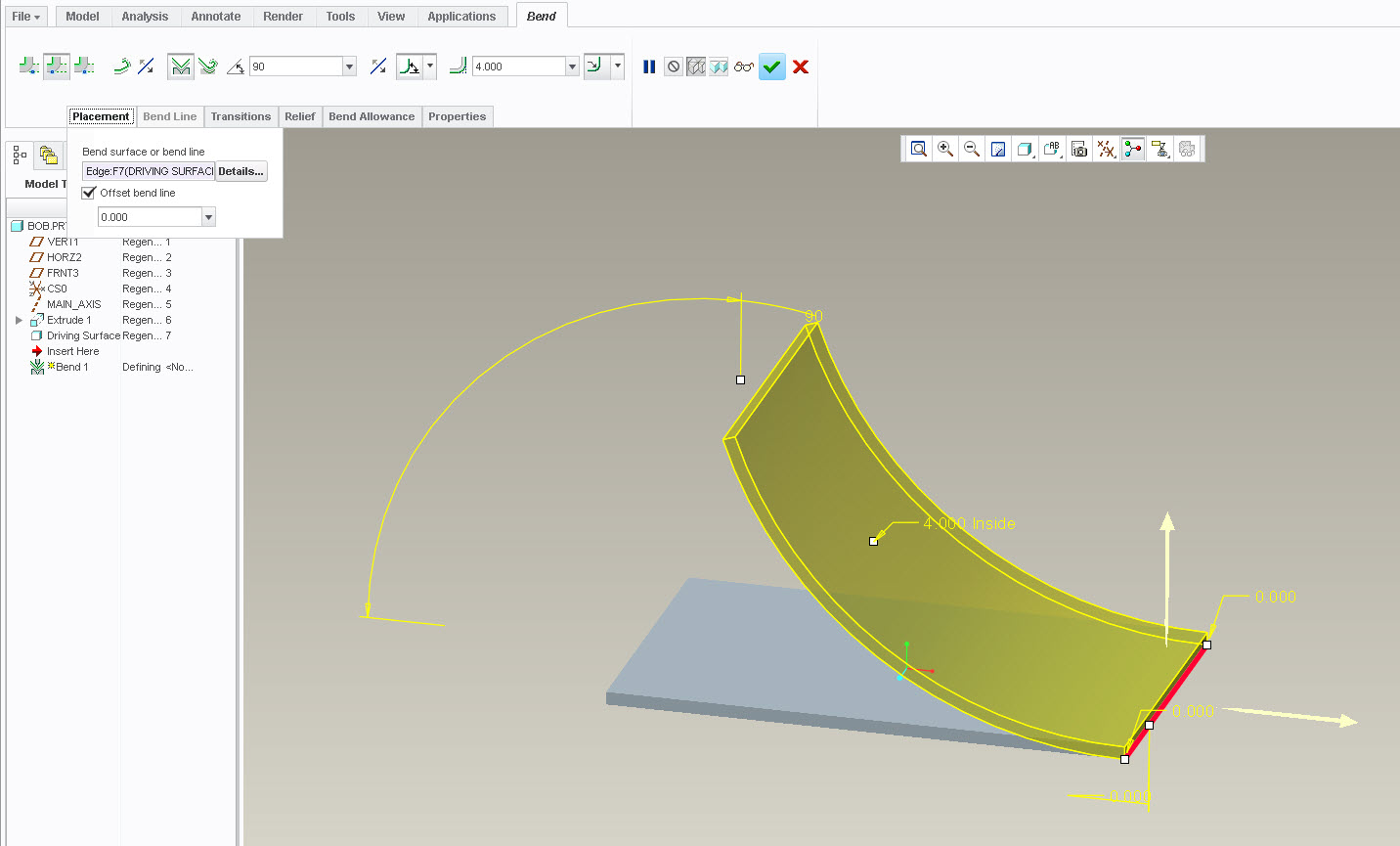
Best answer by StephenW

So what I did was build the extrude, converted it to sheet metal (driving surface) and then added a bend feature, selecting one of the end edges as the bend line, the bend radius would be change from thickness to whatever diameter you are wrapping the label on to. I used 90 degree angle but the part was too short to make it all the way to the end of the bend.

bend.jpg

1 reply

1-Visitor
January 28, 2014

A pic might help.

nmadsen7-BedrockAuthor
7-Bedrock
January 28, 2014

Something like this. I would like to wrap the gold coloured plate around the cylindrical surface.

/NMM

Nameplate.PNG

23-Emerald III
January 28, 2014

I believe if you just convert it to sheetmetal, and add a bend feature to it you can get what you want. You can then control the bend feature with the family table.

unbent.jpg bent.jpg