

Question
Sheetmetal problem: Creo Elements/Pro 5.0
Hi all,
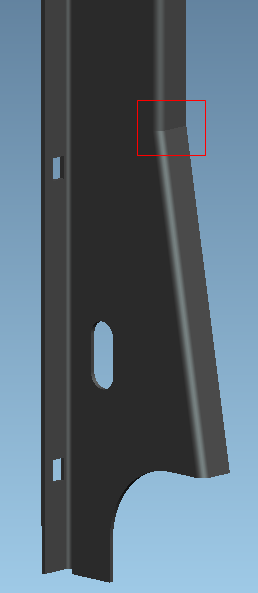
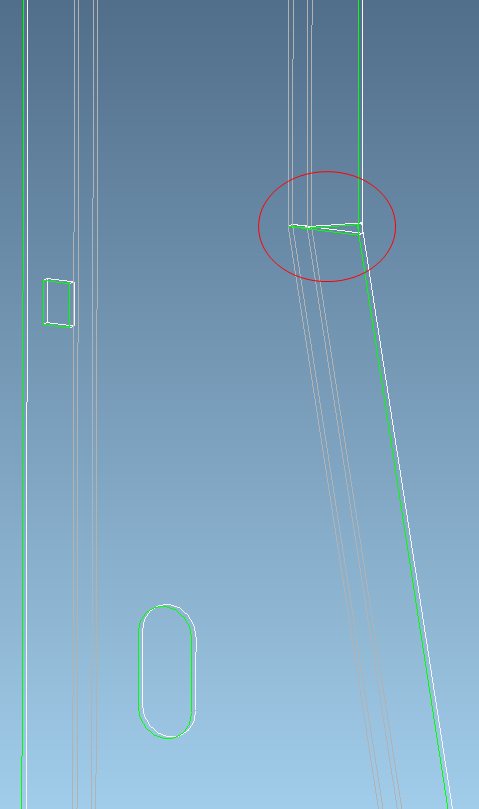
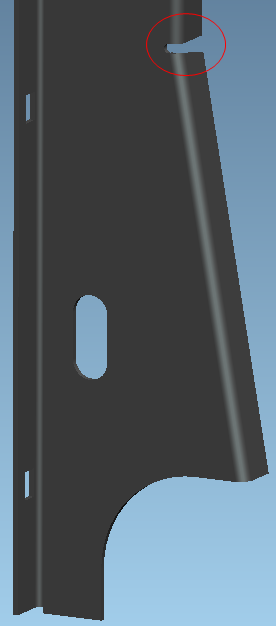
I have a problem (red marked area) with a sheetmetal part, see the pictures above. The part has been generated in Creo Elements/pro 5.0. As you can see the software can generate a flat model of this part even though there is a penetration! Since it's not feasible in the production I tried to add a cut. After the cut was added a flat model couldn be generated.
I can't understand the reason why the software is able to process a defective geometry at all, but not a proper geometry that is feasible and can be easily manufactured.
Has someone an idea how to resolve this problem?
Thank you very much!
Michael