Solved
show merged pattern dimension on drawing
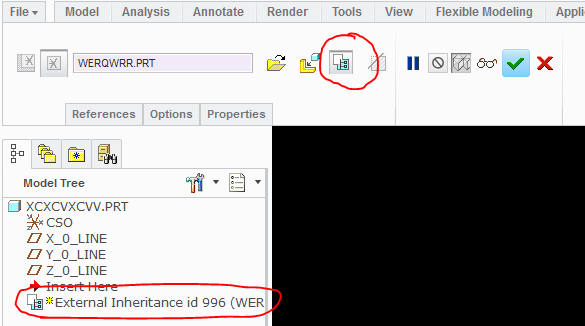
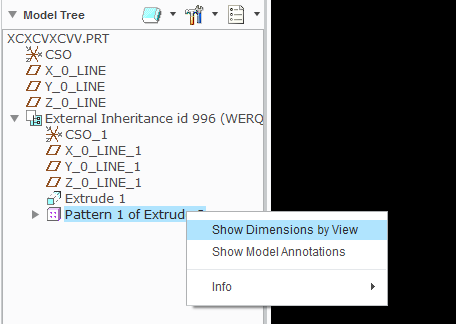
I'm currently working with Creo Parametric 2.0 M200. In the past I know I was able to show a pattern dimension from a merged part on the drawing but I can't seem to remember how to do it. For example, I have a merged part like this:
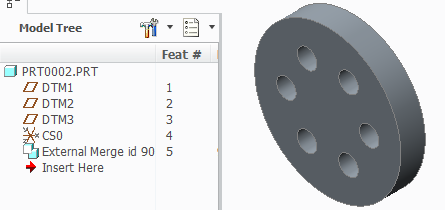
On the drawing I can show the dimensions for the first hole in the pattern, but I can't show the pattern dimension of the angle between the holes (60° pink, created dimension below):
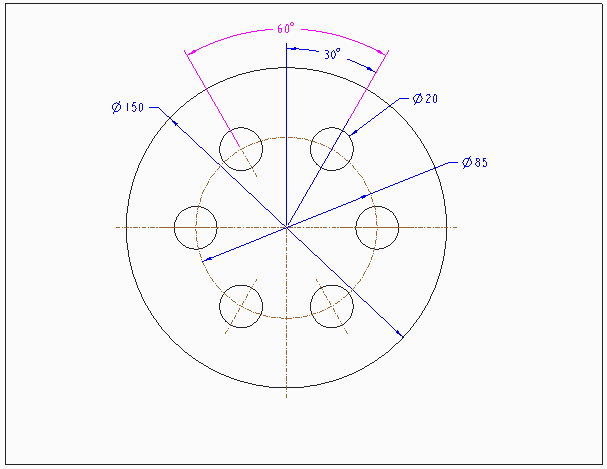
Does anybody know how to do it?
Thanks!
This thread is inactive and closed by the PTC Community Management Team. If you would like to provide a reply and re-open this thread, please notify the moderator and reference the thread. You may also use "Start a topic" button to ask a new question. Please be sure to include what version of the PTC product you are using so another community member knowledgeable about your version may be able to assist.