

Subject:- Creo Illustrate Ver 2.0
Hi All,
I have been using PTC Creo Illustrate Ver 2.0 for quite a while now. I am looking to have few modifications done that suits my requirement.
Modification requirements are as follows:
1> Is it possible to save any part/assembly to PNG or JPEG file format without the co-ordinates symbol highlightened as shown in the figure below.
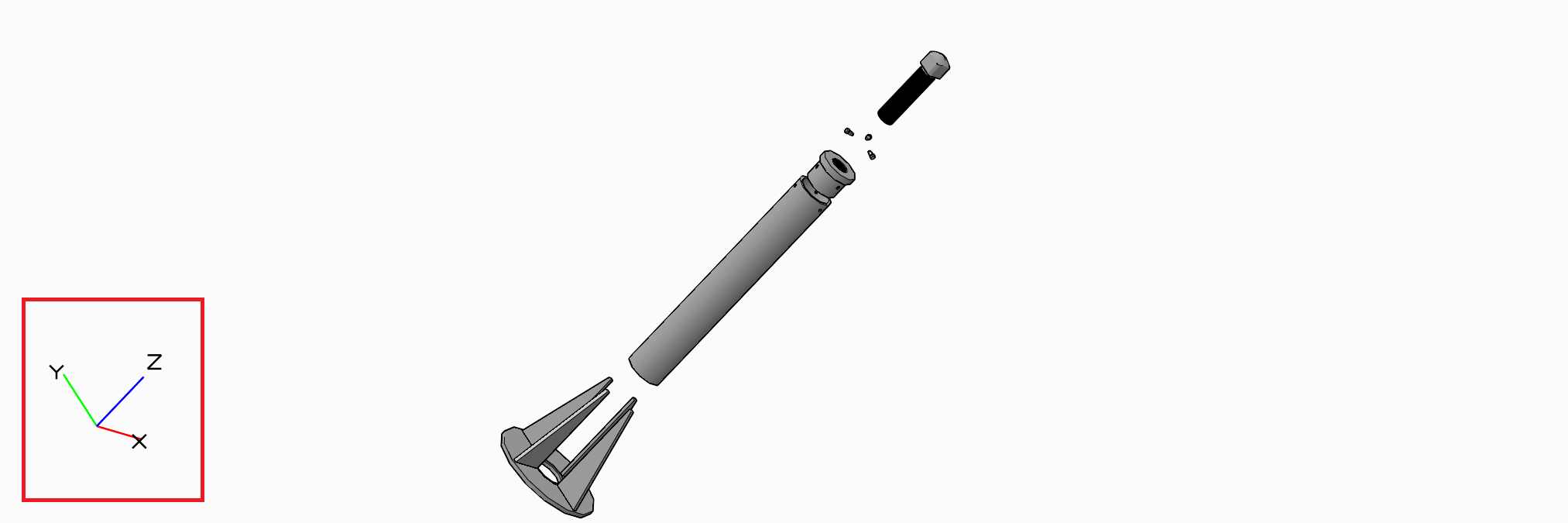
2> What modification needs to be done in Creo Illustrate Ver 2.0 so that when I am creating a Illustrated Parts List, the Leader line is generated from the surface of the Part and not from its center axis as shown in below figure.
I did try modifying the following XML files:
- C:\Users\Febin\AppData\Roaming\PTC\Illustrate\CalloutTemplates.xml
- C:\Users\Febin\AppData\Roaming\PTC\Illustrate\user_prefs.xml
In the below figure, one can notice that callouts 1 & 6 leader lines are genereated from the center axis of the part/component and not from their respective surfaces. How to resolve this issue?
Please note that the below figure is being exploded manually but the callouts where assigned using Automatic callout option.
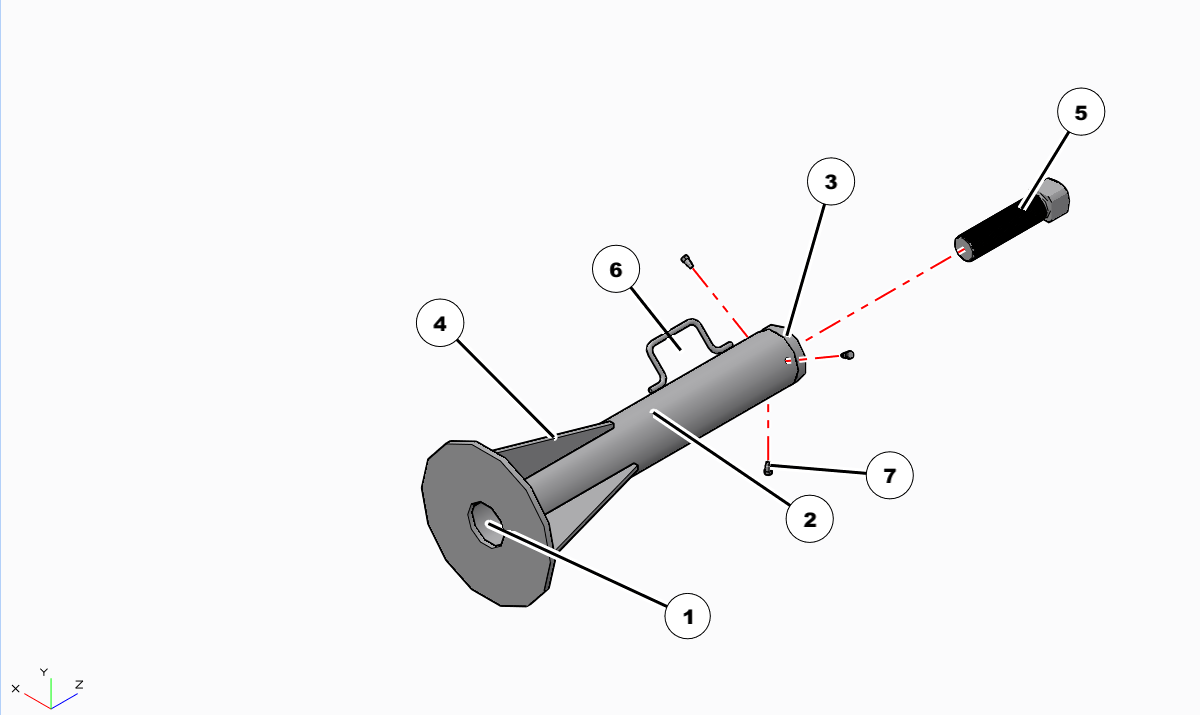
3> I have been creating animation for quite a while now. When ever I am in need of some special tools (.prt file format) I get them from third party site and go about completing the animation & publish them into .PVZ format. Later, when I link these .PVZ animated files with XML, I find that the special tools (.prt file format) which were hidden at the time of creating the animation are visible/re-appearing. Any solution available?
4> What is the procedure to set the background colour from default White to Light Grey colour in Creo Illustrate Ver 2.0 in XML file?
5> Is it possible to define angle value for Annotation Leader Lines drawn?
6> Can anyone let me know the exact location in the XML file wherein the co-ordinate axis can be redefined for Smart Explode.
I see that there are several options to change the axis manually. But, can this be done through Smart Explode?
Kindly request each one of you to share your thoughts on the above listed queries ASAP.
Thank you one & all in advance.
This thread is inactive and closed by the PTC Community Management Team. If you would like to provide a reply and re-open this thread, please notify the moderator and reference the thread. You may also use "Start a topic" button to ask a new question. Please be sure to include what version of the PTC product you are using so another community member knowledgeable about your version may be able to assist.