
3-Newcomer
April 24, 2023
Question

Surface Selection

  • April 24, 2023
  • 3 replies
  • 2975 views

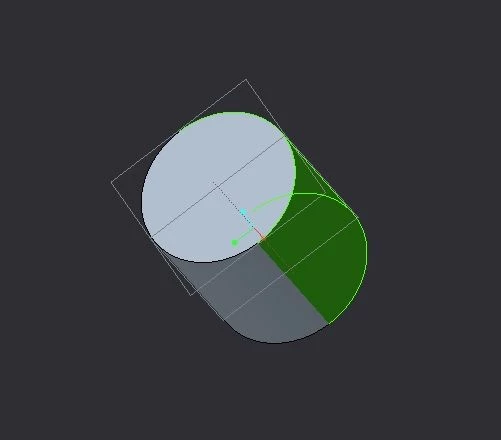
Hi Created cylinder in creo by using extrude, I need to use this surface in optical analysis, But when i click surface, just half of them selecting, for the other one we need to select with CTRL, But this is no good my optical simulation, Simulation software requires me just 1 clicking , 

How can built this part as a on single surface,  
newones.jpg


3 replies

Dale_Rosema
23-Emerald III
23-Emerald III
April 24, 2023

If it has to be one surface, .... you will need to use another software.

Creo always makes cylinders out of (2) surfaces.

3-Newcomer
April 24, 2023

Is there any way to create one surface

tbraxton
22-Sapphire II
22-Sapphire II
April 24, 2023

@Dale_Rosema was correct with his response. Creo always splits cylinders in the geometry kernel.

tbraxton
22-Sapphire II
22-Sapphire II
April 24, 2023

You can execute this using a single selection click in Creo by the following method:

tbraxton_1-1682338776196.png

tbraxton_2-1682338787445.png


3-Newcomer
April 24, 2023

Yes but it  should be a single surface in Creo, Unless it is single surface, My optical software does not recognize it. 

kdirth
21-Topaz I
21-Topaz I
April 24, 2023

Creo always splits a circle.  If you can get by with an almost complete cylinder, you could use two arcs to make the extrusion, one 359.5° and the other 0.5°, creating a sliver for the second surface.

There is always more to learn.
24-Ruby III
April 24, 2023

Hi,

what if you create Revolve surface feature with angle 359.9 degrees angle which has the same diameter as solid geometry and select this surface feature as reference for simulation.