tbraxton
22-Sapphire II
22-Sapphire II
July 29, 2020
Solved

Surface transform using Csys

  • July 29, 2020
  • 2 replies
  • 4683 views

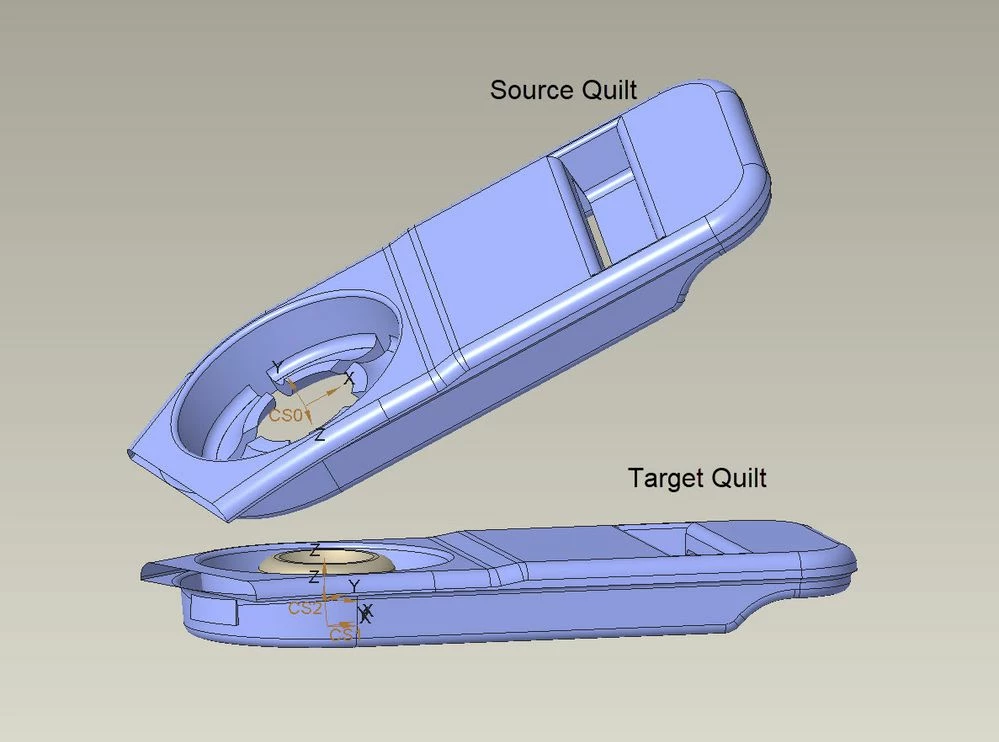
I am looking to streamline a workflow for transformation of surfaces using two CSYS features to move and reorient a quilt. Doing it manually using the transform options in the Warp tool or the Legacy surface move command is quite tedious and requires calculating linear transforms using the two bases.


My best workaround is to export the quilt relative to one CSYS and then import it back into the model using the desired CSYS as the origin, not ideal since it lacks associativity. Is anyone aware of a method supporting a single transform operation to move and reorient a quilt/surface from one orthonormal basis (Csys) to a new one? I can keep it all within Creo without the export but it requires doing the matrix algebra for rotational transforms outside of Creo, which is slow and tedious to do it manually. Getting the new origin can be obtained by using a measure of the transform between the two csys but the rotational info is not explicit in that measure.
 

ObjectiveObjectiveTransformed quiltTransformed quilt

Best answer by pausob

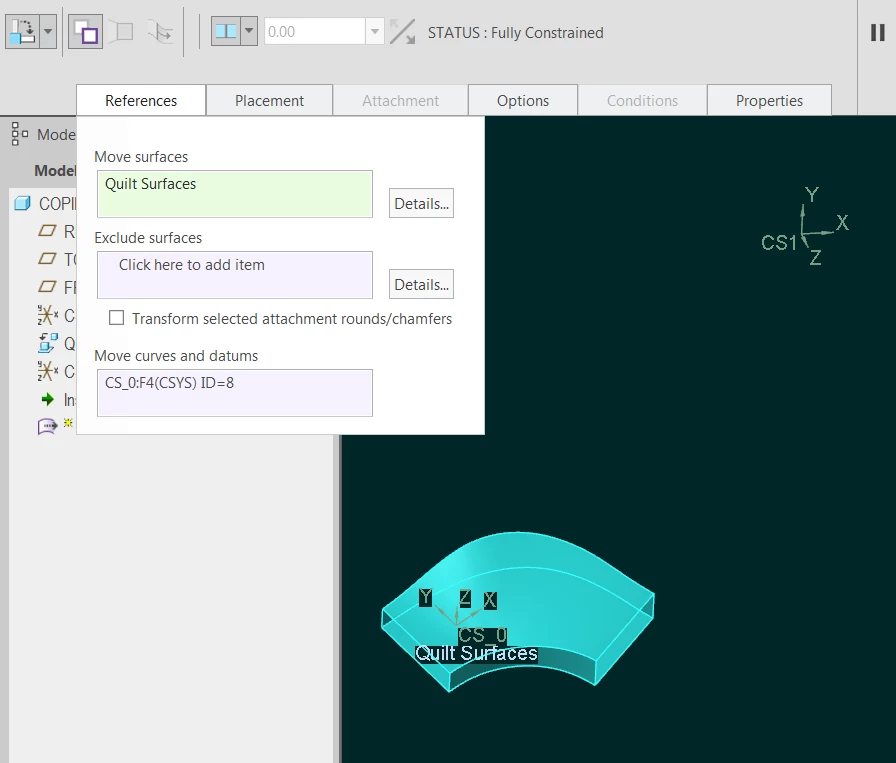
Ah yes, I see I missed the important step from my picture explanation of the flexible-move-copy:

You have to include the CSYS of the moving quilt (CS_0 in my example) in the references:

move_with_constraints_reference_selection.png


Then this CSYS will be available to use as a reference from the "moving geometry" when defining the new placement constraint.


Also, as an annoying side-effect, the CSYS will be copied along with the quilt - ending up on top of CS1. Do let us know if PTC tells you how to prevent creation of this extraenous internal datum.

2 replies

19-Tanzanite
July 30, 2020

I recall someone on this forum made a UDF where they constructed a bunch of measure analysis features and put in the relations to recover the transformation between two frames - I think they found the origin shift + required euler angles).  Alas, I can't find the thread.


I can suggest you try the Measure : Transform tool (last icon in the measure tool, next to the Measure: Volume)


1) Give it 2 coordinate systems (order is important!) and you will get the homogenous transformation matrix.

2) Click on the (i) icon to bring up the information window, and then save the file as info.TRF

3) You can then load this file by using the "from file" option for the offset type when making or redefining your  coordinate system.


this is fairly quick, but not parametric.

tbraxton
22-Sapphire II
tbraxton22-Sapphire IIAuthor
22-Sapphire II
July 31, 2020

I think you misunderstand my objective. I am well versed in the functionality of the transform measurement tool. The matrix generated by this measurement is the transposed matrix of the matrix which transforms coordinates based on the second selected CSYS to that based on the first selected CSYS . To do what I want you need to calculate the transform matrix and there is not an internal function within Creo I am aware of to obtain this transform matrix.


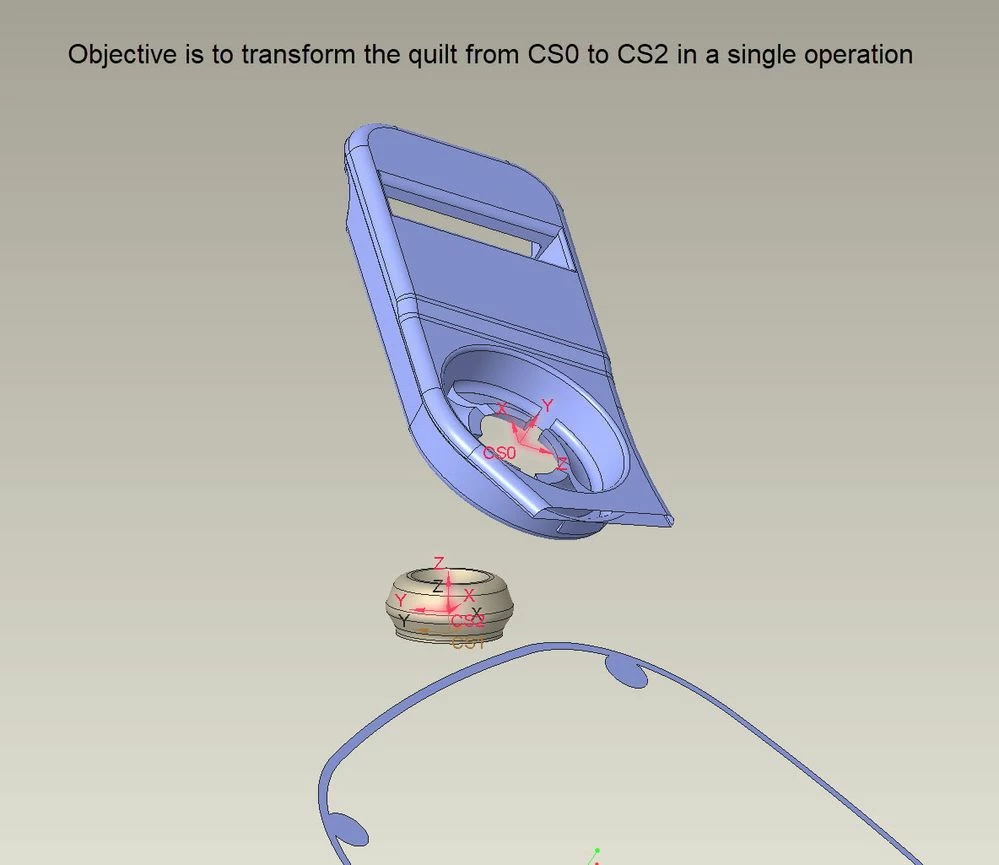
I have both the source and target CSYS available and want to transform a quilt from one basis to a new basis. This can be done with 6 transform operations (3 translate and 3 rotate) manually with the copy/paste special transformation function. I would like to do it with a single transform by specifying a source CSYS and quilt and then a target CSYS. This would take care of all of the transform matrix calculations and move and orient the quilt to a new origin (CSYS).

19-Tanzanite
July 31, 2020

Yes, I see.

Well, I know the flexible-modeling-extension can do such a thing relatively easily:

Flexible move(with copy) feature definitionFlexible move(with copy) feature definition


15-Moonstone
August 4, 2020

@tbraxton wrote:


My best workaround is to export the quilt relative to one CSYS and then import it back into the model using the desired CSYS as the origin, not ideal since it lacks associativity.


You can create a new part, use copy geometry to import the quilt from your original, then go to your original and do Another copy geometry, assembling it to your coordinate system. It still requires an external part, but it's associative. You could even have a specific part which just contains a lot of these quilts, so you don't need to create a new one each time.