

Solved
Sweep by using multiple sketches (Chain Sweep)
Hi Friends,
I have a question regarding Sweep feature in Creo 2.0.
Earlier in Pro/E WF we have a feature like "Sweep" select trajectory "One by one" method and I was able to do sweep by selecting multiple sketches irrespective to direction of Sketches.
Have a look to the attached image
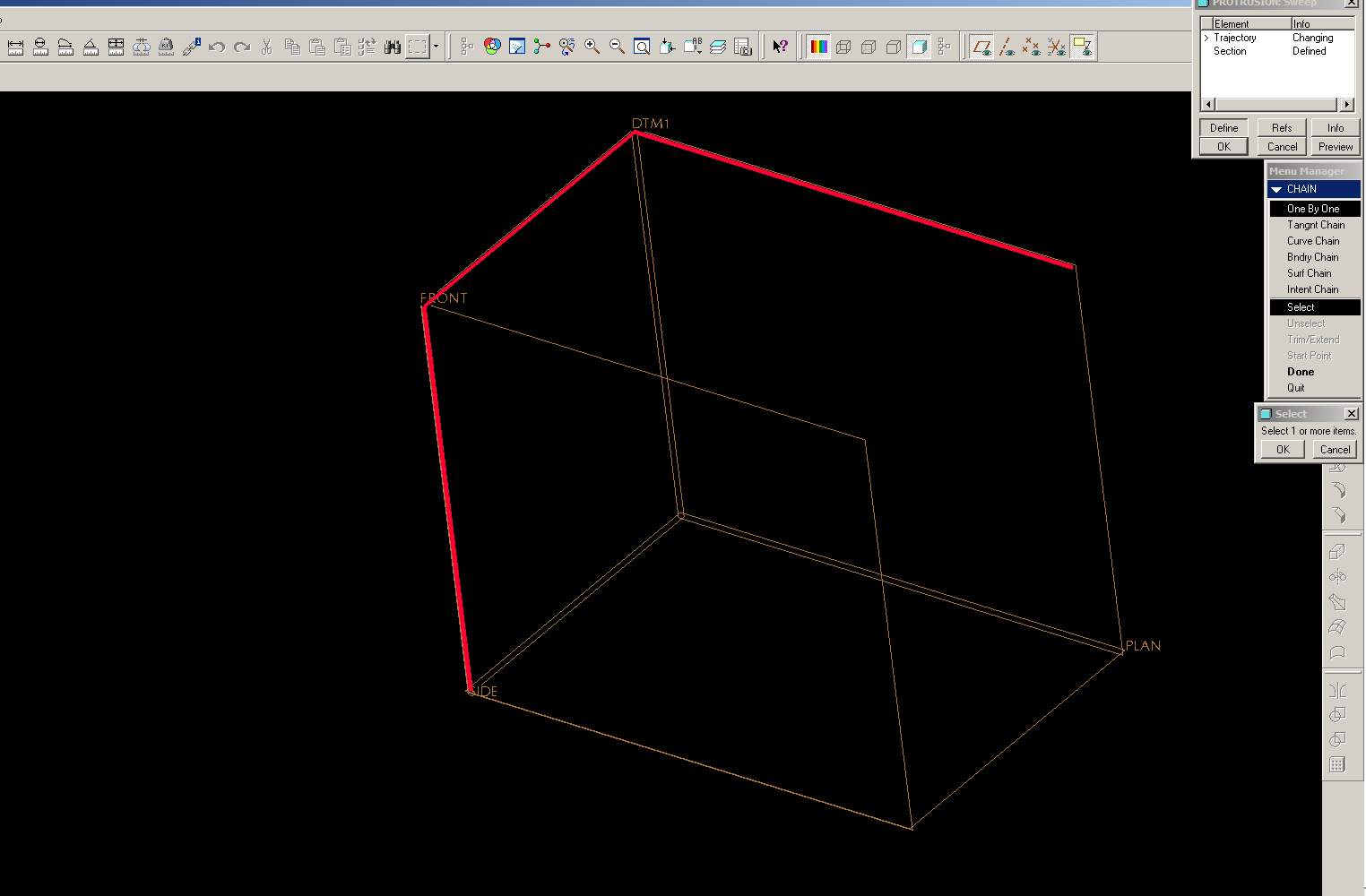
This is what I do in Pro/E WF.
But now I am trying to do the same in Creo 2.0 but I am not able to find the same method in Creo. Do we have the same option or any other method to do the same thing in Creo itself.
Guys please help.
Cheers !!!
This thread is inactive and closed by the PTC Community Management Team. If you would like to provide a reply and re-open this thread, please notify the moderator and reference the thread. You may also use "Start a topic" button to ask a new question. Please be sure to include what version of the PTC product you are using so another community member knowledgeable about your version may be able to assist.