1-Visitor
June 30, 2017
Question

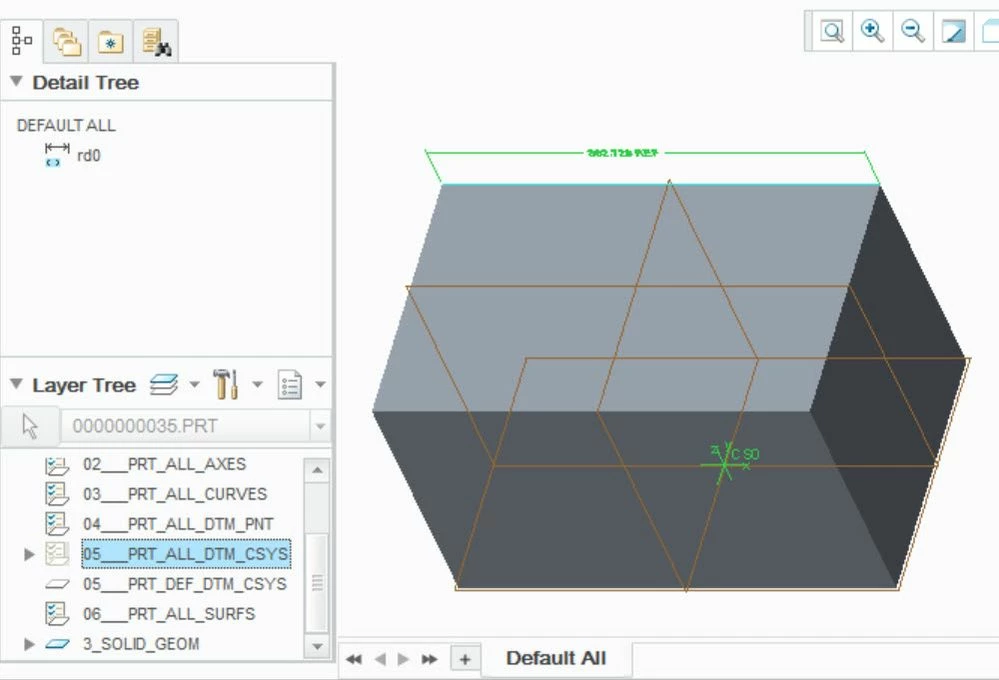
To hide reference Dimension in layer.

  • June 30, 2017
  • 1 reply
  • 2010 views

Hi All, When I create reference dimension in Creo3, also want to hide reference dimension in layers,but when I use Creo3 can't to hide it.2017-06-28_15-48-50.jpg
1 reply

1-Visitor
June 30, 2017

Try to remove it from your combined view "Default All" than it should work at least at my test file here (Creo 3).


..and in addition check if the dimension is on another layer which isn't hidden. 

RitaLin1-VisitorAuthor
1-Visitor
June 30, 2017

This is a part that has not been assembly on other groups and has confirmed that other layers have not been added.

1-Visitor
June 30, 2017

Have you tried to remove it from "Default All"?
