Question
Two Different Flatten Quilt Features?
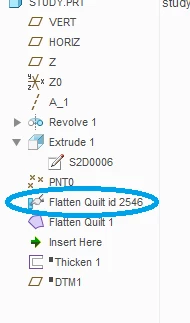
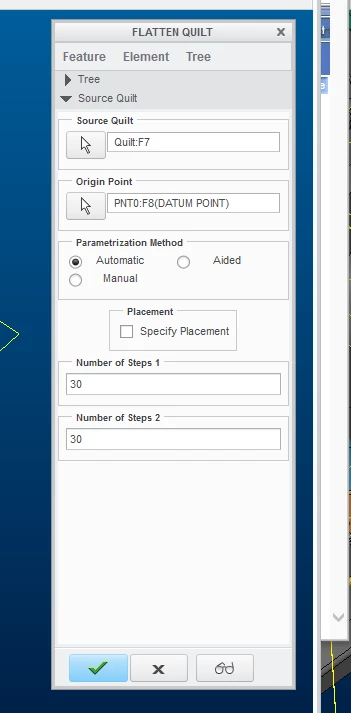
(Using Creo 3.) A colleague sent a "legacy" part with the below model tree. I am familiar with seeing the flatten quilt feature with the purple icon. When I go to edit the flatten quilt feature above it (circled in blue), a popup menu with options (more than the norm) opens (See below). The two features produce different flattened quilts. The flat produced by the feature circled in blue seems to be more accurate. The problem is I cannot find the feature circled in blue or how to adjust the flatten quilt feature to produce the popup menu. My colleague doesn’t know how the original designer made it. Any thoughts on how I can get these options?