
1-Visitor
March 20, 2020
Solved

robot simulation and inverse kinematics

  • March 20, 2020
  • 2 replies
  • 17389 views

Greetings 

 I'm an undergraduate mechanical engineering student working on graduation project (Exechon robot ), that robot has complex kinematics ,so I have chosen to do it in a simulation software but faced many obstacles and during searching I found a simulation video of my project  made by Creo .


I don't know any thing about Creo software but I'm amazed by it and want to know if I can reach my target by it .

what I want to do :

  1. import my design and Creation of kinematics like joints between bodies and constraints ...etc .
  2. create path , use inverse kinematics solver to move the robot joints thus the robot tool follow the path .
  3. export motion profile of joints .
  4. Doing engineering tasks like milling or drilling .

in the end I uploaded the video that attracted me here .


Best regards,  


Abdelrahman
 

Best answer by SweetPeasHub

Creo6 is good but student and professional are not compatible files.  Can you attach an example CSV file? 


I have two methods (6DOF and SLOT driven) to get the points in and I am not sure about limits on the number of points in CREO.  If you run into limits, you may need to break the path up into smaller chunks, but hopefully not.


The 6DOF version needs 3 separate files X vs TIME, Y VS TIME, Z VS TIME.  (Tab delimited)

The slot version needs a tab delimited version of the points XYZ


The 6 DOF is more arbitrary

The Slot version is actually first creating a smooth curve through all the points, then following the mechanism along the curve.


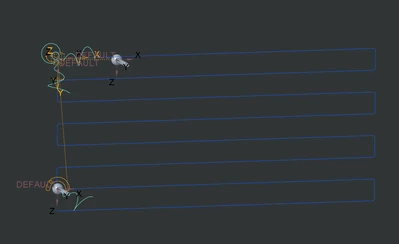
My example creates the path shown. The tools for both methods are shown with their mechanism icons.

See zip files attached.  The .tab, .pts, and .csv are just text files of points.

Path examplePath example


Once you have a tool forced to move along this path, you can attach the rest of the mechanism to it and read back each of the servo positions relative to time or relative to some other measure.  This of course assumes it can actually move in the pattern desired.  Also, it may be under-constrained for certain motions (more than one possible solution)  One way to solve this is to spring bias the joints to want to stay centered in their travel but that requires dynamic simulation instead of kinematic.  I am not sure about student version, you may need university version of Creo for that.  You should check into the university version anyway.


2 replies

1-Visitor
March 21, 2020

I'm in the wrong section or what , plaese who sees ,my post react with me or guide me to the right place

1-Visitor
March 23, 2020

anyone ?

17-Peridot
March 23, 2020

Yes, I think it is very possible to do this type of study with CREO mechanism dynamics.  I assume you will put in the milling paths as curves and also define the head/tool orientations, then run the simulation to record the position data at all joints for input in your position controller to do the mill.  The biggest hurdle would be if there are multiple solutions, how to decide which joints have preference.


Are all of your joints rotation/pin joints?  That should not be so bad... be sure the zero angle references cannot move around on you. (regenerating to a new position for example)  For the pin joint it is best if the z plane is exactly perpendicular to the axis of rotation, and the angle (theta) reference is a plane that goes exactly through the axis of rotation.


BTW There are only a small number of people that answer in this area and I am pretty sure we all have regular jobs to keep up with.

1-Visitor
March 23, 2020

Hey 

Thank you for your responding ,Although you are busy .

can't I make surface path like in the video I attached , can you please watch the video  ?

yes, ,most of joints are pins and just 3 prismatic joints in the legs .


Best Regards