

24-Ruby III
May 21, 2012
Solved

How to create a new hatching template in Arbortext IsoDraw 7.1?

  • May 21, 2012
  • 3 replies
  • 7189 views

Hello!

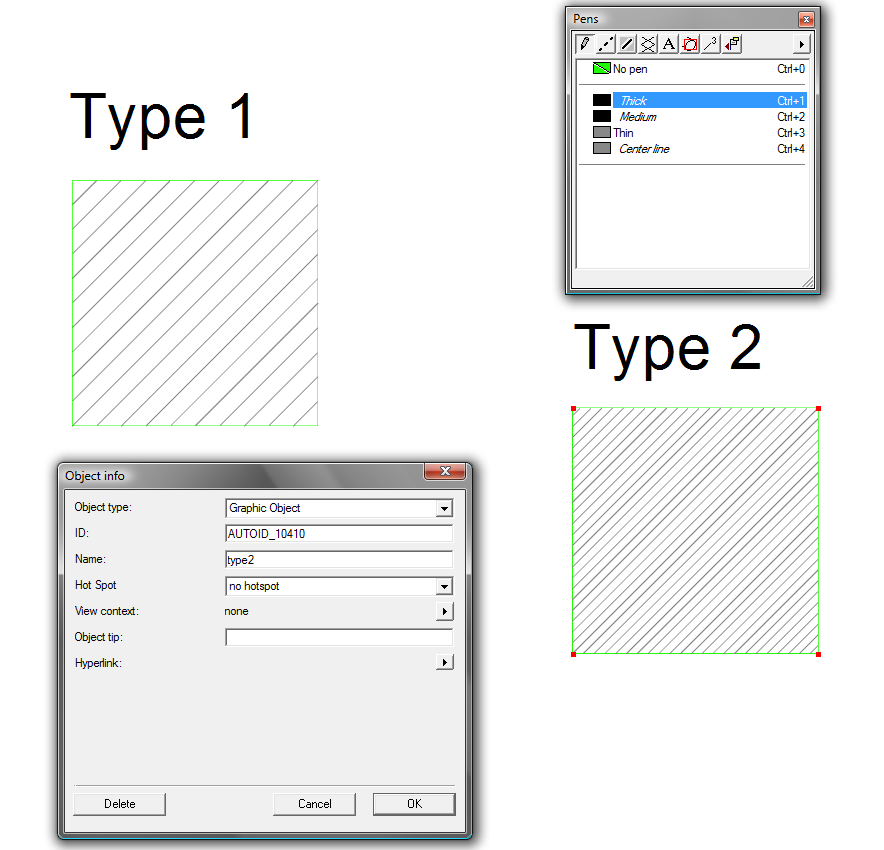
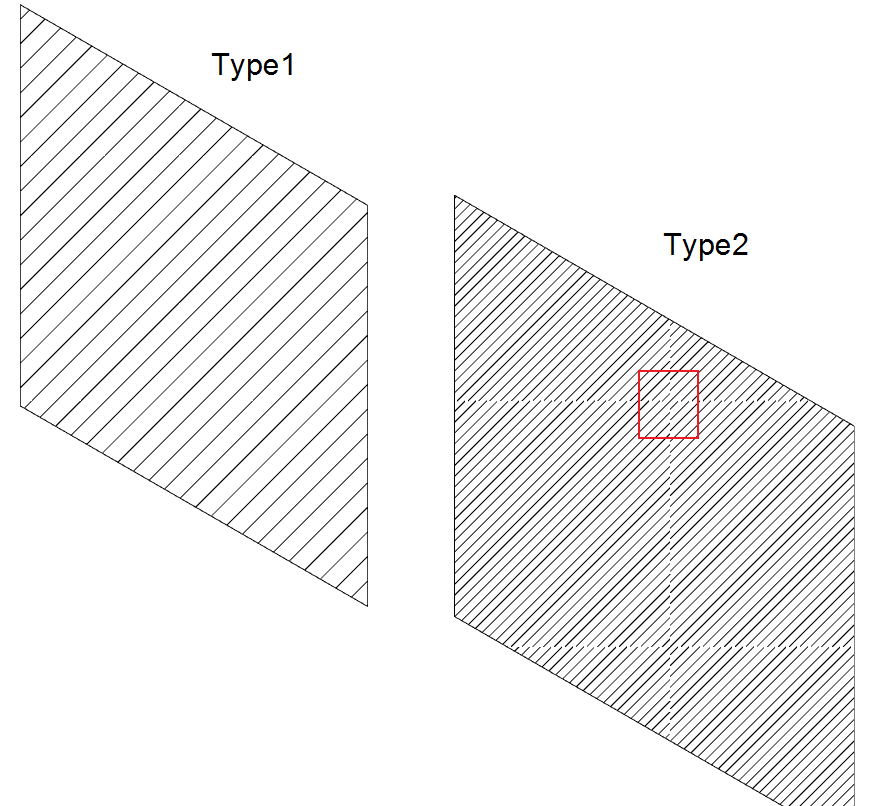
I created two types of hatching in the file "Hatching_new.iso". One of them is "Type 1" - copied from the template file "DefaultHatchings.iso" in Arbortext IsoDraw 7.1 M070 (located on the path: C: \ Program Files \ PTC \ Arbortext IsoDraw 7.1 \ Program \ Patterns), a second type of "Type 2" - created new and, thus, does not work. Why is hatching "Type 2" does not work properly when hatching a closed object?
Pic_1.png

Pic_2.png

Best answer by bgraffmann

Type 2 is no perfect tesselation. You can see this easily if you manually copy the hatched square and align it to the first. Each lineend on one edge should match one on the aligned square.In your case, the diagonal lines have the same distance from each other, but a different distance from the corner of the square!

If you need a hatching with a defined distance of the diagonal lines you might need to adjust the size of the square.

3 replies

1-Visitor
May 22, 2012

Type 2 is no perfect tesselation. You can see this easily if you manually copy the hatched square and align it to the first. Each lineend on one edge should match one on the aligned square.In your case, the diagonal lines have the same distance from each other, but a different distance from the corner of the square!

If you need a hatching with a defined distance of the diagonal lines you might need to adjust the size of the square.

VladimirN24-Ruby IIIAuthor
24-Ruby III
May 24, 2012

Thank you for the answer. Yes, I need a hatching with a defined distance of the diagonal lines. This size of the frame for the sample hatching (square 50x50 mm) - is a prerequisite for a hatch pattern, or I can use another size (template file "DefaultHatchings.iso" use a square [50x50 mm])?

1-Visitor
May 24, 2012

Hi,

I am not that much good in english to explain,

So See the image and iso file.

You can understand why the problem occured.

Hatching_new.png

VladimirN24-Ruby IIIAuthor
24-Ruby III
May 24, 2012

Hello Vaduga,

Thank you.

VladimirN24-Ruby IIIAuthor
24-Ruby III
May 31, 2012

Does anyone know where is the pattern "CGM_Hatching" placed (in which the program directory of Arbortext IsoDraw, because the file "Cgmhatchings.cgm" (placed in directory "C:\Program Files\PTC\Arbortext IsoDraw 7.1\Program\Patterns") is empty)?

Pic.png

1-Visitor
June 1, 2012

Hi,

Open "Cgmhatchings.cgm" using notepadCGM_HAtch.PNG

VladimirN24-Ruby IIIAuthor
24-Ruby III
June 1, 2012

Hello,

Thanks!