1-Visitor
October 22, 2014
Solved

Adding arrows to a half section.

  • October 22, 2014
  • 5 replies
  • 12584 views

I have been able to create a half section by using the 2D cross-section>Half sectioned area but I can't seem to get a broken section line in the referance view. Will CREO not do this or am I missing something?

CREO parametric 3.0

Thanks for any help.

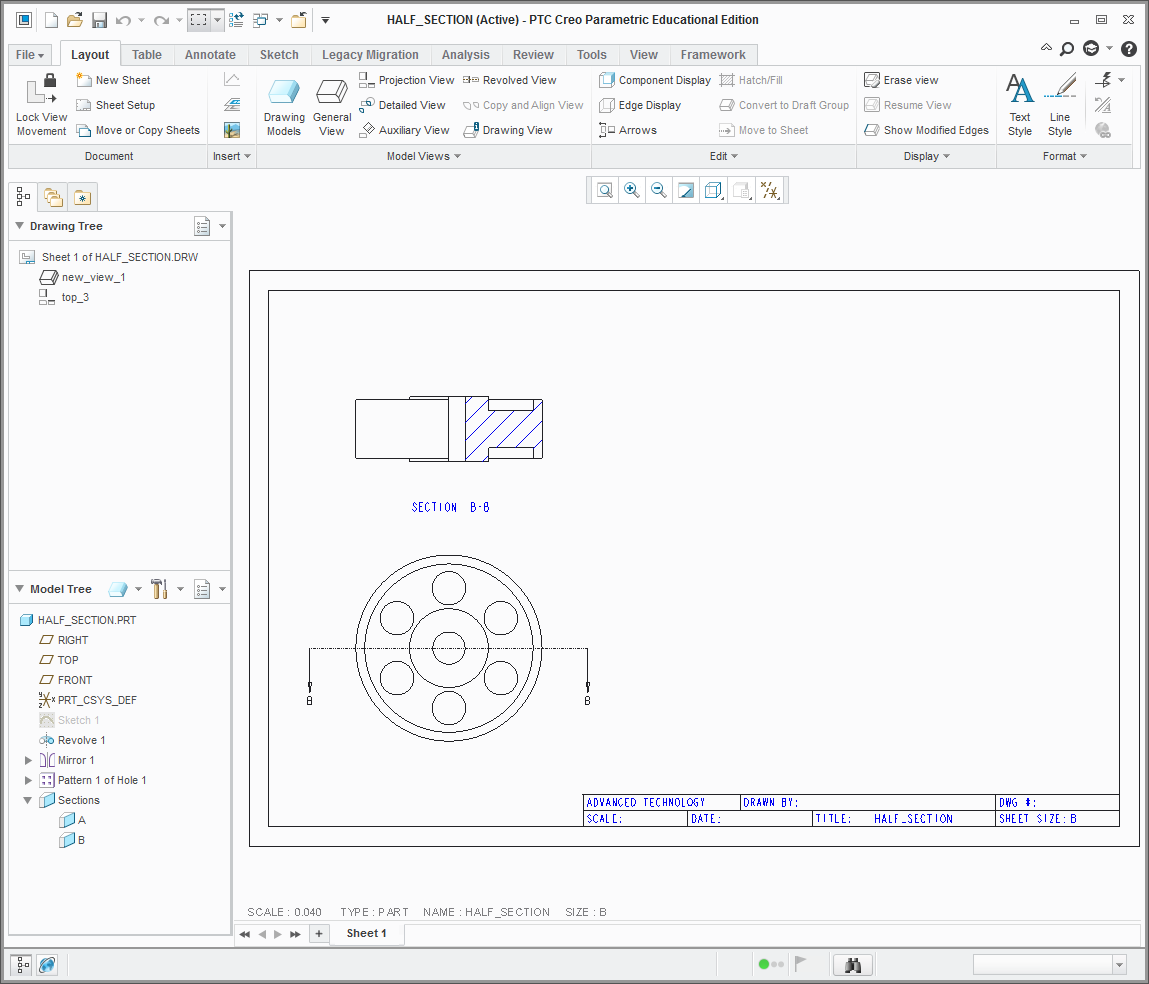
What I did.
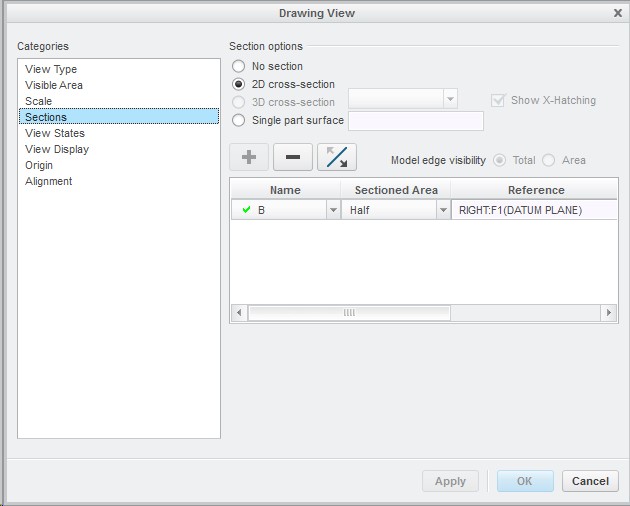
1.jpg

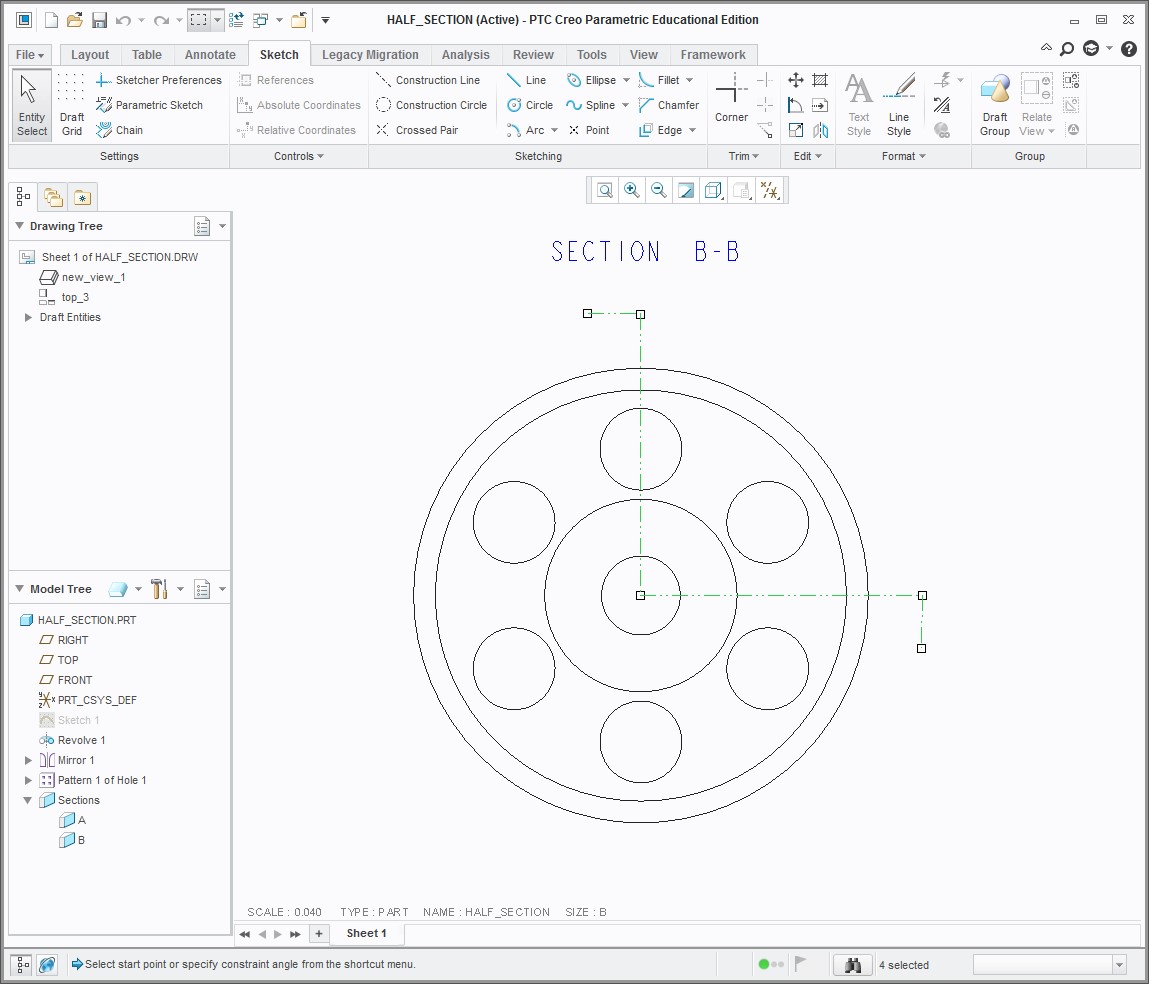
The result.

2.png

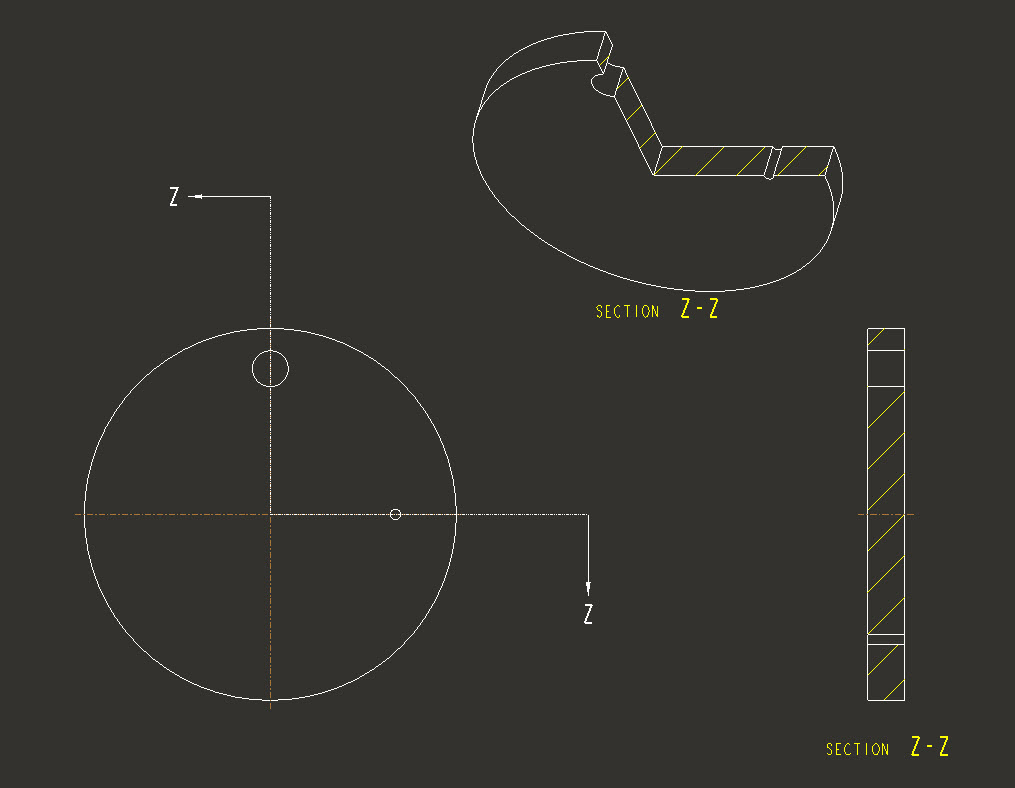
What I am wanting.

3.jpg

Best answer by StephenW

I think you want an offset cross-section and not a half section. You have to build the offset x-section in the model, ie sketch the cutting plane.

offset.jpg

Oh, also, the side view is unfolded.

5 replies

1-Visitor
November 3, 2014

Hi Andy,

I want to bubble this to the top for you so other users can take another look. I haven't had a chance to test this but at first glance, I don't expect an option for this. You will likely need to create this manually.

17-Peridot
November 4, 2014

Although it should be possible to meet standards, I haven't found it in Creo/WF/or Pro-E. The best we can do is manually drag the second arrow to the middle and call it good.

This is what I'd like to see the arrows do...

http://www.millwood.ednet.ns.ca/tech/ext10/drafting/sectional/img32.jpg

source: http://www.millwood.ednet.ns.ca/tech/ext10/drafting/sectional/index.htm

24-Ruby III
November 4, 2014

Andy,

I am not sure if I understood your question ...

What about this ?

offset_section.png

Martin Hanak

17-Peridot
November 4, 2014

I think the closest we can come to the standard is this:

half_section.PNG

StephenW23-Emerald IIIAnswer
23-Emerald III
November 4, 2014

I think you want an offset cross-section and not a half section. You have to build the offset x-section in the model, ie sketch the cutting plane.

offset.jpg

Oh, also, the side view is unfolded.

1-Visitor
November 6, 2014

Thanks for the help everyone. I was able to use the section in the model to achive the results I was looking for. It had been a while since I used the sectioning tool in the model it's self.