1-Visitor
July 3, 2013
Solved

Elastoplastic Curve Generation

  • July 3, 2013
  • 1 reply
  • 7710 views

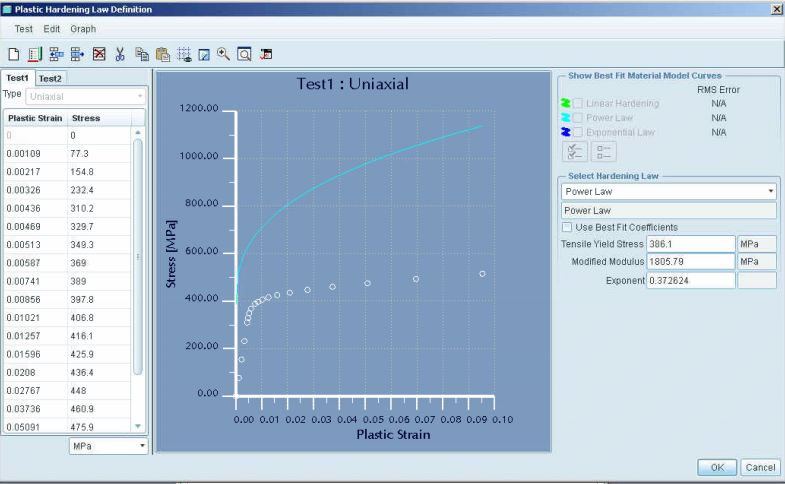
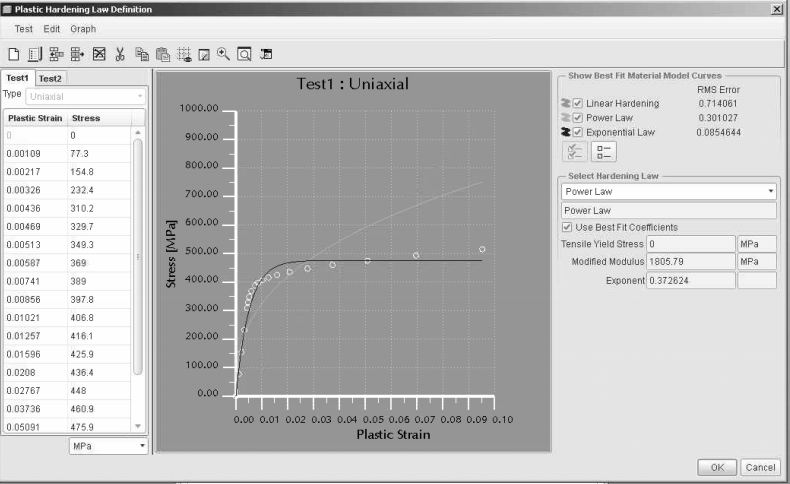
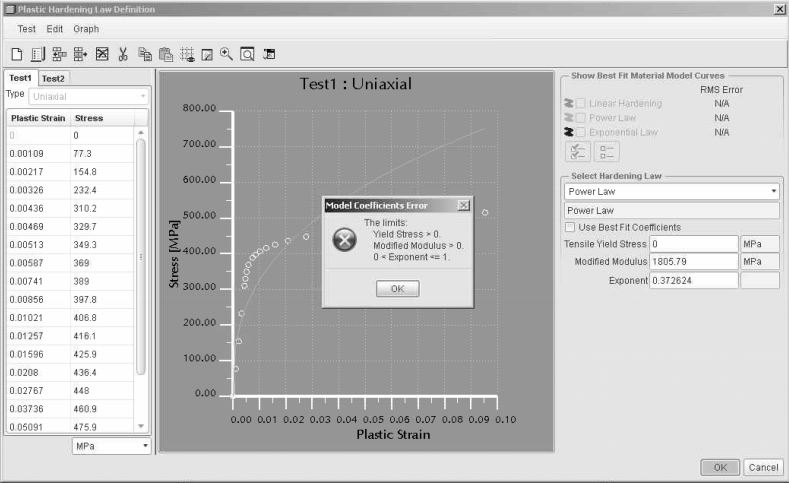
Can anyone tell me the right way to enter the elastoplasic properties of a material in Creo/WF 5.0? I have the true stress/strain curve entered. With the "Use best fit coefficients checkmarked the curves look good. However the Tensile Yield stress is at 0. If I try to hit ok it doesn't let me. It says I must have a value greater than 0. If I uncheck the box and put in the correct value the curve shifts way up. Any thoughts?
stressstrainquestion.JPG

stressstrainquestion1.JPG

stressstrainquestion2.JPG

    Best answer by SylvainA.

    I never used this capability of Pro/E, but I see that the graph is a plot of plastic strain vs stress.

    Thus it seems obvious that the curve starts after the yield stress point...

    1 reply

    SylvainA.1-VisitorAnswer
    1-Visitor
    July 3, 2013

    I never used this capability of Pro/E, but I see that the graph is a plot of plastic strain vs stress.

    Thus it seems obvious that the curve starts after the yield stress point...

    13-Aquamarine
    July 3, 2013

    Hi,

    Yes, only the part of the curve after yield should be used and should be true stress vs true strain.

    This is to likely to change with Creo3.0

    http://communities.ptc.com/message/195487#195487

    Regards

    1-Visitor
    July 3, 2013

    Ok thanks. It is true stress and strue strain. Should I also use the equation you mentioned to convert true strain to plastic strain?