
1-Visitor
June 10, 2015
Solved

Extract splitline

  • June 10, 2015
  • 3 replies
  • 2060 views

Hello together,

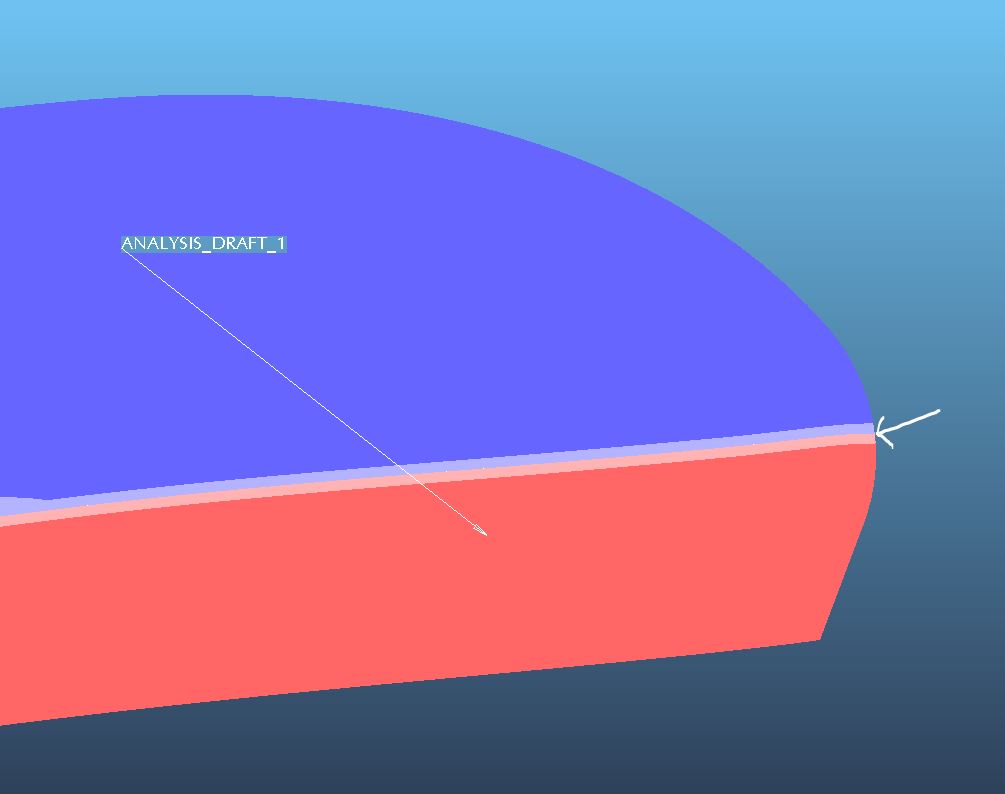
is it possible to get the splitline on an radius as a curve?

I use Creo Elements/Pro 5.

Many thx,

Michael
Unbenannt.JPG

    Best answer by dgschaefer

    Not as a curve, but you can split the suirface there.

    1. Make a copy of the surfaces
    2. Create a trim feature that trims the surface, uses the draft direction plane as the split object and select the "silhouette' button on the trim dashboard. 
    3. You can then chose one side, the other side or both to keep.

    You can use the resultant edge or create a curve from that edge.

    3 replies

    1-Visitor
    June 10, 2015

    What your looking for is called a silhouette curve. It is a standard feature in the mold design package.

    Not sure if there are any other packages that contain the functionality.

    21-Topaz II
    June 10, 2015

    Not as a curve, but you can split the suirface there.

    1. Make a copy of the surfaces
    2. Create a trim feature that trims the surface, uses the draft direction plane as the split object and select the "silhouette' button on the trim dashboard. 
    3. You can then chose one side, the other side or both to keep.

    You can use the resultant edge or create a curve from that edge.

    1-Visitor
    June 11, 2015

    Hi Doug,

    this one works verry well for me.

    Many thx,

    Michael

    12-Amethyst
    June 10, 2015

    Copy the surfaces

    Create a surface extrude that goes through the splitline.

    Use the Intersect feature to get a curve where the two surfaces meet.
