
21-Topaz II
January 4, 2016
Solved

Sketcher Accuracy

  • January 4, 2016
  • 2 replies
  • 8791 views

Creo 2, M160 (I also tried Creo 3, M070 with the same results)

I have a sketch consisting of a single arc and I want to control the length of the arc, not the radius.  I've constrained the ends and I've tried adding a perimeter dim or adding a chord dim by selecting the arc, one end, the other and then middle button.  Creo won't let me add the dim, it thinks the dims are too small.  I get an error "Please increase the number of digits" or something about sketcher accuracy. 

I can get it to add the perimeter dim, and I tell it to vary a linear dim that is 0.002", however it flattens out the arc to it's maximum length and turns my 0.002" dim to 1148.477".  The sketch is then locked up and unchangeable.

There used to be a setting for sketcher accuracy, but I cannot find it.  Does that still exist?  If not, how do I get Creo to accept this perimeter dim?

I cannot share the model due to client confidentiality.
    Best answer by jstone-2

    Sketcher accuracy is defined by increasing the number of decimals places. File->options->sketcher->Accuracy and sensitivity. By increasing the decimal places I was able to set the .002 dim to vary and rotate HINGE_1 datum to 90 deg. I did have to recreate the dimension after setting the number of decimal places. Is this what you're looking for? Not sure if an arc length dimension is supposed to show up in Creo though. I don't use perimeter dims much these days.

    hinge.jpg

    Also this tip is OLD, but probably still helpful.

    http://www.synthx.com/tom/sy_tip_0512.htm

    2 replies

    21-Topaz II
    January 4, 2016

    I was able to create a simple model that illustrates the issue, it's attached.

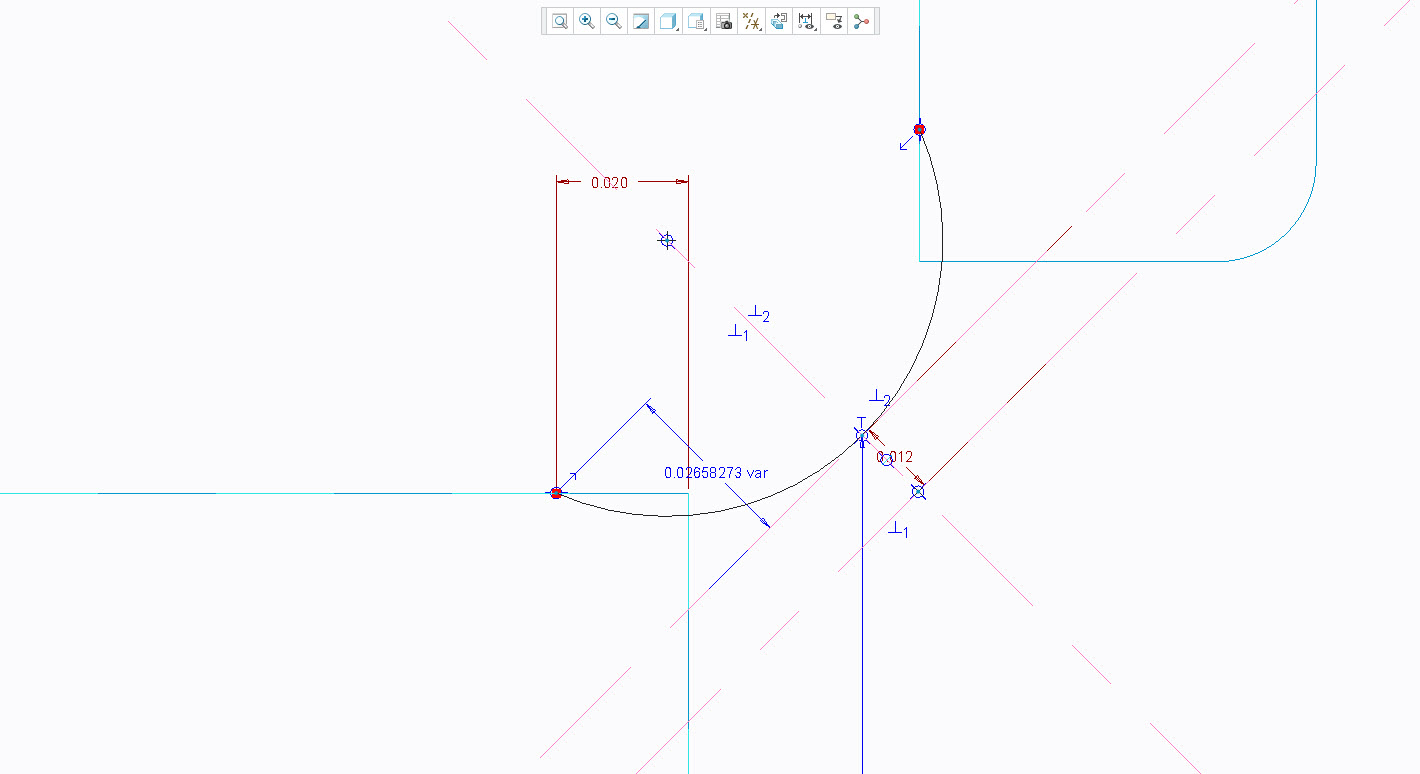
    In "Sketch 3", shown below, try to create a perimeter dim and set the 0.002" dim to vary.  This is a living hinge part, I need the length of this sketch to be constant while the hinge angle (HINGE_1 plane) varies.

    Capture.JPG

    17-Peridot
    January 4, 2016

    Why not dimension the arc with an arc-length rather than perimeter?

    I am not clear on your constraints but I removed the vertical reference since the .020 (.030 above) was still fixed.  I am not sure what you are considering the "fixed" end/center for your movement.  Above is Creo 3.0 M020.

    17-Peridot
    January 4, 2016

    You might have found a bug, Doug.  In Creo 3.0 M020, I am able to make that dimension without issue directly in your file...

    Perimeter dim (click arc); place dim; select .002 as ref; go hunt down the end of the 10-mile leader to find the perimeter dim.

    I've attached the file in case you decide to create a support case.

    1-Visitor
    January 5, 2016

    This is where the curvature element would be handy. Fixed length an the inverse radius so it can go from 0 to +/- values to bend each way, where 0 = perfectly straight.