1-Visitor
January 19, 2018
Solved

How to get rid of the TOOLKIT group in the Creo Ribbon?

  • January 19, 2018
  • 1 reply
  • 4435 views

Hi All,


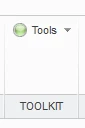
I have written a JLink app, but I could not get rid of this group that is added automatically,toolkit.PNGWhen I try to customize the ribbon, it is just not listed. I am using Creo 3. Do you have any idea?


Best answer by csabakovacs

Hi!


(Not so)Shot answer:

I think you are using the message contents in designate's inputs, but you should be using their identifiers.

(UserGuide->Designating the Command, UserGuide->Restrictions on the Text Message File )

Dumb example, would be that I have a TestCommand whose description is "A regular command", but in the message file the identifier would be for example "cmd_test_desc". In this case my code would refer to the description as "cmd_test_desc".


Long answer:

Before trying anything with ribbon definition file, please make sure designate (by its own) works perfectly.

(Aka kill ribbon loading from code and makes sure creo doesnt pick it up from startup or user dir)

This is necessary because designate can fail if some conditions are violated:

- Every TK command must be unique

(for example command name clashes are not allowed, also )

- Message file is corrupted/doesnt follow PTC formatting guidelines

(E.g. Sometime ago I was tired and I made the mistake of specifying identifier in the message file, but I didnt write any message under it, so the command's name was "".)


Also my personal rule is that Command designation must be done from within the Creo entry method, aka I never designate from listener etc. (This doesnt mean that you cant do tricks from within this method. To give you an example if you have a manager class for all command generation, then you would call her methods.)


Will bite you eventually:

Also, if we're classyfing messages a little:

%CIinf_wstr
Application: %0w
#
#

The identifier of this random nonsense would be inf_wstr, because the classifier doesnt "count".

Classifying is also described in the guide under message classification.

(Helpful for internal logging)


Cheers,

csaba

1 reply

1-Visitor
January 20, 2018

Hi!


This is because there are two ways to add commands to the creo UI.


#1 Deprecated way used in example files

Session.UIAddButton

You are registering a button and creating it on the UI. No magic is required, produces a new group and new command on the ribbon during runtime by itself.  I think you used this one, because most JLink examples use this. This **bleep** thing uses a deprecated way and hardwires itsef into the UI.

I don't mean this in a downgrading way! The examples are REALLY awesome, simply this little nuisance was left there, but otherwise BIG thanks for the awesome devs for providing such examples.


#2 Complicated awesome way

UICommand interface has a Designate method. If you designate it, then it will appear as a "pickable" command and the user can place it where he wants. (you know right click on the ribbon, customize, choose toolkit commands from the optionmenu then you will get a list of all TK/Jlink/etc. API registered commands)

If you want to ship the app with already placed groups and commands, then you can specify the ribbon using a ribbon definition file. If you create a new project just to test out this designate method then you will find out that this is not hard at all! (Also, this designate is shared between all APIs, so it's more versatile.)


Summary

Designate your commands, and don't use the command adding methods from the example files.

If you want to ship the ribbon then use ribbon definition file.


!!!CAUTION!!! Synchronous JLink:

JLink licensing and usage changed dramatically between 3.0 and 4.0. Please be sure to check out the changes.

(Licensing changed and pfcj.ar was killed and moved to otk, otk is now partially free, async was left alone for now I think.)


If I misitnerpreted your question, please feel free to clarify your issue.


Cheers,

csaba


davidegp1-VisitorAuthor
1-Visitor
January 22, 2018

Thank you for your reply Csaba, you understood the question perfectly. You are also right about the fact that I used the UIAddButton to add the button to Creo; however, since I still have some issue, I post the code that I actually use,


Session curSession = pfcGlobal.GetProESession();
 UICommand uic = curSession.UICreateCommand("NameOfTheProgram", (UICommandActionListener) new MainJavaClass());
 
 // I used this before your message
 //curSession.UIAddButton(uic, "Tools", null, "msg001", "msg002", "text.txt");
 curSession.RibbonDefinitionfileLoad("customribbon.rbn");
 uic.SetIcon("C:\\location\\gnome-app-install-star.png"); 
 uic.Designate("Ciao", "How are you?", "This is the program", "text.txt");

 This do work to remove the TOOLKIT group; however, the button is not listed in the TOOLKIT Commands (in customize ribbon), or in the All Commands. This is not a huge issue since I have the customized ribbon that makes the button appear on the GUI, but for some reason the label of it has disappeared.toolkit2.PNG

So, I have the icon (the red part), the group name and the tab, but the label has disappeared (it was there with the UIAddButton). Am I doing something wrong?


Thank you again Csaba


1-Visitor
January 23, 2018

Hi!


(Not so)Shot answer:

I think you are using the message contents in designate's inputs, but you should be using their identifiers.

(UserGuide->Designating the Command, UserGuide->Restrictions on the Text Message File )

Dumb example, would be that I have a TestCommand whose description is "A regular command", but in the message file the identifier would be for example "cmd_test_desc". In this case my code would refer to the description as "cmd_test_desc".


Long answer:

Before trying anything with ribbon definition file, please make sure designate (by its own) works perfectly.

(Aka kill ribbon loading from code and makes sure creo doesnt pick it up from startup or user dir)

This is necessary because designate can fail if some conditions are violated:

- Every TK command must be unique

(for example command name clashes are not allowed, also )

- Message file is corrupted/doesnt follow PTC formatting guidelines

(E.g. Sometime ago I was tired and I made the mistake of specifying identifier in the message file, but I didnt write any message under it, so the command's name was "".)


Also my personal rule is that Command designation must be done from within the Creo entry method, aka I never designate from listener etc. (This doesnt mean that you cant do tricks from within this method. To give you an example if you have a manager class for all command generation, then you would call her methods.)


Will bite you eventually:

Also, if we're classyfing messages a little:

%CIinf_wstr
Application: %0w
#
#

The identifier of this random nonsense would be inf_wstr, because the classifier doesnt "count".

Classifying is also described in the guide under message classification.

(Helpful for internal logging)


Cheers,

csaba