12-Amethyst
April 29, 2019
Solved

Kepware not pushing properties to thingworx

  • April 29, 2019
  • 1 reply
  • 1780 views

Hi, 


I have connected a KEPServerEX6 to ThingWorx and the isConnected property reads TRUE. 

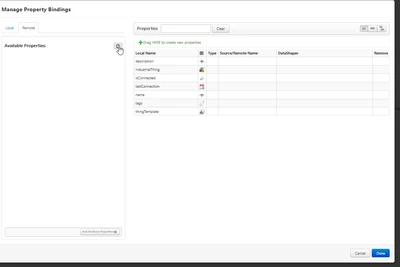
When I try to add properties to the Remotething from a remote binding, no properties are available.
I have blurred out some parts of serveradress and thing names due to company resctrictions.

Using ThingWorx composer 8.2.4 (no new composer available) and KepServerEX 6 

Please see the attached pictures.


Kepserver simulation device:
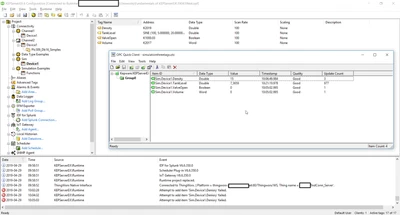
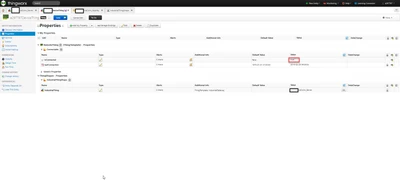
2019-04-29_10-21-25.pngRemote thing:

2019-04-29_10-22-53.pngNo remote properties:

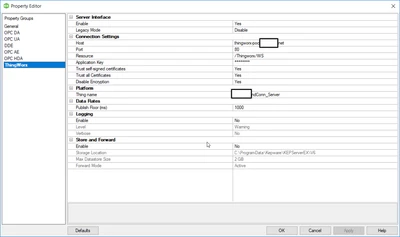
2019-04-29_10-23-40.pngKepserver thingworx connectivty info
2019-04-29_10-22-25.png

Best answer by SebB

Hey @jonasf 


the connection between Thingworx and Kepware is based on a different approach than the Remote Thing connections for the SDKs or the MicroServer. 


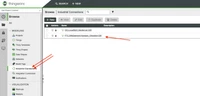
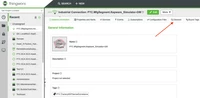
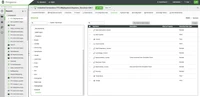
You need to you the new Composer and use the "Discover" Tab on the IndustrialThing that is connected with Kepware.

Screen Shot 2019-04-29 at 9.44.26 AM.pngScreen Shot 2019-04-29 at 9.44.50 AM.pngScreen Shot 2019-04-29 at 9.45.14 AM.png


A different approach is to use the Manufacturing apps: https://developer.thingworx.com/en/resources/guides/configure-manufacturing-apps


Seb


1 reply

SebB13-AquamarineAnswer
13-Aquamarine
April 29, 2019

Hey @jonasf 


the connection between Thingworx and Kepware is based on a different approach than the Remote Thing connections for the SDKs or the MicroServer. 


You need to you the new Composer and use the "Discover" Tab on the IndustrialThing that is connected with Kepware.

Screen Shot 2019-04-29 at 9.44.26 AM.pngScreen Shot 2019-04-29 at 9.44.50 AM.pngScreen Shot 2019-04-29 at 9.45.14 AM.png


A different approach is to use the Manufacturing apps: https://developer.thingworx.com/en/resources/guides/configure-manufacturing-apps


Seb


jonasf12-AmethystAuthor
12-Amethyst
April 30, 2019

Thank you, I was able to enter the new composer by enabling it in preferences.Capture2.PNG