1-Visitor
December 5, 2014
Solved

Helical Toolpath in Wildfire 4

  • December 5, 2014
  • 2 replies
  • 2131 views

I'm stuck using Wildfire 4 and I'm finding that the Mfg side of Pro/E|Creo is an exercise is frustration.

All I want to do is mill several bores with Helical toolpaths and that option isn't directly available

in a Trajectory sequence.

The help file is about as useful as screen doors on a submarine.

This is a basic production type tool path and I'm finding I have a Rube Goldberg maze

to get through to produce something that should be intuitive.

Facemilling with only 90 degree corners available is another pet peeve.

Don't get me going on how weak the Lathe portion is.

It's as if no one at PTC has ever set foot in a machine shop.


This thread is inactive and closed by the PTC Community Management Team. If you would like to provide a reply and re-open this thread, please notify the moderator and reference the thread. You may also use "Start a topic" button to ask a new question. Please be sure to include what version of the PTC product you are using so another community member knowledgeable about your version may be able to assist.
Best answer by SteveLucas

I can try and paste my cheat sheet fo helical milling in here but email would be better.

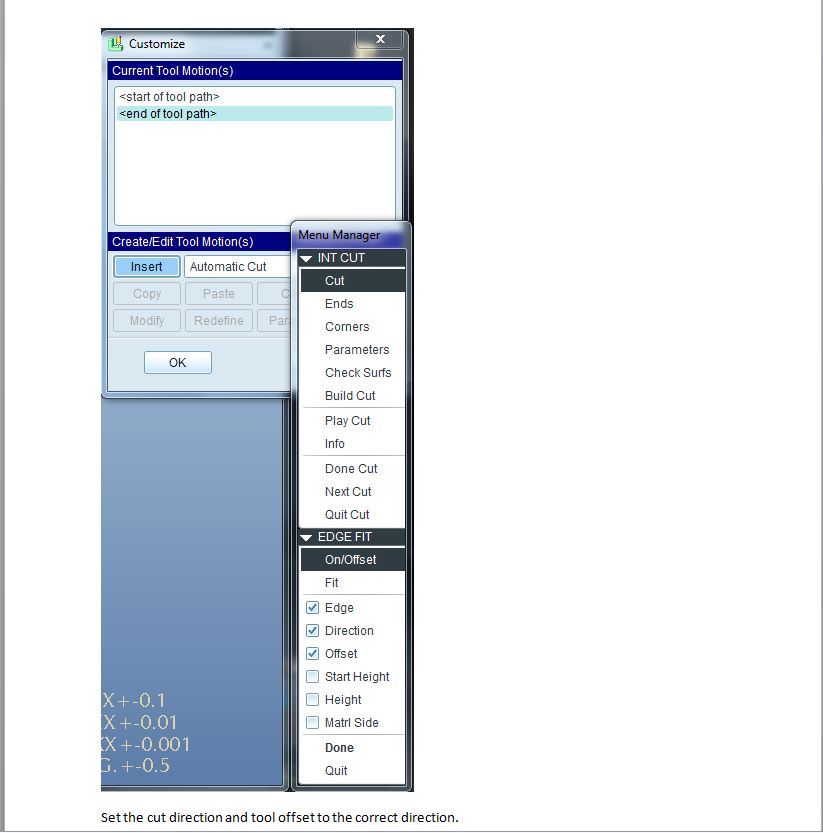
helical+slide+1.JPG

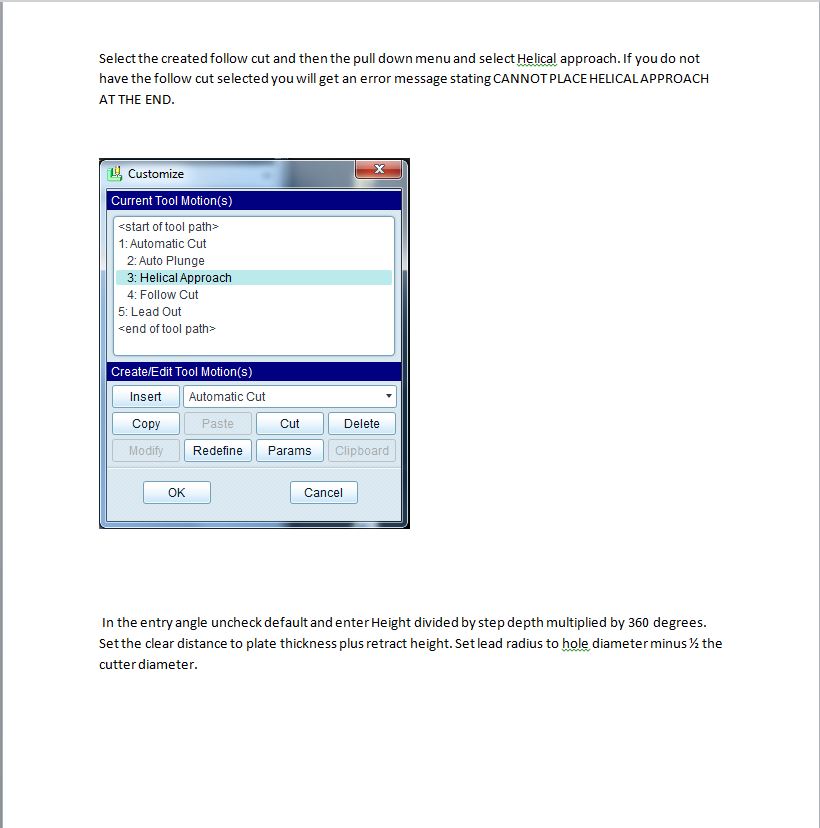
helical+slide+2.JPG

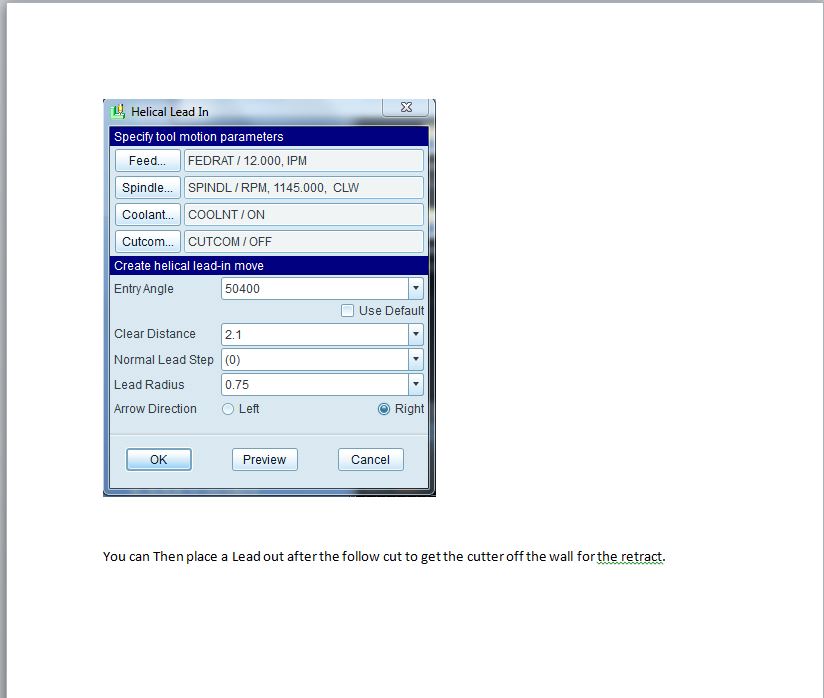
helical+slide+3.JPG

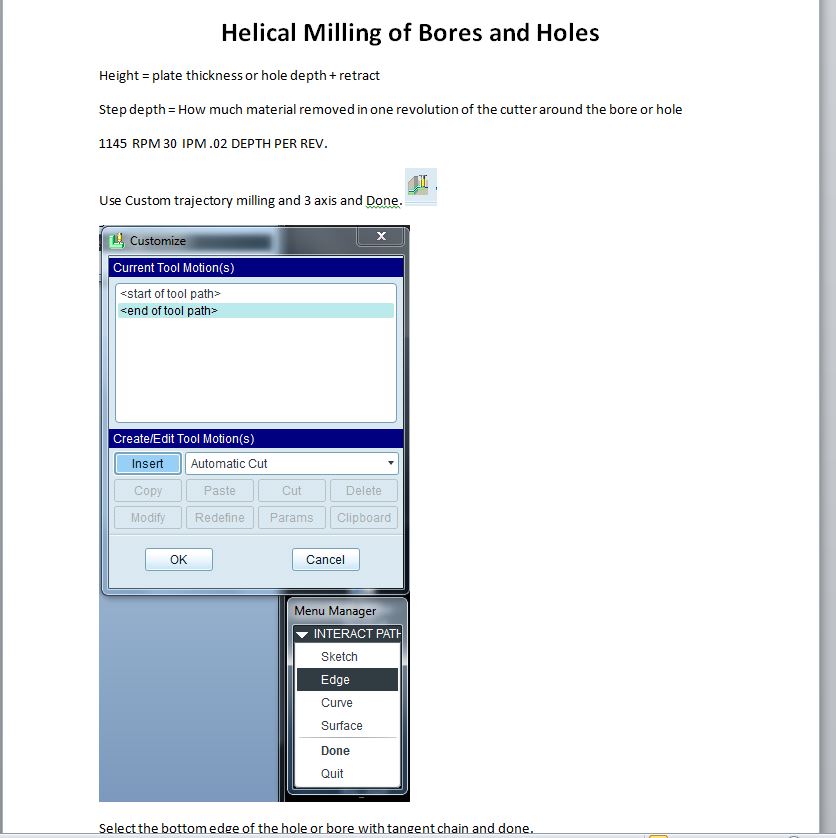
helical+last+slide.JPG

This is the way I used to do helical bores way back in WF4 days. Crude but it works.

hope it helps.

Steve

2 replies

1-Visitor
December 5, 2014

When I used WF4, I used thread milling to generate most of my helical bores. There is a way to do with Trajectory but I'm not an expert at it.

1-Visitor
December 5, 2014

I can try and paste my cheat sheet fo helical milling in here but email would be better.

helical+slide+1.JPG

helical+slide+2.JPG

helical+slide+3.JPG

helical+last+slide.JPG

This is the way I used to do helical bores way back in WF4 days. Crude but it works.

hope it helps.

Steve

1-Visitor
December 5, 2014

Thanks Steve!

I knew there had to be a better way.

The only reliable way I had previously found was to do it as a Mill Surface and set the cut lines as closed loops at each end of the cylinder. Then I could go back to Parameters and change the scan type to Helical.

I still had to go to the custom area to add lead-in/lead-out but at least the parameters propagated.

Many thanks!