
J_M_Hoffmann
4-Participant
June 3, 2026
Question

Post processor not including NC path's 4th-axis rotate command? / Mach3 4-axis suggestions

  • June 3, 2026
  • 2 replies
  • 32 views

Hi there. I built a pretty typical 4-axis desktop CNC machine with an ‘A’ axis which rotates in the positive X direction and controlled by Mach3 on a USB controller. Overall it works well for any 3 axis milling/roughing/surfacing operations. See below configuration.

Unfortunately when I go to set up an indexed 4-axis program, the included post processors in Creo skip the NC path’s rotate command:

AAXIS,  ATANGL,  -90.000000

and do not include it in the exported .tap/ G-code. I assume this is normal as most of the included post processors are only for 3-axis machines.


However, I have attempted to “roll my own” using the included option file developer, turn on a 4th axis option, and using the UNCX01.P11 post processor as a base model, but no luck so far.

The material removal simulation in Creo shows the appropriate rotation happening. I can also manually type in the “A -90.0” command into the exported G-code in the proper spot, which works great on the machine and allows me to accomplish my goal...But I’d prefer not to type this in with each required rotation of the part I’m milling.

Are there any common post processors out there which would be appropriate for my situation and what might I be doing wrong in my options file configuration?

NC path, Gcode, included in a zip file for inspection.
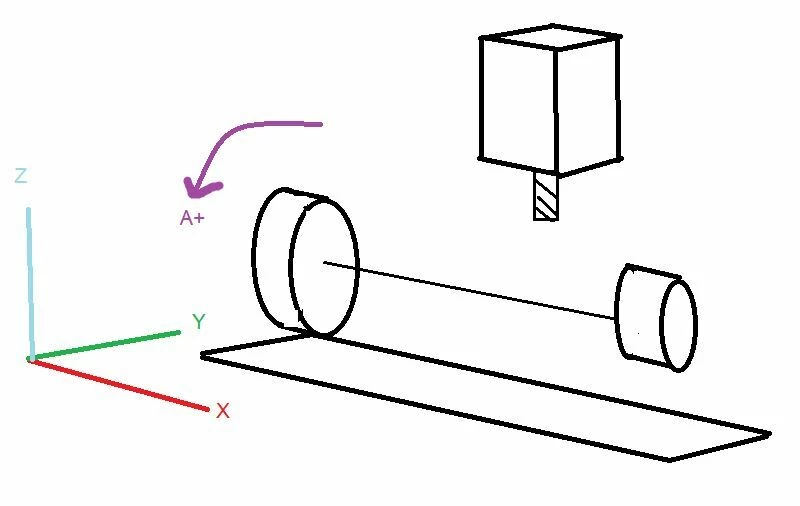

Mill Configuration
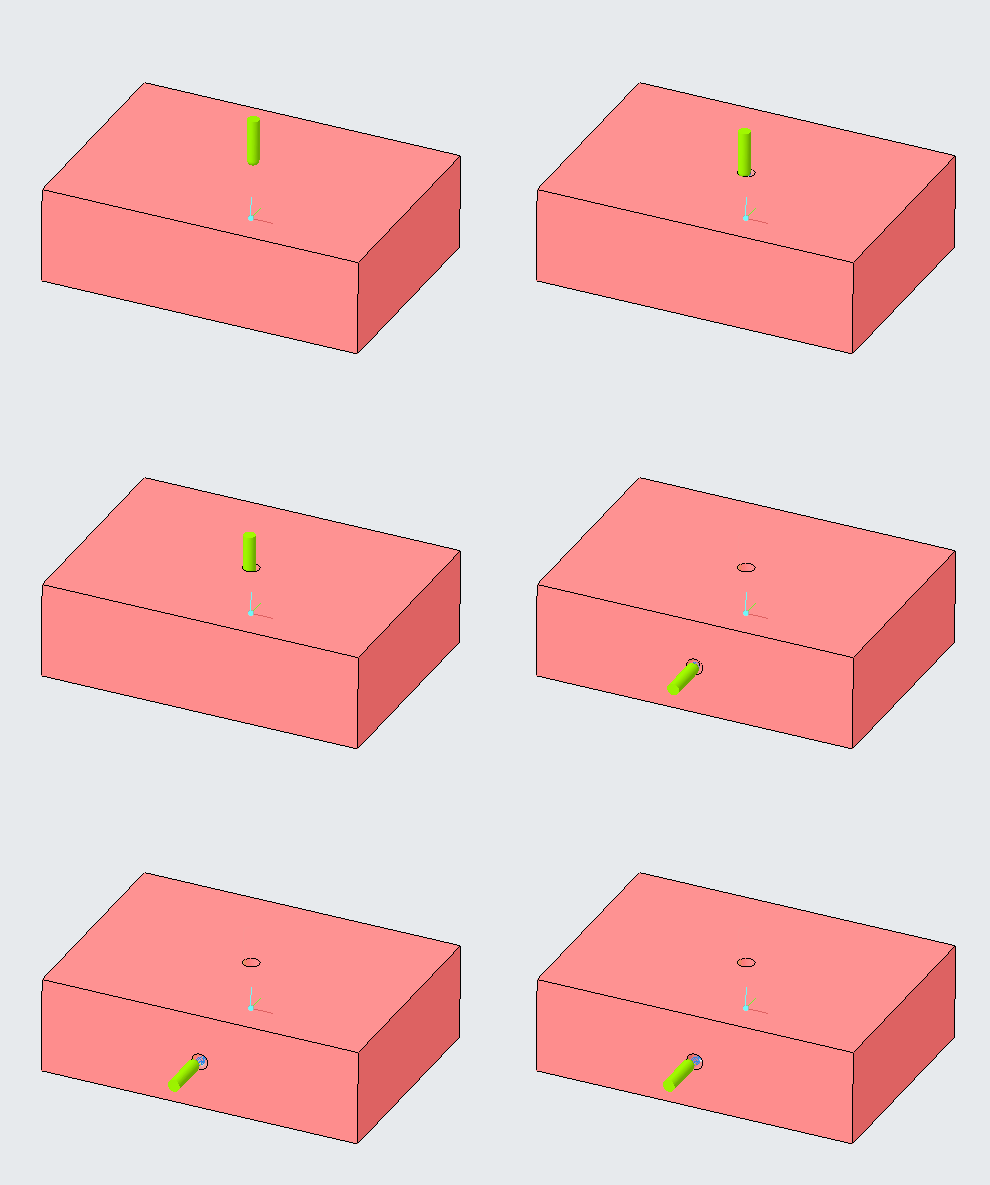


Path Animation / Work Part



2 replies

KenFarley
21-Topaz II
June 3, 2026

In the options editor did you change the entry for Type, Specs, & Axes → Machine to 4-Axis Rotary Table?

Doing so tells the post-processor to expect A rotation valules and to process them.

I’ve only done full motion 4-axis, but there is an entry on 4-Axis Rotary Table tab that specifies Only capable of indexing which you might need to check if that’s your situation.

If all this stuff is set and it’s still ignoring your AAXIS commands, you might need to edit the FIL code file associated with your selected machine (F11) and put some code in to handle them. If that’s the case let us know and it should be possible to figure out how to add the proper lines, etc.

J_M_Hoffmann
4-Participant
June 4, 2026

Thanks for the input. I did some more testing with this last night.
I was able to select the second default Fanuc mill (which is 4 axis) and then change the B axis to an A axis which then worked for me and included the rotation commands in the G-code. 


I’m not sure which setting or syntax this second post processor is including to make things work, but it is including the A axis commands as it should. I would have to compare it between the HAAS VF8 default above it to see which command or radio button is included now. 


HOWEVER the now the issue is that the A axis does not move RAPID (No G0 command) when the A axis indexes. It still keeps the previous mill feed rate, which is 40 ipm or 40 units/min, which on a rotary axis is a painfully slow 40°/min rotation to the new orientation.


I see my NC path does not include a RAPID command before the axis rotation, so I think my post processor is doing its job, There is no rapid rate to include when it processes the NC path, so it doesn’t tack a G0 in before the A270. command

My question is: Is this a rapid rate setting something that the Creo manufacturing operation (roughing, surfacing etc.) should include or is this something that I can simply edit the FIL to swap out, such as “replace any A axis movement, such as A270. with G0 A270”? Aka any A axis movement is always set to rapid travel. What would you suggest? Or is it something that should be configured in the Options Generator somewhere?


Thanks again for the help with this. 

KenFarley
21-Topaz II
June 4, 2026

As far as the milling operations go, I know that if I don’t specify a RETRACT_FEED and FREE_FEED if zero (0), these motions are done at the last feed rate that was specified. Pretty annoying if I was doing something at a feed of 5.0 IPM before retracting and moving to the next start point. Check these parameters in your sequences to be sure you’re setting them.


If you’ve already set the above parameters and still not getting what you want, and you’re really really sure that any AAXIS command you’re going to issue is only going to be used for indexing and you’re not going to ever by trying to cut while doing that movement, you could possibly edit the FIL code to make it always output a G0 for an AAXIS command. I’d first check all the options available and see if there’s some way to do this with the options generator. Might be there’s a place to add G-code when encountering an AAXIS command.