Best answer by Werner_E

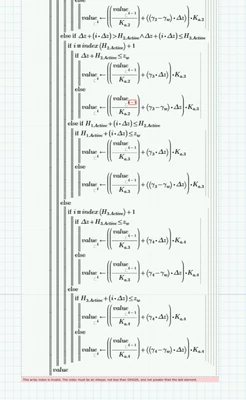
The vector "value" you create in the program does not get a value in each turn of the for loop.

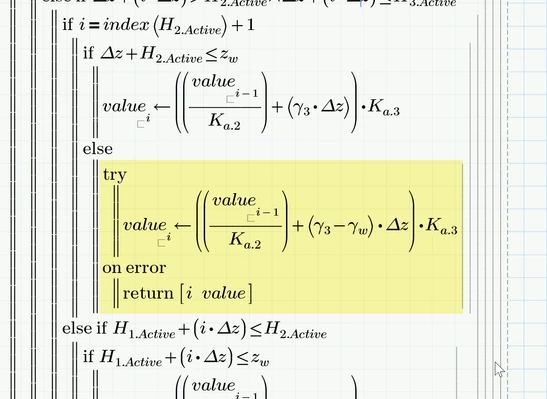
I inserted a "try and catch" at the position where the error is thrown
Werner_E_0-1744663526976.png

and it can be seen by the result

Werner_E_1-1744663554858.png

that "value" has just 14 elements when i=25 and so you obviously can't access element #24.


You have to check your nested series of "if ... else if .... if ... else ... etc." to assure that "value" is assigned a value in every 'round' of the for-loop.


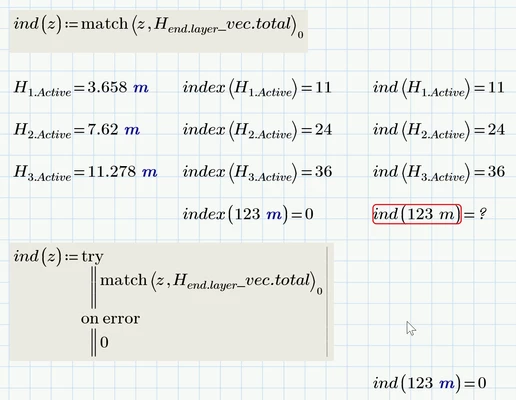
BTW, your "index" function could be written by simply using the "match" function. Only difference is the behaviour if the value (z) is not found in the vector.

Your function returns 0 in this case but "match" will return an error. If this is mandatory you may throw in a try and catch as shown:
Werner_E_0-1744664589297.png

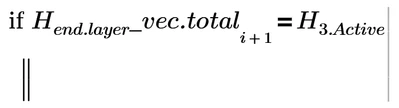
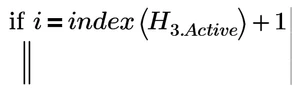
You may also do without this index function if you replace calls like
Werner_E_1-1744664618865.png

by

Werner_E_2-1744664636110.png

but you would have to assure that this if-statement is not called for the last i because then there is no element # i+1

 

1 reply

Werner_E25-Diamond IAnswer
25-Diamond I
April 14, 2025

The vector "value" you create in the program does not get a value in each turn of the for loop.

I inserted a "try and catch" at the position where the error is thrown

Werner_E_0-1744663526976.png

and it can be seen by the result

Werner_E_1-1744663554858.png

that "value" has just 14 elements when i=25 and so you obviously can't access element #24.


You have to check your nested series of "if ... else if .... if ... else ... etc." to assure that "value" is assigned a value in every 'round' of the for-loop.


BTW, your "index" function could be written by simply using the "match" function. Only difference is the behaviour if the value (z) is not found in the vector.

Your function returns 0 in this case but "match" will return an error. If this is mandatory you may throw in a try and catch as shown:

Werner_E_0-1744664589297.png

You may also do without this index function if you replace calls like

Werner_E_1-1744664618865.png

by

Werner_E_2-1744664636110.png

but you would have to assure that this if-statement is not called for the last i because then there is no element # i+1

 

fahmed-214-AlexandriteAuthor
14-Alexandrite
April 14, 2025

Thank you so much @Werner_E 

fahmed-214-AlexandriteAuthor
14-Alexandrite
April 14, 2025

one more question @Werner_E . with out using the "match" function, how can I locate the index number of an array based off a given number. In my case , I would like to locate the index number from "H_end.layer_vec.total" where the "H1.Active" number is situated. I tried with the following but not working. The reason I am hesitant to use match is because if the given number does not lie within "H_end.layer_vec.total" then it gives an error number. I like my sheet to be more universal in terms of the given 4 layers


fahmed2_0-1744668777252.png