As Luc already said there is no way out of the box.
Nonetheless it can be done, but its quite uncomfortable.
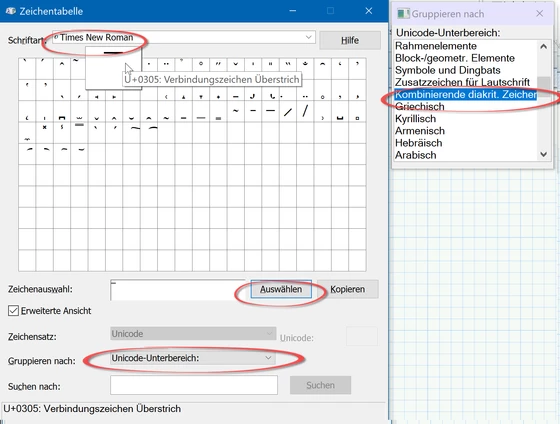
1) Start the Windows program "character map" (in the screenshot below you see the German name "Zeichentabelle")
2) chose an appropriate font (I had chosen TimesNewRoman), set grouping to unicode sub-group, select "combined diacritic characters"i the small window you see at the upper right and then select the sixth character in the first row (U+=305, over bar) and press "Select". You will see the bar in the selection box "Characters to copy". Now press "Copy" to copy the bar character to the clipboard.
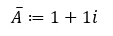
3) Switch over to Prime and press the quotation marks as if to create a string. Press Ctrl-V to copy the bar character and then type the variable name, in the example an A.
4) Press the delete button to delete the quotation marks and - voilà - you have created a variable name with a bar over it.
Looks a bit strange if you apply conjugation 😉
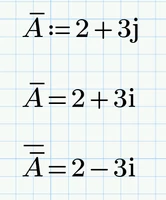
Actually I am used to the convention that variables which are underlined are complex valued.