13-Aquamarine
May 2, 2024
Solved

Formatting a Solve Block - Eliminating Unused Space? Prime 9

  • May 2, 2024
  • 1 reply
  • 1256 views

Hi Folks,


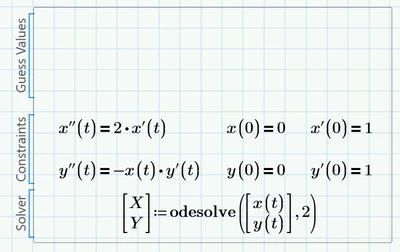
I have what I think it s a simple question.  Solve blocks seem to require a bunch of needless space.  Is there any way to eliminate this?  V15 solve blocks were a lot more flexible.


Update:  I asked a similar question about two years ago.  I'm just trying to find out whether PTC has made any progress on this.


Mark


mfrench_0-1714654268976.png


Best answer by DJNewman

Regarding product development on this, no.

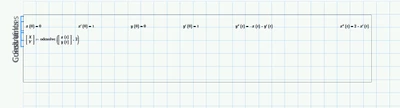
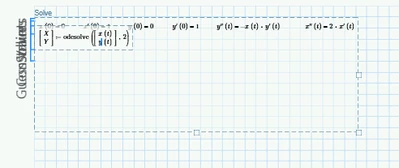
You can make the Guess Values[] Constraints[] and Solver[] sections overlap one another. You won't be able to read it well at that point but it saves space. But I think the shortest you can make it vertically is five blocks on the normal grid or ten on the fine grid, even if it's empty space.

DJNewman_0-1714657028914.pngDJNewman_1-1714657033177.png


You could also save space by putting the Solve Block in a collapsible area. And in terms of product development, you can now hide the collapsible area border in Prime 10.

1 reply

DJNewman
DJNewman18-OpalAnswer
18-Opal
May 2, 2024

Regarding product development on this, no.

You can make the Guess Values[] Constraints[] and Solver[] sections overlap one another. You won't be able to read it well at that point but it saves space. But I think the shortest you can make it vertically is five blocks on the normal grid or ten on the fine grid, even if it's empty space.

DJNewman_0-1714657028914.pngDJNewman_1-1714657033177.png


You could also save space by putting the Solve Block in a collapsible area. And in terms of product development, you can now hide the collapsible area border in Prime 10.

PTC Marketer for Creo and Mathcad. I run their YouTube channels, some Creo campaigns, and all Mathcad campaigns and communications.
mfrench13-AquamarineAuthor
13-Aquamarine
May 2, 2024

Thanks DJ, I'll take a look at Prime 10