15-Moonstone
September 4, 2015
Solved

How to parameterize Odesolve

  • September 4, 2015
  • 3 replies
  • 3861 views

I am using Odesolve to solve a set of equations. It works fine, but I want to make the solution depend on a parameter. I cant seem to get the syntax right. Or maybe something else is wrong. What am I doing wrong?

Best answer by Werner_E

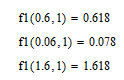
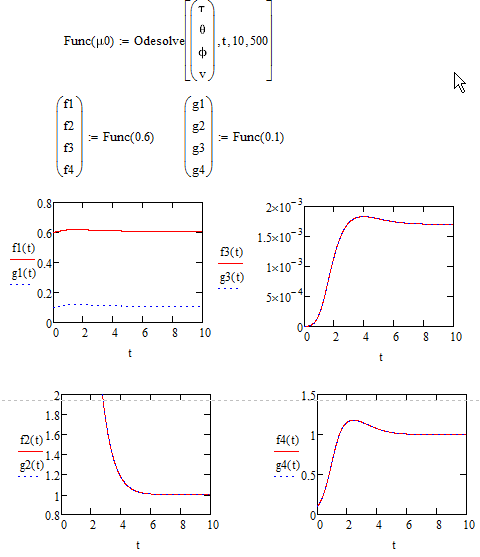
Maybe that way:

You could also use something like this

which looks more versatile but definitely is NOT recommended, at least not when it comes to plotting.

Reason: The whole solve block is called again for every single point which is plotted. You will see the long plotting time when you give it a try. For the calculation of a few discrete values it does not matter, of course.

WE

3 replies

Werner_E25-Diamond IAnswer
25-Diamond I
September 4, 2015

Maybe that way:

You could also use something like this

which looks more versatile but definitely is NOT recommended, at least not when it comes to plotting.

Reason: The whole solve block is called again for every single point which is plotted. You will see the long plotting time when you give it a try. For the calculation of a few discrete values it does not matter, of course.

WE

15-Moonstone
September 4, 2015

Thanks. So what do you recommend (for plotting)? Using the ode solvers, e.g. rkfixed, directly?

15-Moonstone
September 4, 2015

Ok. Never mind. I did not read your answer carefully enough. Thanks again.

24-Ruby IV
September 5, 2015

With rkfixed by help of a local function

5_12_RKfixed_Funct_MC_12.png

15-Moonstone
March 4, 2016

I thought I learned how to do this from the previous post, but evidently not.

JohnRudnicki wrote:

I am using Odesolve to solve a set of equations. It works fine, but I want to make the solution depend on a parameter. I cant seem to get the syntax right. Or maybe something else is wrong. What am I doing wrong?
25-Diamond I
March 4, 2016

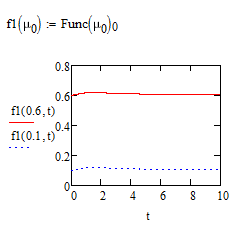
There are 2 or 3 problems:

1) You renamed your function (y -> y1) but forgot to do so twice when you call f inside the solve block

2) Odesolve gives you the function(name) without arguments, so Y(0.02) is boldly spoken just the function name - you have to provide the argument

3) While the above works, its very inefficient because the solve block is now called for every single evaluation. That's OK if you just calculate a few values, but if your plot is evaluated for 1000 values of t, the solve block is called 1000 times an this takes quite a lot of time. So its better to call the solve block just once and store the result to a new variable/function name, which then can be used as a function the normal way:

Give it a try and compare speed 😉

Regards

Werner

15-Moonstone
March 4, 2016

Thanks (again!).