
1-Visitor
April 22, 2015
Question

How to solve an equation and get a numerical solution that can be used?

  • April 22, 2015
  • 2 replies
  • 3331 views

Hello!

I have a problem in Mathcad Prime 3.1.

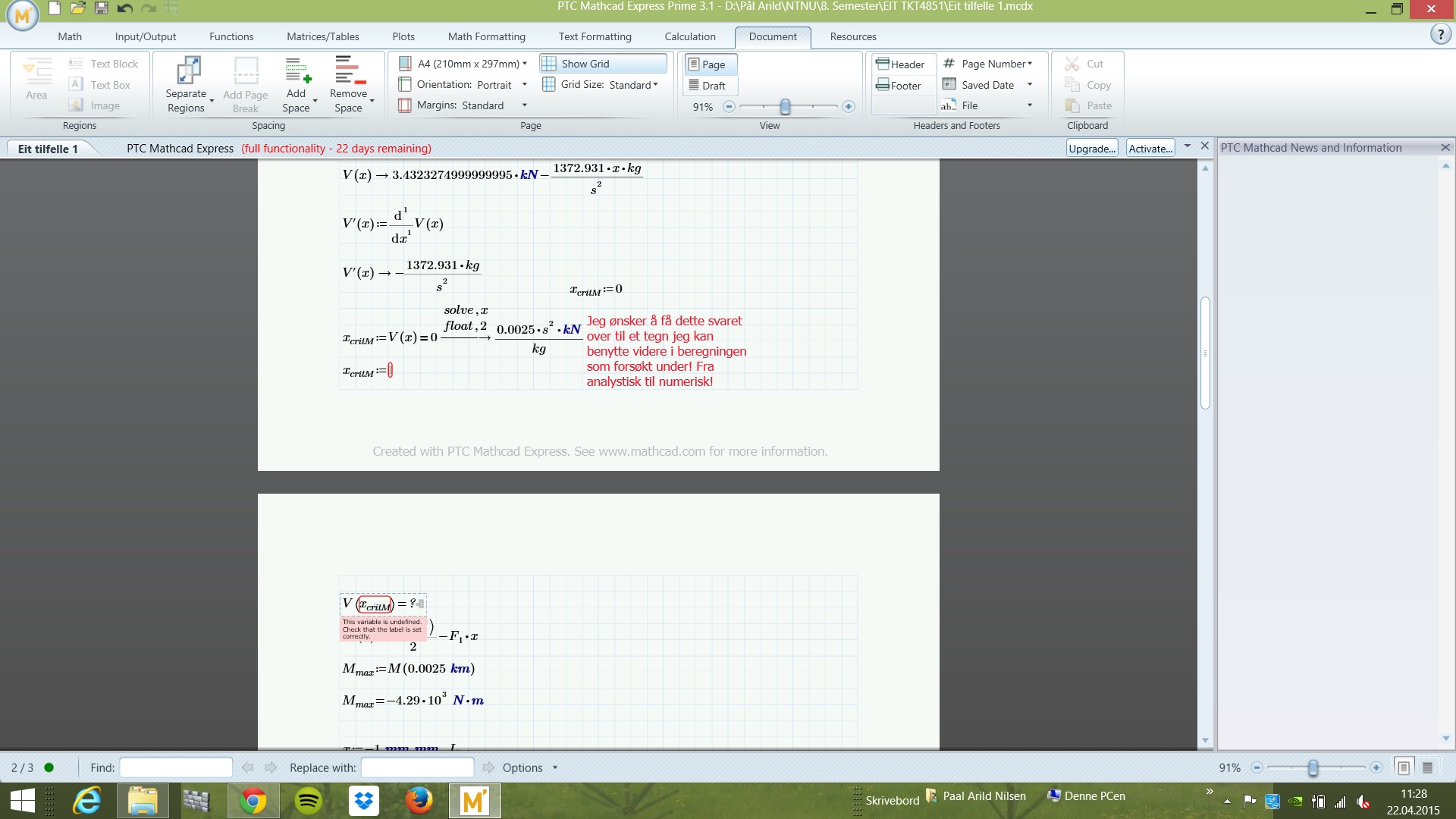
When I solve an equation and want to use the solution, I can't manage to get the answer to be numerical.

This prevents me to define a variable that can be used in further expressions.

How can I solve the equation V ( x ) = 0 and get the answer to a variable I can use further to put into an another function? Like I try to do in the attached image!

Best RegardsMathcad problem.jpg
Pål Arild

2 replies

19-Tanzanite
April 22, 2015

It's hard to debug an image, but it looks like it might just be a label problem. Note that kg and s are a different color to kN. Select them where they are first used and change the label ti "units".

Do not use the float keyword to control the precision of the displayed results, because that's not what it's for. It changes the precision of the calculations, not just the displayed result.

pnilsen1-VisitorAuthor
1-Visitor
April 23, 2015

Thanks for the reply

Now I understand the problem, but I'm not capable to get the units to be right (blue). It is "blue" until the calculations then i changes. I have tried to define it as "units" as you said but I don't seem to be doing it right. I can send you the file for debugging if you have time, but I'm only allowed to attach photos on this forum, not mathcad files. I will then need an emailaddress.

Again, thank you very much

1-Visitor
April 23, 2015

Hi

You may want to try this,

Go to the calculation tab and choose the option to set Unit/Constants in Symbolics to active

units-constants in symbolics.jpg

Regards,

Thomas