Best answer by Werner_E

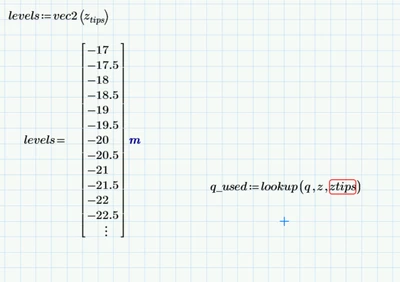
Obviously you attached the wrong sheet again - I see neither a vector "levels" nor a vector "q" with ascendant values in your sheet.

In the meantime I got even more confused as now I am not sure what the input and what the output should be.

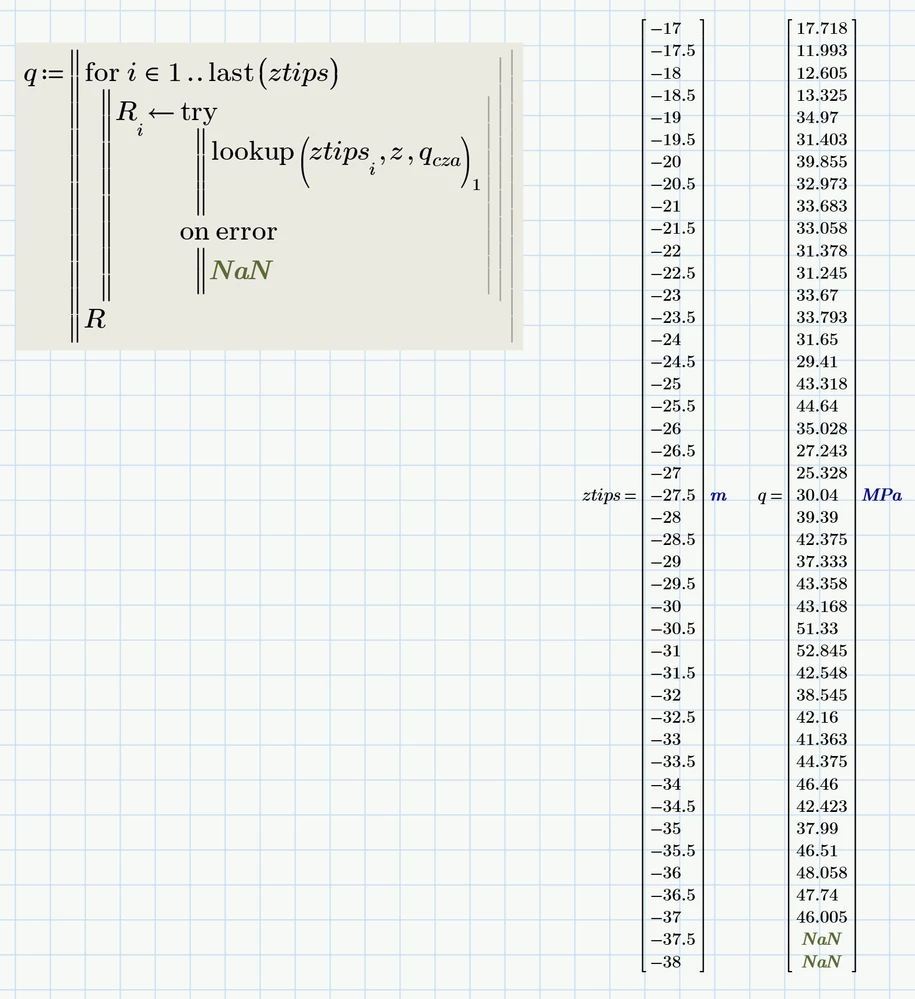
Could it be that you are just looking for something like this - a vector with the q.cza (not just q) values corresponding to the depths in the vector ztips (and not levels!) ?:

Werner_E_0-1734366164299.png


1 reply

25-Diamond I
December 16, 2024

Knowing that q was measured from z which include the levels values as well . like the example 
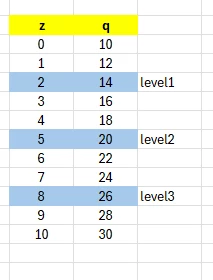
????????????????????????????????????

There is no example which would make it any clearer and there is no q, neither a scalar nor a vector in your worksheet!!??


If q is the second column of the data you read in (unit MPa), then it can be seen that the values are not in ascending order. So one specific q-value like 32 MPa could be assigned to a lot of different depth values in d which then correspond to different 'level' (however you would like to define a 'level').

Werner_E_0-1734352793991.png


Please be more specific as to what you are trying to achieve and give some concrete numeric examples in the Prime worksheet - by this I mean trhat you clearly should name the vectors being involved, name the specific numeric value(s) you choose as input example and also name the result you expect. And if the result is a level number, you should also explain why its this number and how we would arrive at it.


You may also want to look up the syntax of the "lookup" function in the help and compare with your usage of it.

The second and third arguments must be both vectors(!) of equal dimension, the first one usually is a scalar value.

14-Alexandrite
December 16, 2024

Hi Werner ... 

The result I want is the q in the levels I specified.... 

what I have in hand is q in all depths .. but I need only the q in some depths( levels) 

YA_10963798_1-1734357696668.png


in the worksheet I have 3670 depths and only 43 level ... 

I want to filter q to get only the ones corresponding to the levels 

the answer I want incluld only the q values 

see here 

YA_10963798_2-1734357819387.png


the first level is the same of z(1632) I need to get that q in the same depth 

Werner_E25-Diamond IAnswer
25-Diamond I
December 16, 2024

Obviously you attached the wrong sheet again - I see neither a vector "levels" nor a vector "q" with ascendant values in your sheet.

In the meantime I got even more confused as now I am not sure what the input and what the output should be.

Could it be that you are just looking for something like this - a vector with the q.cza (not just q) values corresponding to the depths in the vector ztips (and not levels!) ?:

Werner_E_0-1734366164299.png