
23-Emerald V
October 29, 2024
Solved

Mathcad Prime 10 - Possible Bug - Slow, Frozen, or Cyclic Behaviour

  • October 29, 2024
  • 1 reply
  • 2762 views


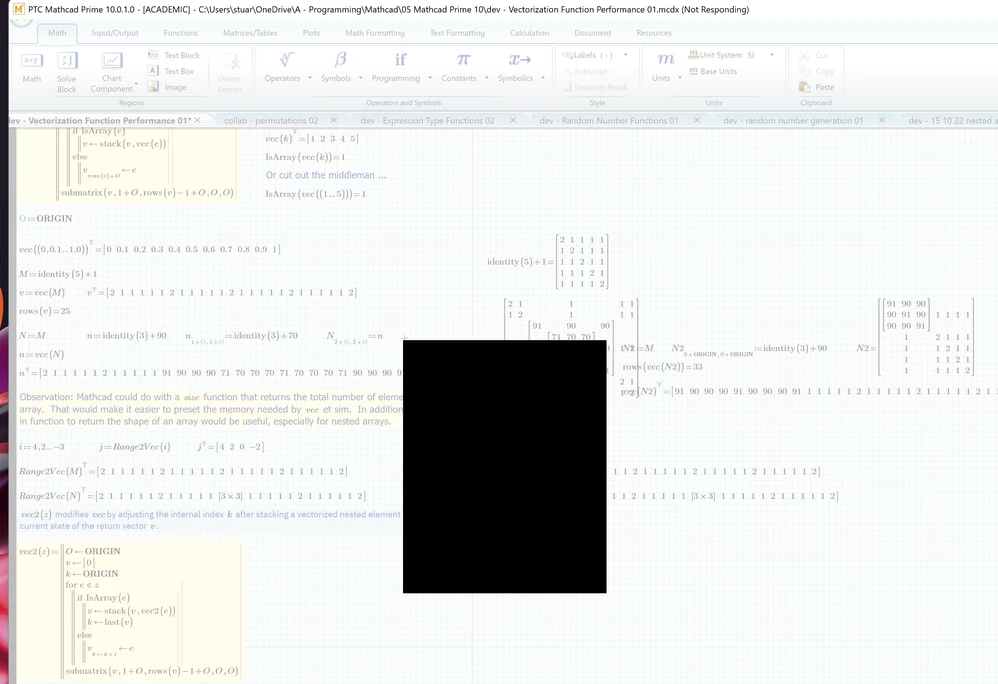
Mathcad Prime (MP) 10 starts to become unusably slow after switching between Mathcad and other applications (even Character Map or its own windows (eg, right-click context or worksheet list drop-down). 


It usually manifests as unresponsiveness after switching back to Mathcad from another app.  Mathcad will freeze, unfreeze, and then freeze again before resuming normal service.  At the moment, though Mathcad is just cycling through freezes and won't let me do anything (including saving the active worksheet).


It seems to happen quicker when I have multiple worksheets open, even if those worksheets do not require saving or have any edit actions that might need undoing.


It happened in the initial MP 10 and in MP 10.0.1.0, but I've noticed it more in MP 10.0.1.0.
 

2024 10 29 D.png


Stuart


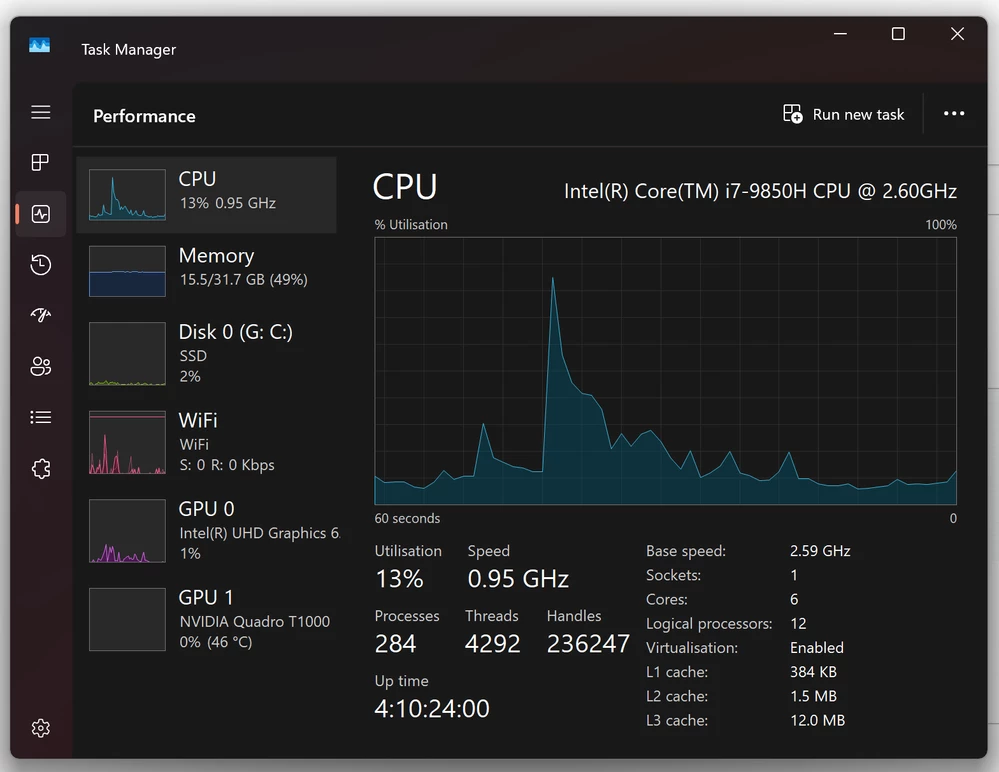
Edited to add:  My Dell laptop doesn't appear to be overly strained during these freezes.
 

2024 10 29 E.png

Best answer by MartinHanak

@StuartBruff wrote:

Thanks, Martin. 


That core loading is interesting. How many worksheets did you have open at once?  I tend to have several open at a time so that I copy code from to another, maybe tinker with the code to meet a new situation and paste the code back to its original worksheet.   I think I had 7 worksheets open the last time the laptop started playing up (or down, in performance);  Mathcad said it was using about 3.5 GiB and the rest of the processes on the laptop were taking up about 13 GiB, so just over 16 GiB out 32 GiB being used and no evidence of hight peaks.


Stuart


Hi,

my todays test ...

  • I created 14 copies of dev - Vectorization Function Performance 02.mcdx
  • I started MP 10.0.0.0
  • I opened 14 mcdx files one by one

Conclusions

  • at the end MathcadPrime.exe process had 4GB of memory allocated
  • each subsequent File > Open dialog took longer to display
  • each subsequent mcdx file took longer to load (1st -> 12 seconds, 14th -> 30 seconds)
  • it seems to me that 4GB of memory allocated is too much for single MathcadPrime.exe process
    • I think you can open Case at PTC Support and discuss the problem with them

Information

  • MP 10.0.0.0 license enables you to start more than one instance of MP 10.0.0.0
    • this means ... instead of opening 7 mcdx files in single instance of MP 10.0.0.0 you can start 7 instances of MP 10.0.0.0 and open single mcdx in each of them
      • unfortunately I do not know if it is possible copy&paste between different instances of MP 10.0.0.0

1 reply

24-Ruby III
October 30, 2024

Hi,

I guess that the problem is related to specific mcdx file (containing time-consuming calculations) ...

23-Emerald V
October 30, 2024

@MartinHanak wrote:

Hi,

I guess that the problem is related to specific mcdx file (containing time-consuming calculations) ...


Possibly, but I don't think there were any particularly time-consuming calculations going on most of the time it has happened.  I did note that Mathcad was taking up about 4GiB RAM when I checked during one of its "absences", but my Dell was still not using much more than 16 GiB out of 32 GiB.  


Stuart

24-Ruby III
October 30, 2024

@StuartBruff wrote:

@MartinHanak wrote:

Hi,

I guess that the problem is related to specific mcdx file (containing time-consuming calculations) ...


Possibly, but I don't think there were any particularly time-consuming calculations going on most of the time it has happened.  I did note that Mathcad was taking up about 4GiB RAM when I checked during one of its "absences", but my Dell was still not using much more than 16 GiB out of 32 GiB.  


Stuart


Hi,

if you upload some mcdx file then I can check MP10 behaviour on my notebook.