1-Visitor
November 19, 2015
Solved

One method for Eigenvalues does not work

  • November 19, 2015
  • 2 replies
  • 1907 views

Greeting, everyone

1.JPG

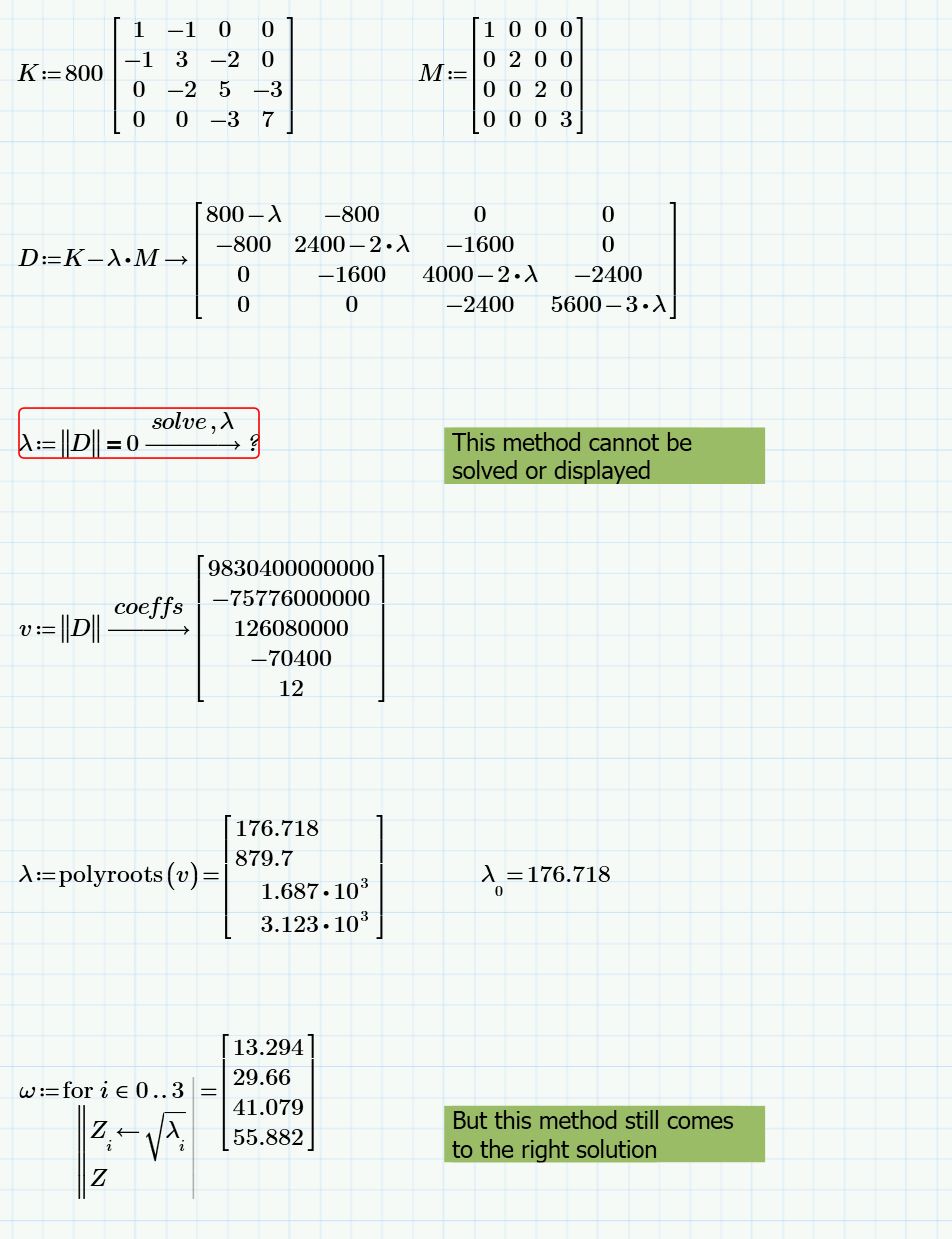
With the first approach, Mathcad cannot return to a solution. But the second one using Polyroots works.

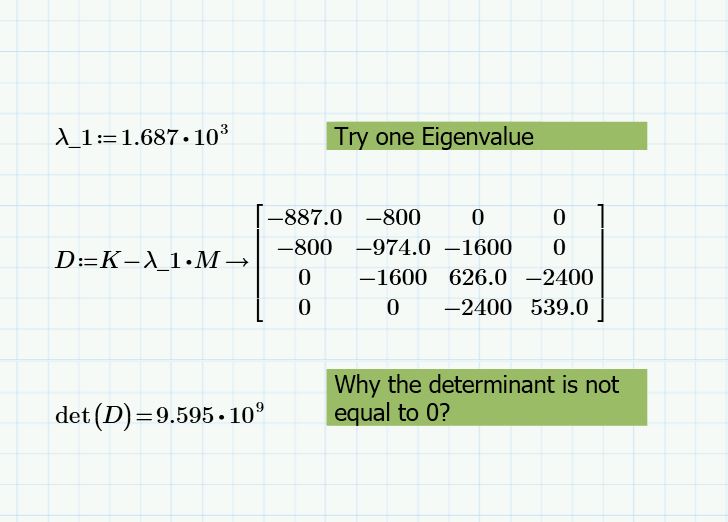
And when I check with the eigenvalues derived from above, the determinant is not equal to 0, why?
2.JPG

Thank you for your time.

Best

Shawn

Best answer by AlanStevens

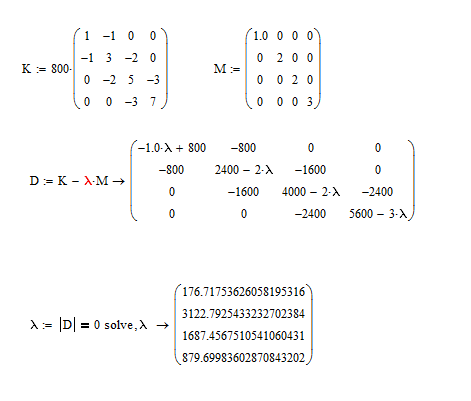
Are you sure it can't be solved, or is it just that it can't be displayed (which is the situation in Mathcad 15)?  If the latter try replacing one of your integers by a floating point number as in my (M15) picture below (I can't test your file as I don't have Prime 3.1).  Note that I've replaced the 1 in your M matrix by 1.0.

eigvals.PNG

Alan

2 replies

sfan1-VisitorAuthor
1-Visitor
November 19, 2015

Sorry I forget to upload the file.

But this time it is still a 3.1 version.

19-Tanzanite
November 19, 2015

Are you sure it can't be solved, or is it just that it can't be displayed (which is the situation in Mathcad 15)?  If the latter try replacing one of your integers by a floating point number as in my (M15) picture below (I can't test your file as I don't have Prime 3.1).  Note that I've replaced the 1 in your M matrix by 1.0.

eigvals.PNG

Alan

sfan1-VisitorAuthor
1-Visitor
November 19, 2015

Yes, Alan

Take the float to 3 for instance will display the solution.

But any thought on the the fact that the determinant is not equal to zero?

Thank you

Shawn

19-Tanzanite
November 19, 2015

Shawn Fan wrote:

Yes, Alan

Take the float to 3 for instance will display the solution.

But any thought on the the fact that the determinant is not equal to zero?

Thank you

Shawn

Just limited numerical precision - especially if you use float 3.  This not only limits the display, but, much more importantly, limits the precision of the intermediate calculations also.  Below, I've used float 50. 

eigvals2.PNG

Alan