
24-Ruby IV
December 31, 2021
Question

Operators on a white background

  • December 31, 2021
  • 2 replies
  • 3770 views

I prepare my Mathcad figures for publication so that they are on a white background, not on a paper background. One of the solutions is to move the operator to the plot area with a white background.
Are there any other solutions?
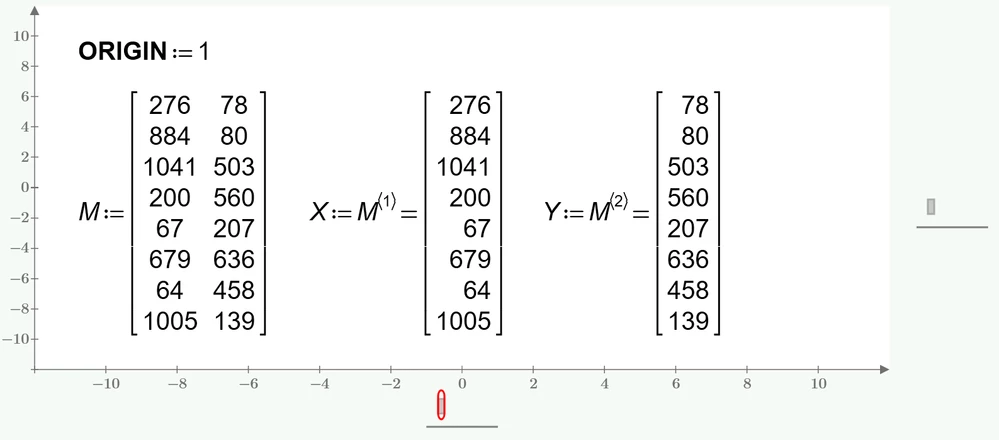
WhiteBack.png

2 replies

25-Diamond I
December 31, 2021

Using the appropriate software you can exchange the background paper color for plain white after taking the screen shot.
You may use a full blown picture editing software like Photoshop, Gimp, etc. but even the simple Editor of the Screenshot software SnagIt offers a way to do that.

BEFORE:

Werner_E_0-1640967513582.png

AFTER:

Werner_E_1-1640967546583.png

P.S.: You can even use Paint in Win 10, but its a bit awkward and painful as you'll have to brush over the whole picture with the eraser. A Wiki of how to do it can be found here: https://answers.microsoft.com/en-us/windows/forum/all/widows-10-how-to-perform-replacment-of-paint-color/78ca7f65-22fc-49a7-a9dc-13abfa690b4b

I have not tried the free Fresh paint app from M$ but you may give it a try and see if it provides a more comfortable mean to do the job. https://www.microsoft.com/en-us/p/fresh-paint/9wzdncrfjb13#activetab=pivot:overviewtab

But then, if you are about to install a new software, you could rather do with the free GIMP as well 😉


5-Regular Member
January 2, 2022

Just prepare your worksheet normally, uncheck the "Show Grid" button if you do not want any grid and when you are done - save it as PDF, or RTF. Page background will be white in the PDF or RTF file.

If you prepare a publication in another editor and only need to copy some regions for Mathcad Prime to this other editor - most probably you will be able to just select the region(s) that you need to copy and copy and paste them to your other editor and it will not have background. (Mathcad Prime supports copy in image and rich text format.) If you copy single region images from Mathcad be sure to do it on consistent zoom settings.


Alternatively you can create a text block, select it and set the "Highlight Color" on "Text Format" tab to white. You can put all your text and math inside this text block. (I don't recommend doing it. Just a workaround that came to my mind.)


25-Diamond I
January 2, 2022

Unfortunately this does not work when trying to copy more than one region at a time. At least I just tried with a math and a plot region. It worked with each one separately, but not with all two of them at once.

5-Regular Member
January 2, 2022

Works for me.

I was able to copy an equation and a plot in Mathcad Prime 7 and paste them to Microsoft Word and WordPad.

Not possible to paste to, for example, Microsoft Paint though. If you want to paste to Paint or any other application that can paste images, but not rich text - you will need to do it one by one.