
12-Amethyst
April 16, 2014
Question

Problem double clicking a mathcad file to open

  • April 16, 2014
  • 1 reply
  • 3885 views

Recently I have had a problem when double clicking on Mathcad files and mathcad is not already running.

the first time will open a messagebox:
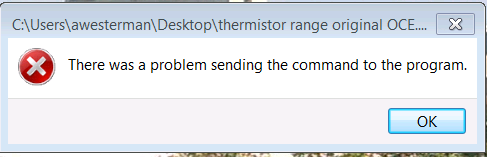
Capture.PNG

and opens mathcad (but not the file).

the second time I double click on the same file,even if mathcad has been closed, works properly.

the third gets the messagebox but does not open mathcad

the fourth works OK again ...

If mathcad is open, it works every time!

I suspect that its either something that I've changed in the windows environement or from the last windows update, this last option seems unlikely as a colleague

using the same version on a similar machine (next off the production line) doesn't have the problem.

I have mathcad 15 M010 running under windows 7 32bit

Has anyone else noticed behaviour like this or suggestions on why and how to fix it?

Regards

Andy

1 reply

25-Diamond I
April 16, 2014

You probably had searched the net yourself already and found a lot of results, most of them dealing with Excel or Word. Usual procedure seems to be to turn off Dynamic Data Exchange. Excel seems to have a switch for that in its options.

As an aletrnative you may delete the Ddeexec key completely for the file extension in the registry .

Path is: HKEY_CLASSE_ROOT\Mathcad xmcd\Shell\Open\Ddeexec

Do the same for the other extensions like xmcdz and maye also the template extensions.

Others suggest to delete the "command" key (also under "open") as it may contain an invalid string, but I guess if this would be the case it wouldn't work every second time.

Keep in mind that when fiddling around with the registry its a good idea to make a backup first - export the key you intend to delete to a file first.

19-Tanzanite
April 16, 2014

I would not only back up the registry, I would create a Windows restore point. It's always a good idea to have at least one restore point anyway, and more than one doesn't hurt.

12-Amethyst
April 17, 2014

Hi All,

I had thought that this was a fix for it yesterday:

Made a restore point,

exported the strings & deleted entry in registry,

on re-boot as expected can't open mathcad with click from explorer.

Imported strings back into registry & seemed to be OK after re-boot, but on re-boot this morning, it was back to the same problem!. since then it has 'fixed' itself again - so I guess that I don't understand the rules properly yet.

Regards

Andy