
1-Visitor
October 3, 2013
Question

Problem with regresting Mathcad Prime 3.0

  • October 3, 2013
  • 3 replies
  • 6629 views

Hey

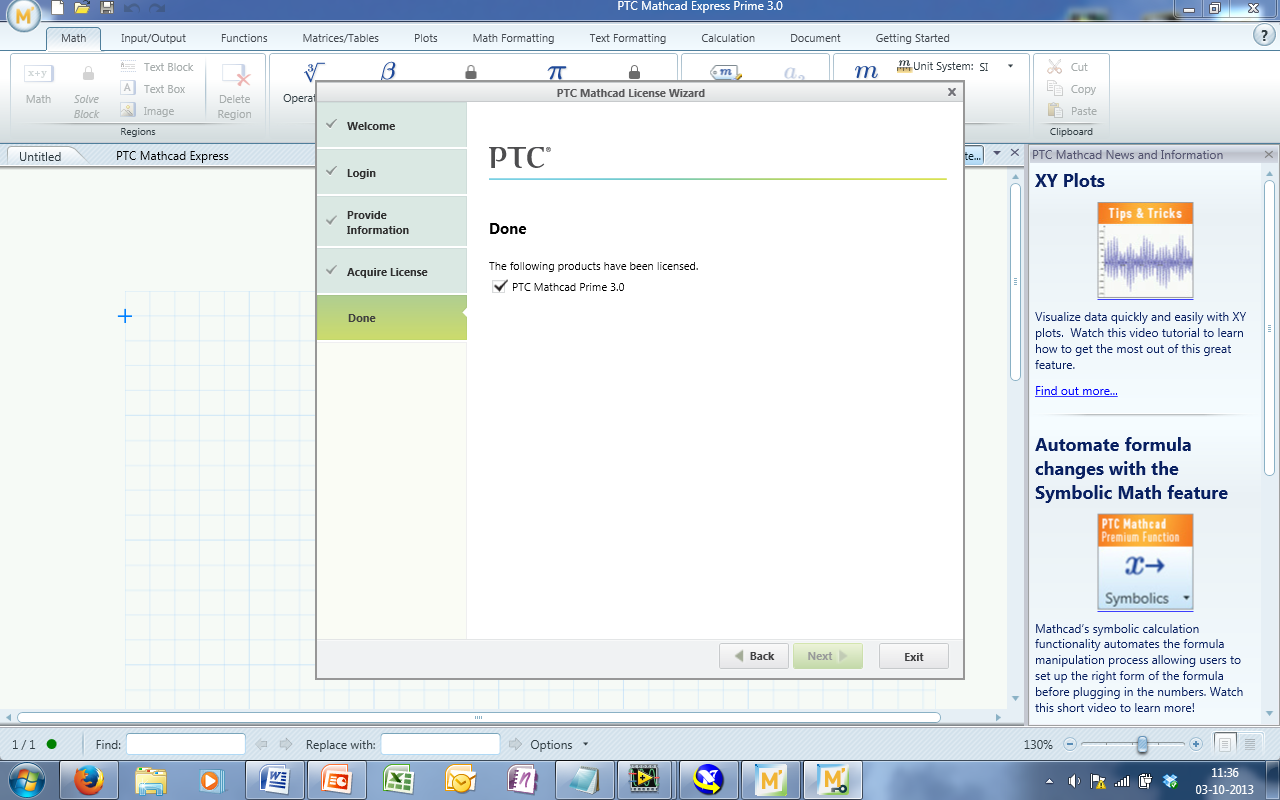
Yesterday I reinstalled my laptop and had to install Mathcad Prime againg. Before I reinstalled my laptop, I was using Mathcad Prime 2.0 with a license key acquired through my University, (University Of Southern Denmark). During the meantime Mathcad Prime 3.0 has been released, which I first notice when starting the program for the first time. I tried to use my old key which seem to work fine. The license dialog box tells me that the program has been registered (see picture 1). But when I using Mathcad, it still runs in expressed mode. I have used my university internet connection when registering.

I have been searching for the old Mathcad Prime 2.0 installer, but with no luck.

What to do ?

Picture
Mathcad+1.png

3 replies

25-Diamond I
October 3, 2013

1) try to get a new product key for Prime 3 from your university. Chances are they have not yet acquired new product keys.

2) Contact PTC support. They may give you the opportunity to download Prime 2

3) Try to get Prime 2 from your university. Maybe a fellow student can help, too.

4) Search the net for "download Mathcad Prime 2". As Prime 3 is brand new chances are, that some sites haven't updated yet and you can get the old installer from there

and the best of all

5) Use Mathcad 15 instead 🙂 Prime is newer, but not better.

24-Ruby III
October 3, 2013

Prime 2.0 and Prime 3.0 use a different license. So you need to update the license to use Prime 3.0.

25-Diamond I
October 3, 2013

VladimirN. wrote:

Prime 2.0 and Prime 3.0 use a different license. So you need to update the license to use Prime 3.0.

They sure would not only need a different license file but also need a different product key (for edu I guess it will be one beginning with MP3...).

Furthermore its doubtful if the productkey Nicolai got for P2 will be valid for a second installation. On contrary to single user licenses this was not the case in the past for student licenses. If thats still the case he will have to contact PTC support or his university anyway. Unless of course he has saved the license file from his prior installation - then he will just need the installation file for Prime 2.

1-Visitor
October 3, 2013

Thanks for the help

I have uinstalled Mathcad 3.0 and installed Mathcad 2.0 (thanks for link Vladimir) The licens work perfectly with Mathcad 2.0.

So i will get back to working again!