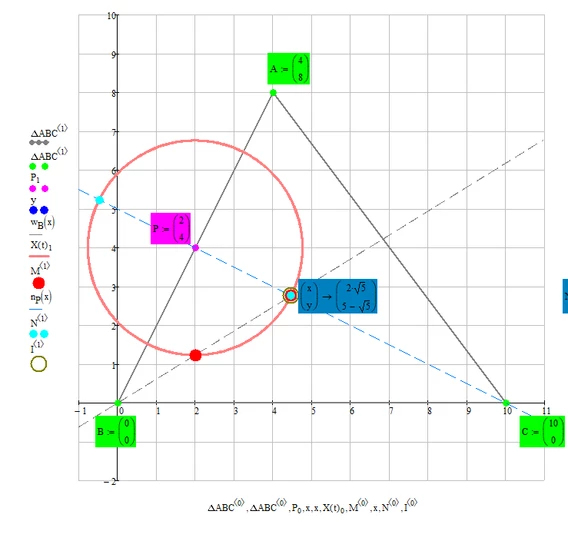
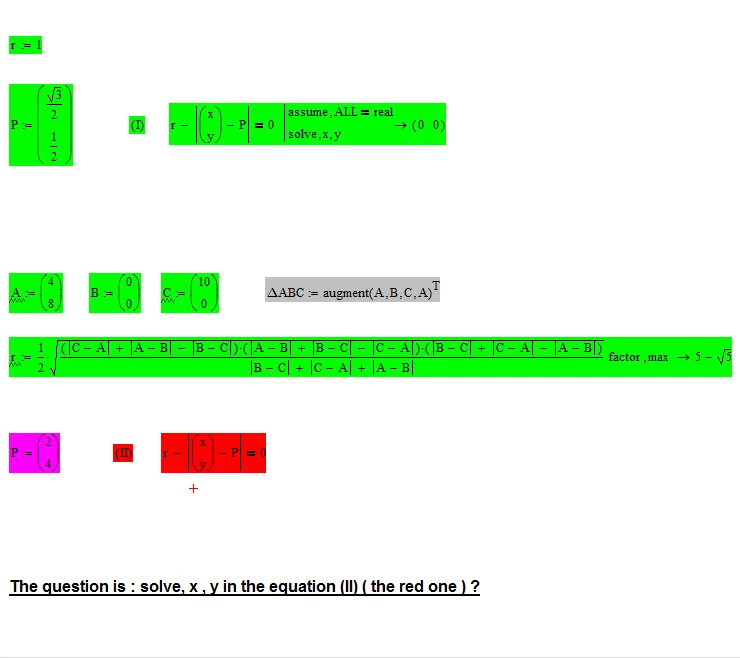
Again, your equation just asks for a point with a given distance (the radius of the inscribed circle) from a point P.
As was already shown there are an infinite number of such points, all on a circle around P and you were given a number of ways to analytically describe all those points.
When you ask Mathcad to solve your equation, how should Mathcad know that you just want one specific point out of the infinite number of possible points? You seem to want Mathcad to give you the coordinates of the center of the inscribed circle . I showed a simpler way to get these coordinates. So why do you want to make it that complicated?? Whats the point?
To calculate the center of the inscribed circle, you would have to add additional conditions. Maybe you demand, that it should lie on the angle bisecting line through B.
You still get two solutions of course which means you will still have to add an additional constraint like a second angle bisecting line.
And if you want to do Mathcads symbolics a favor you should get rid of the absolute value and use the squared distance.

Its even easier if you use the normal to AB through P, but of course as you intersect a circle with a straight line, you again get two solutions:

And of course you get a unique solution by getting rid of the circle and using the two lines only:
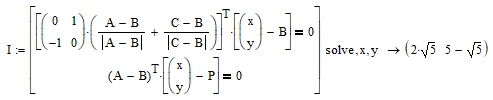
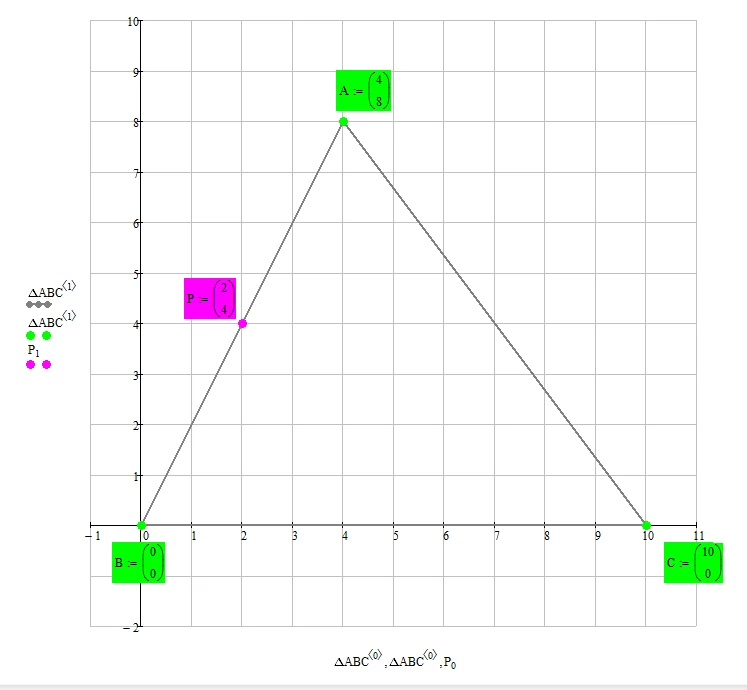
And given that P (which came out of the blue) is actually the point where the inscribed circle touches the line AB, you can easily calculate the center of the inscribed circle by running the length r along the normal to AB through P. You just have to take care to run in the correct direction 😉

Here you should see what was done