1-Visitor
January 10, 2023
Solved

symbolic simplification usage

  • January 10, 2023
  • 2 replies
  • 1374 views

Hi

EY_10539769_0-1673338588162.png

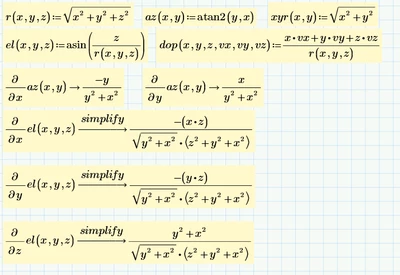
I have this worksheet.

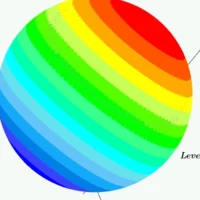
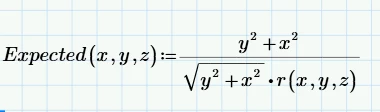
I want to simplify the last equation that they will use r, for example, the last equation needs to see like this:
EY_10539769_1-1673338768592.png


how can I do that?


Best answer by ttokoro

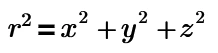
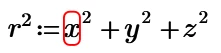
r2 is not r^2 but using superscript font 2.


image.png So, we can define, image.png image.png

2 replies

25-Diamond I
January 10, 2023

Didn't you rather expect the square of r ? 😉

Something like

Werner_E_0-1673354277789.png

Unfortunately I see no way to talk Primes symbolic to replace the expression that way.

And then ... how should the program know when you want to see r(...) and when not? In the expression you show you may also write the nominator as

Werner_E_1-1673354433225.png

So the whole derivation could also be written as

Werner_E_2-1673354659645.png

Why not?


ttokoro
21-Topaz I
ttokoro21-Topaz IAnswer
21-Topaz I
January 11, 2023

r2 is not r^2 but using superscript font 2.


image.png So, we can define, image.png image.png

t.t.
25-Diamond I
January 11, 2023

There is no need to define r².

But I sure won't suggest using this method just to see a result which actually isn't a valid result at all.

Werner_E_0-1673445733805.png

Prime 6 with legacy symbolic