
Solved
Table with more decimals
Hi
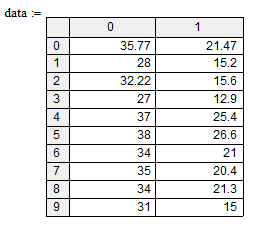
I have a simple X,Y table which rounding the numbers to two decimals. Does anyone know how to show more decimals ?
Thanks in advance

Hi
I have a simple X,Y table which rounding the numbers to two decimals. Does anyone know how to show more decimals ?
Thanks in advance
As already said:
1) Right click the the region/any number in the table
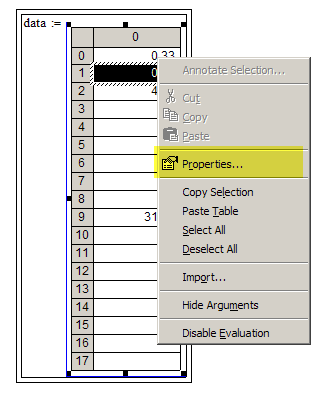
2) Left click "Properties"
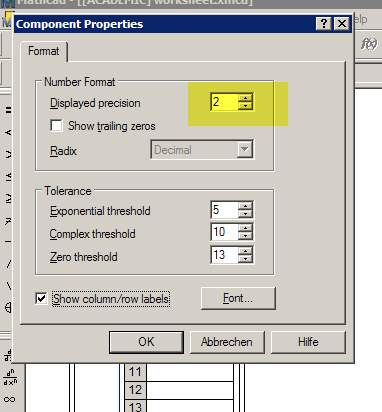
3) Change "Displayed Precison" to a higher number (max. 17) and click OK
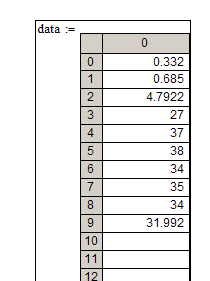
Now you should see the decimals up to the chosen number and depending on how much decimal places you had entered.
You can change some other things, too in this menu, like showing trailiung zeros, (not) showing row and column headers, font size, etc.
BTW, in your sheet the definition of Y failed as you had not entered a second column of data.
No account yet? Create an account
Enter your E-mail address. We'll send you an e-mail with instructions to reset your password.